Ai for Architectural Design: Boost Creativity and Speed with AI
When we talk about using AI in architectural design, we're not talking about robots taking over.We're talking about a suite of smart tools that can automate the grunt work, explore thousands of data-backed design options, and whip up realistic visuals in the time it takes to grab a coffee. It’s about letting architects and designers get back to the high-level creative thinking by taking the repetitive stuff off their plates.
The New Blueprint: How AI Is Reshaping Architecture

Picture this: you get through a week's worth of design variations and photorealistic renders in just one afternoon. That's not science fiction anymore; it's the reality AI brings to architectural design, completely changing how we work and unlocking new creative possibilities.
For solo architects and small firms, the daily grind is real. You're juggling tight deadlines, stretching limited resources, and feeling the constant pressure to produce incredible visuals that win over clients. The traditional route meant endless hours of manual drafting, wrestling with complex rendering software, and a painfully slow, one-step-at-a-time design process.
But what if you had a creative partner that could handle all that heavy lifting?
A Practical Partner for Modern Design
AI isn’t some far-off, complicated technology only for giant corporations. It's a real, accessible toolkit you can use today to multiply your own skills and output. The best way to think about it is not as an autonomous robot designer, but as an incredibly fast and talented assistant who never needs a break.
This changes everything. You can explore more ideas, much faster. Instead of getting bogged down refining a single concept, you can generate dozens of options, each automatically optimized for things like sunlight exposure, material costs, or spatial efficiency. This completely transforms the conversation with clients, enabling you to have much more collaborative and visually engaging presentations right from the start.
By automating the repetitive and time-consuming aspects of design, AI for architectural design frees up architects to do what they do best: solve complex problems and create beautiful, functional spaces.
Leveling the Playing Field
For a long time, producing high-end, polished visualizations was something only big firms with dedicated rendering teams and expensive software licenses could afford. This put smaller studios and independent designers at a huge disadvantage.
AI-powered tools are breaking down that barrier. With platforms like MoldaSpace, anyone can produce world-class results without needing specialized training or a massive budget. This guide is your roadmap to understanding and using these tools. We'll show you exactly how to:
- Speed up your workflow from the first sketch to the final client presentation.
- Generate a wide range of design concepts in a fraction of the time it used to take.
- Create photorealistic visuals that truly capture the imagination of clients and stakeholders.
Welcome to the new blueprint for architecture—a future where your creativity is amplified, not automated.
Let's quickly break down how these capabilities stack up against the old way of doing things. The table below shows the shift in thinking and workflow that AI introduces.
Core AI Capabilities in Architecture at a Glance
| Capability | Traditional Approach | AI-Powered Approach |
|---|---|---|
| Concept Design | Manual sketching; slow, linear exploration of a few ideas. | Generates hundreds of variations based on parameters and constraints. |
| Visualization | Time-consuming renders requiring specialized software and skills. | Near-instant photorealistic renders from simple sketches or models. |
| BIM Augmentation | Manual data entry and clash detection; prone to human error. | Automates model checking, suggests optimizations, and enriches data. |
| Performance Analysis | Separate, complex simulations for energy, light, and structural integrity. | Real-time analysis and feedback integrated directly into the design phase. |
As you can see, the AI-powered approach isn't just about doing the same things faster; it's about integrating powerful new abilities directly into the creative process, opening up possibilities that were once impractical or impossible for many firms.
Understanding Your New Digital Toolkit
Stepping into AI for architectural design is less like learning a new piece of software and more like upgrading from a hand-cranked drill to a fully-equipped, intelligent workshop. Suddenly, you have tools that don't just follow orders but anticipate your needs, suggest smarter approaches, and execute complex jobs with incredible precision.
This isn't a niche trend, either. It’s a seismic shift. A recent survey from Chaos and Architizer, polling over 1,200 design professionals, revealed that 67% are already using AI or planning to jump in soon. Adoption is especially high in larger firms—55% of companies with over 100 employees are consistently weaving AI into their work. You can get the full story from the architecture AI adoption survey.
Let’s unpack what these new tools actually do, using some simple analogies to cut through the jargon.
Generative Design: Your Tireless Brainstorming Partner
First up is generative design. Picture this tool as your most creative and relentless brainstorming partner—one who never needs a coffee break. You set the rules of the game, defining the project's non-negotiables, and it explores thousands of potential solutions for you.
What kind of rules are we talking about? Anything, really:
- Budget: Hard limits on material and construction costs.
- Site: Maximizing natural light or minimizing solar heat gain.
- Structure: Performance goals for load-bearing elements.
- Program: Adjacency needs, like ensuring the kitchen flows into the dining area.
Once you feed it the parameters, the AI gets to work, generating a massive portfolio of design options that all satisfy your core requirements. It often surfaces layouts and forms a human designer, constrained by habit and deadlines, might never stumble upon. It doesn't replace your vision; it gives you a catalog of optimized possibilities to evaluate, refine, and elevate.
BIM Augmentation: Your Super-Intelligent Project Manager
Next, we have BIM Augmentation. If generative design is your creative partner, think of BIM augmentation as your super-intelligent project manager. It plugs directly into your Building Information Modeling (BIM) data, acting as an extra set of incredibly sharp eyes that never gets tired.
This AI assistant meticulously scans your models in Revit or ArchiCAD, performing critical checks with superhuman speed and accuracy.
Its main job is to catch problems before they become expensive change orders on-site. It flags potential clashes between MEP systems and structural beams, runs complex energy performance analyses, and even checks for compliance with local building codes.
This kind of proactive quality control saves a staggering amount of time and money by preventing rework. It turns a static 3D model into a dynamic, intelligent database that actively helps you deliver a better building. For a closer look at these platforms, check out our guide on essential AI tools for architects.
AI-Powered Visualization: Your Instant Photographer
While the first two tools are incredibly powerful, the one that delivers the most immediate "wow" factor for many architects is AI-powered visualization. This is your personal 'instant photographer,' capable of turning a rough idea into a photorealistic image in seconds. The days of waiting hours—or even days—for a single render are officially over.
Platforms like MoldaSpace are leading the charge here. You can feed it a simple sketch, a basic 3D model from SketchUp, or even a photo of an empty site and get a breathtakingly lifelike render back. The real breakthrough is how simple it is. Forget complex menus and tweaking hundreds of lighting and material settings. Now, you just tell the AI what you want.
With a simple text prompt, you become the art director. For instance, you can guide the scene by typing:
- "Japandi style with soft morning light filtering through sheer curtains."
- "Industrial loft with exposed brick, concrete floors, and warm track lighting."
- "Mid-century modern living room with walnut furniture and a sunken conversation pit."
This ability to produce endless high-quality visuals on the fly makes client presentations far more dynamic and engaging. You can showcase multiple design directions on the spot, get immediate feedback, and iterate in real-time, building client confidence and dramatically shortening the approval process.
Integrating AI Into Your Design Workflow
Bringing AI into your firm isn't about throwing out your favorite software. It’s about weaving these new capabilities into the way you already work to save time, spark new ideas, and ultimately, deliver stronger designs. Think of it as upgrading your process from a slow, step-by-step march into a fast, fluid, and iterative loop.
The journey starts right at the beginning, when a project is just a rough idea. From there, AI can act like an expert assistant, helping you develop concepts, visualize them, and even nail down the final documentation. The result is a workflow that's faster, smarter, and more in tune with your client's vision from day one.
Conceptualization: Exploring Possibilities at Scale
The earliest phase of any project—conceptualization—is where AI makes its most dramatic entrance. We all know the drill: hours spent sketching, building out a few rough massing models, and exploring a handful of potential layouts. Generative AI completely flips that script.
Instead of manually grinding out two or three concepts, you can now generate dozens, or even hundreds, of solid options in a matter of minutes. Just feed the AI your site constraints, program requirements, and general aesthetic goals. It will churn out a huge variety of massing studies and floor plans, giving you a much wider field of view. It’s not about finding one "perfect" answer; it’s about discovering new solutions you might have never considered otherwise.
This completely changes your initial client meetings. You’re no longer just presenting a single concept. You're walking them through a whole range of viable possibilities, turning a simple presentation into a truly collaborative work session.
Design Development: Refining with Data-Driven Insights
Once a promising concept has been chosen, the real work of design development begins. This is where you get into the nitty-gritty, making critical calls on materials, structure, and building performance. AI tools are an incredible partner here.
For example, you can get real-time performance simulations running right inside your design software. Want to see how changing the window-to-wall ratio impacts energy costs? Or how different facade materials affect solar heat gain? AI can give you that feedback instantly. This constant feedback loop lets you optimize as you go, ensuring your design isn’t just beautiful but also efficient and sustainable.
This moves performance analysis from a last-minute box-checking exercise to an integral part of the creative process. It empowers you to make smarter, more informed decisions right from the start.
Rapid Visualization with MoldaSpace
For many firms, the biggest time-saver is AI-powered visualization. This is where the abstract lines in your model get transformed into compelling, photorealistic images that clients immediately understand and connect with. Tools like MoldaSpace make this process almost effortless.
Here’s what that looks like in a typical workflow:
- Export a Basic Model: Start with a simple, untextured model from a tool you already use, like SketchUp or Revit. Don't waste time setting up complex materials or lighting.
- Upload to the AI Platform: Take that exported image and upload it to an AI visualization tool.
- Use Natural Language Prompts: This is where the magic happens. You guide the AI with simple text. For example, you could upload a basic kitchen model and just type, "modernist interior with concrete floors, walnut cabinets, and a marble backsplash."
- Generate and Iterate: In about 30 seconds, you’ll have a high-quality, client-ready render. If it’s not quite right, just tweak the prompt—maybe change "walnut cabinets" to "matte black Fenix"—and generate a new version on the spot.
This infographic captures the simple, three-step process of turning a quick sketch into a professional render using AI.
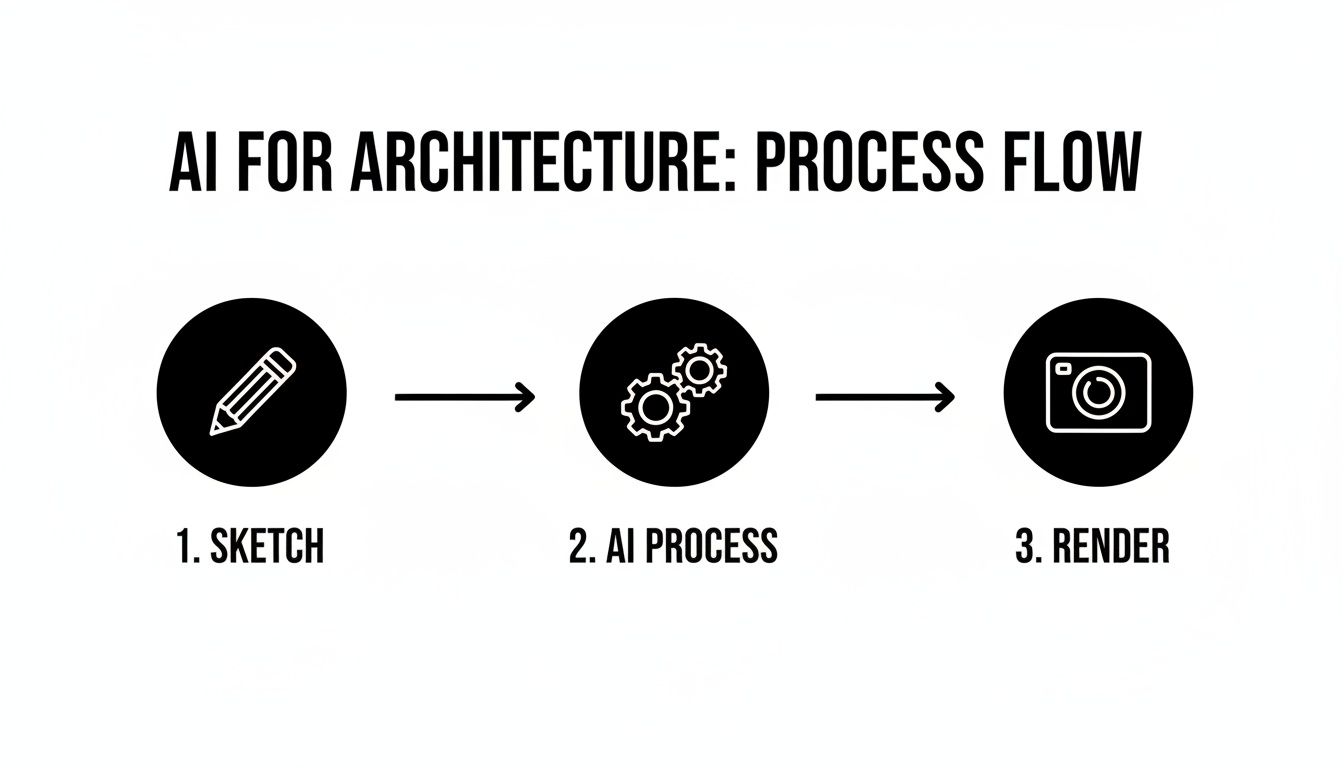
As you can see, AI becomes the engine that takes a simple input and produces a polished, high-fidelity output with almost no manual effort.
This ability to iterate so quickly is a game-changer for client presentations. Instead of showing up with a single render that took you days to create, you can explore multiple material and style options live, helping clients make decisions faster and feel more involved in the process.
Documentation: Streamlining the Final Steps
Even in the home stretch of a project, AI can find ways to improve efficiency. The tedious but necessary work of creating schedules, writing specs, and quality-checking construction documents can be partially automated.
AI algorithms can scan your BIM models to automatically generate door, window, and finish schedules, which massively reduces the chance of human error and saves countless hours of manual data entry. Some tools can even run last-minute clash detection or scan drawings for inconsistencies, making sure your documents are clean and coordinated before they go out the door. It might not be as exciting as visualization, but this practical application of AI for architectural design is essential for improving project delivery and boosting your bottom line.
The Real Payoff: Speed, Savings, and Creative Freedom
Adopting new tech can feel like a gamble, but the business case for bringing AI into an architectural practice is built on solid, measurable gains. It’s not just about flashy technology; it's about how it directly impacts your firm's bottom line, efficiency, and the quality of your creative work. At the end of the day, it's about getting better results, faster.
This isn't just a small tweak to your workflow—it's a massive boost to your operational speed. Gensler’s 2026 Design Forecast nails it, pointing out that AI is set to become a core part of the design process, blending human imagination with data-driven smarts. The report even predicts AI will make prototyping and adapting designs up to 10 times faster than we do now, a crucial advantage in a market that changes on a dime. You can dive deeper into how AI will shape the future of cities in their full report.
So, let's break down the three core benefits you'll actually see.
Slash Project Timelines
The first thing you'll notice is the incredible speed. The traditional design-render-review-revise cycle is a notorious project killer. A single, high-quality render can take hours—sometimes all day—to process. That lag creates a huge bottleneck, stalling client feedback and grinding the whole project to a halt.
AI-powered visualization tools completely get rid of that waiting game.
- Instant Renders: Forget leaving a render to cook overnight. You can generate a photorealistic image in about 30 seconds.
- Live Iteration: This speed lets you explore dozens of design options during a client meeting. You can swap out materials, adjust the lighting, or try different furniture layouts on the fly.
- Faster Approvals: When clients see multiple realistic options instantly, they make decisions with more confidence. This collapses the approval process from weeks to days, or even hours.
This acceleration means you can wrap up projects faster, which frees you up to take on more work and hit tight deadlines without ever compromising on quality.
Cut Costs and Boost Your ROI
Faster work translates directly into cost savings. By automating the grunt work, AI cuts down on the billable hours spent on tedious, repetitive tasks. This frees up your team to focus on what they do best: creative problem-solving and building strong client relationships.
The financial upside is huge:
- Ditch Expensive Hardware: You no longer need a room full of expensive servers for an in-house render farm or super-powered workstations for every designer.
- Reduce Software Bloat: You can sidestep the hefty annual licenses for complex rendering software, which often come with a massive learning curve.
- Pay for What You Use: Tools like MoldaSpace operate on a credit-based, pay-as-you-go model. This makes professional-grade visualization accessible to everyone, from small firms to solo architects, without a massive upfront cost.
This move away from capital-heavy hardware to flexible, cloud-based tools delivers a much stronger return on investment. You can produce world-class work on a per-project basis, making your business more agile and profitable.
To really get a handle on this shift, it's worth reading up on the advantages of cloud-based rendering for architects.
Unlock Creativity and Thrill Your Clients
Maybe the most powerful benefit is how AI liberates your creativity. When the software handles the mundane tasks, you and your team are free to focus on the big ideas—the core design challenge and the client's true vision. AI isn't here to replace creativity; it's here to supercharge it.
Being able to visualize an idea instantly means you can experiment without fear. Long render times won't punish you for trying an unconventional material or a bold lighting scheme. This freedom naturally leads to more innovative and polished designs.
This also has a huge effect on client happiness. Imagine walking into a first meeting and showing a client several beautiful, fully realized options. It builds immediate confidence and trust. The design process becomes a fun, collaborative back-and-forth, ensuring the final building is exactly what they dreamed of. That means happier clients, stronger relationships, and more successful projects.
Real-World Examples of AI-Driven Design
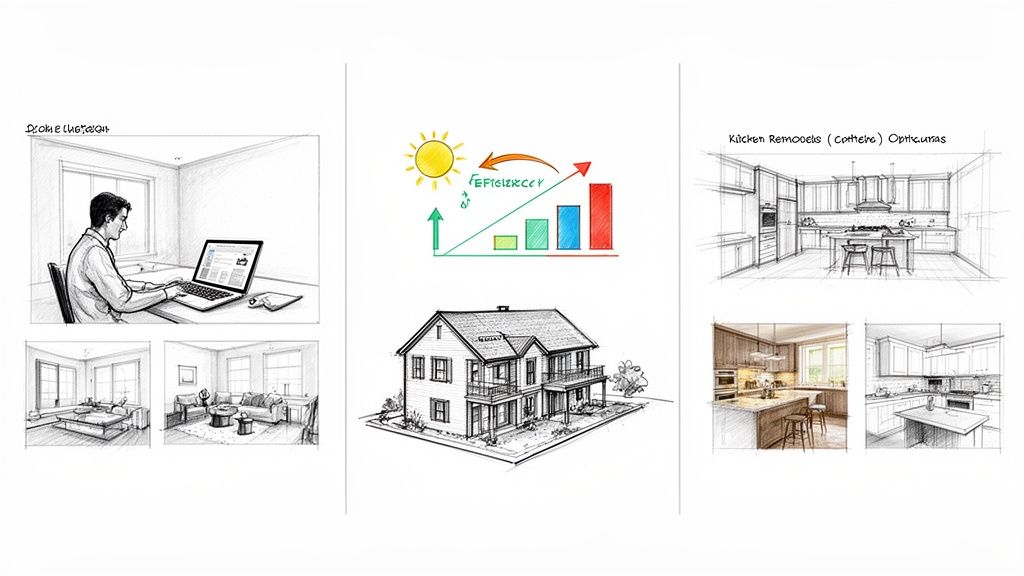
Theory and workflow charts are one thing, but seeing AI for architectural design in practice is where it really clicks. These tools are already delivering real results for firms of all sizes, helping them land bigger contracts, impress clients, and simply get more done.
So, let's step away from the abstract and look at three quick case studies. These are real-world examples of how designers are using AI to solve the kind of everyday problems we all face.
The Solo Interior Designer Securing a Faster Sale
An independent interior designer was brought in to help sell a vacant, high-end condo. The problem? Empty rooms feel cold and sterile, making it tough for buyers to see themselves living there. Physical staging was on the table, but it was expensive and would’ve taken weeks to arrange, pushing back the listing date.
Instead, the designer fired up an AI visualizer.
- The Input: She started by taking good-quality photos of each empty room on her phone.
- The Process: Using a tool like MoldaSpace, she uploaded the photos and used simple text prompts to generate fully furnished, virtually staged images. For the living room, a prompt like, "Coastal modern style with a light oak floor, white linen sofa, and large abstract art," did the trick.
- The Outcome: In about an hour, she had a full set of photorealistic images ready for the real estate listing. The property got 30% more online views and sold in just two weeks—way faster than the local average—and for a better price. The designer delivered huge value without the headache or cost of moving a single piece of furniture.
This is a perfect example of how AI gives solo designers the power to offer services like virtual staging, letting them compete directly with bigger firms and delivering a fantastic ROI for their real estate clients.
The Small Firm Outmaneuvering the Competition
A small architectural firm—just three people—was up against a much larger, well-known competitor for a custom home project. They knew they had to do something special in the proposal stage to even get noticed.
They decided to lean on AI right from the start. First, they used generative design to churn through dozens of potential floor plans, all optimized for the site's solar orientation. This quickly gave them three solid, data-backed options to work with.
Then came the fun part: visualization. For their favorite layout, they used AI to create three completely different exterior looks—a dark modern farmhouse, a light Scandinavian style, and a classic brick facade. They walked into the initial pitch meeting with these photorealistic renders, showing the client exactly what their home could look like.
The client was blown away. While the big firm showed up with basic line drawings, the small studio presented a compelling, tangible vision. They won the contract, proving that AI for architectural design can be a serious equalizer.
The Remodeler Closing Deals on the Spot
A kitchen remodeler was tired of the long, drawn-out sales cycle. A client would share a rough idea, but turning that into a design they loved meant days of back-and-forth emails and calls. Momentum was always getting lost.
He decided to try a new, AI-powered workflow. During one consultation, a client handed him a simple, hand-drawn sketch of the kitchen layout they had in mind. (To see how this works in detail, check out our guide on turning an interior design sketch into a professional rendering.)
Instead of taking the drawing back to the office, he snapped a photo of it on his tablet and fed it directly into his AI tool. Right there, with the client looking over his shoulder, he generated multiple high-quality designs. He showed them options in seconds, from "warm industrial with black hardware" to "classic shaker with a quartz countertop."
The client saw their vague idea become a concrete reality in minutes. They made a confident choice on the spot and signed the contract that same day.
What's Next for AI in Architecture?
Looking ahead, it's pretty clear that AI isn't just a fleeting trend in architecture—it's a fundamental change in how we work. The momentum is real, and these tools are becoming a permanent fixture in our creative and professional lives. This isn't just a feeling; the numbers back it up in a big way.
The global market for AI in architectural design is on a steep climb, expected to jump from $551 million in 2025 to an incredible $975 million by 2032. That kind of growth signals a deep, lasting shift across the entire industry. If you're curious, you can dig into the details of this major market evolution on Infinity Market Research.
Of course, this explosion of growth brings both exciting possibilities and some important questions we need to tackle as a profession.
Balancing Progress with Responsibility
As AI for architectural design tools get smarter, we have to think seriously about how to use them ethically and effectively. The conversation is shifting from "what can it do?" to "how should we manage it?"
There are a few key areas that need our focus:
- Copyright and Ownership: If an AI helps create a design, who owns it? We'll need clear intellectual property guidelines to protect both architects and their clients.
- Keeping the Architect in Charge: AI is a powerful assistant, but it can't replicate the nuanced judgment, empathy, or ethical compass of a human designer. The final call must always rest with the professional.
- Data Privacy and Security: We're feeding more and more project information into these systems. Protecting sensitive client and design data has to be a top priority.
The most pragmatic way to look at it is this: AI is here to augment the architect, not replace them. It crunches the numbers and runs the simulations, freeing us up to focus on creativity, client needs, and the human side of design.
Taking Your First Step
The best way to truly grasp what AI can do is to just try it. You don't need a huge budget or a data science degree to get started. Many of the most powerful tools are designed to be surprisingly intuitive, giving you tangible results almost instantly.
So, consider this your invitation to play around. Grab a napkin sketch or a simple model from an old project and see what happens. There’s nothing quite like watching your concept turn into a stunning, photorealistic image in a matter of seconds to understand the power at your fingertips.
Ready to see for yourself? The MoldaSpace free trial is a perfect, zero-risk way to explore what’s possible. It’s your chance to experience firsthand how easily you can bring your vision to life.
Your Questions Answered: AI in Architecture
We get a lot of questions from architects and designers who are curious but cautious about bringing AI into their workflow. Let's tackle some of the most common ones head-on.
Is AI Going to Replace Architects?
The short answer is no. Think of AI as a highly skilled design assistant, not a replacement for the architect. It’s brilliant at taking on the repetitive, time-consuming tasks that can bog down a project—things like generating render variations, running performance analyses, or detecting clashes in a complex model.
This automation frees you up to do what you do best: lead the creative vision, solve complex design problems, and build strong client relationships. AI handles the grunt work, but the architect remains the strategic and creative mind behind it all.
What Kind of Software Do I Need for AI Visualization?
You can put away the idea of spending months learning complex rendering engines like V-Ray or Lumion. The new wave of AI tools is built to be accessible and plugs right into the software you’re already using.
For example, platforms like MoldaSpace work directly with your existing models and files from:
The most important new skill isn't technical; it's learning how to articulate your design intent through clear, descriptive text prompts that guide the AI.
Can a Small Firm Realistically Afford These Tools?
Absolutely. The barrier to entry for professional-grade AI has dropped significantly. Many of the best tools have moved away from expensive annual licenses and hefty hardware requirements, opting instead for flexible, pay-as-you-go pricing.
This shift is a game-changer, especially for solo architects and smaller firms. It means you can tap into world-class rendering and design exploration capabilities on a per-project basis, only paying for what you actually use.
The return on investment is huge when you factor in the hundreds of hours saved and the ability to present clients with stunning visuals that help win bids.
How Steep is the Learning Curve for AI Tools?
If you’re imagining another piece of dense, technical software, you can relax. Modern AI for architectural design is built to be intuitive. Instead of navigating endless menus and tweaking dozens of technical settings, you interact with the tool using simple text commands and by uploading your existing files.
Forget months of training. If you can describe what you want to see, you can start getting incredible results from AI in a matter of minutes.
Ready to see how AI can reshape your design process? MoldaSpace makes it incredibly simple to transform your sketches and models into breathtaking, photorealistic visuals in seconds. Get your free generations and start creating today at moldaspace.com.