Cloud Based Rendering Your Guide for Architects and Designers
At its core, cloud based rendering is a service that takes your complex 3D models and processes them on a massive network of powerful remote servers, completely bypassing your local computer. This simple change means you can produce stunning, high-quality architectural visualizations in a matter of minutes or hours, not days, all while keeping your own workstation free for other design work.
The End of Waiting: Your Introduction to Cloud Based Rendering
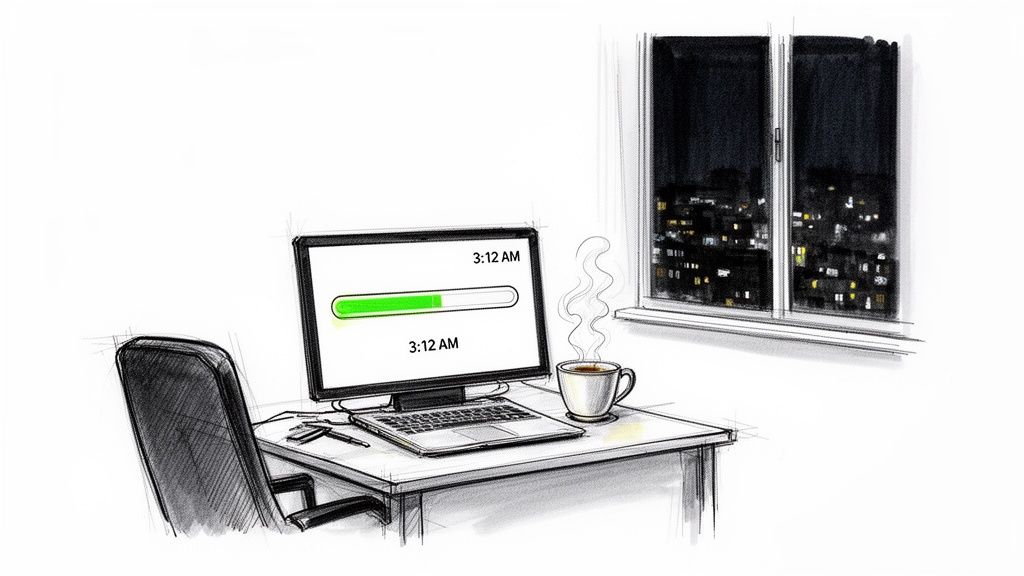
It’s a scene almost every architect or designer knows by heart. The deadline is breathing down your neck, but your computer is completely hijacked. The fans are screaming, and the machine is churning away on a single, high-resolution image, rendering it useless for anything else. That progress bar creeps along, turning your expensive workstation into a high-tech paperweight for hours—or even days.
For too long, this frustrating bottleneck has been just "part of the job." But what if it didn't have to be?
From Local Machine to Global Supercomputer
A good way to think about cloud based rendering is to compare it to streaming a 4K movie versus downloading the entire file. Instead of making your own device do all the heavy lifting, you're tapping into a huge, distributed network of specialized computers. You essentially send your 3D model—the "recipe"—to this immense digital kitchen, and it handles all the demanding calculations for you.
This fundamental shift has a massive impact on how you work. It completely changes the dynamic between having a creative idea and actually seeing it come to life. Suddenly, you're no longer limited by the hardware sitting on your desk.
Instead of waiting overnight for one render, you can generate ten different design variations in less than an hour. This isn’t just about speed; it's a complete reimagining of the design workflow.
Leveling the Creative Playing Field
In the past, the ability to produce photorealistic visuals on a tight schedule was a luxury. Only large firms with the budget for in-house render farms and the staff to manage them could really pull it off. Cloud based rendering completely changes that, giving solo architects and small studios access to the same high-end production power.
Here’s what that really means for your practice:
- Liberated Creativity: You can freely experiment with different lighting setups, materials, and camera angles without worrying about getting bogged down by endless render times.
- Faster Iterations: Imagine getting client feedback and showing them revised visuals during the same meeting, not days later. It becomes possible.
- Increased Capacity: You can confidently take on larger, more complex projects that would have been a non-starter for a single machine to render.
- Competitive Edge: Presenting clients with a suite of high-quality options becomes standard practice, allowing you to communicate your design vision with incredible clarity.
Platforms like MoldaSpace are designed to make this power even more accessible, cutting through the complexity so you can achieve production-quality results without deep technical know-how. By offloading the rendering work to the cloud, you get back your most valuable resource: the time to actually design.
A Practical Look at How Cloud Rendering Actually Works
So, what's really happening when you send a render "to the cloud"? It's easy to get lost in the technical weeds, but the concept is surprisingly straightforward. Think of it less as a complex technological feat and more as a smart way to offload the heaviest part of your job.
I like to use a simple analogy: imagine you’re cooking a massive feast, but all you have is a single, tiny oven in your kitchen. You’ll get there eventually, but it’s going to take ages, and you can only do one dish at a time. Cloud rendering is like having a direct line to a professional chef's kitchen, packed with hundreds of industrial-grade ovens. You send them your recipes, and they send back the finished dishes in a fraction of the time.
This is exactly why the cloud rendering market is exploding. It was valued at USD 40 billion in 2025 and is growing at a compound annual rate of over 17%. The driving force behind this is the rise of public cloud platforms, which now make up 68.3% of the market, as more and more design professionals ditch their local machines for something far more powerful. If you're interested in the numbers, you can find a detailed market trend analysis on Market.us.
The Three Core Steps of the Process
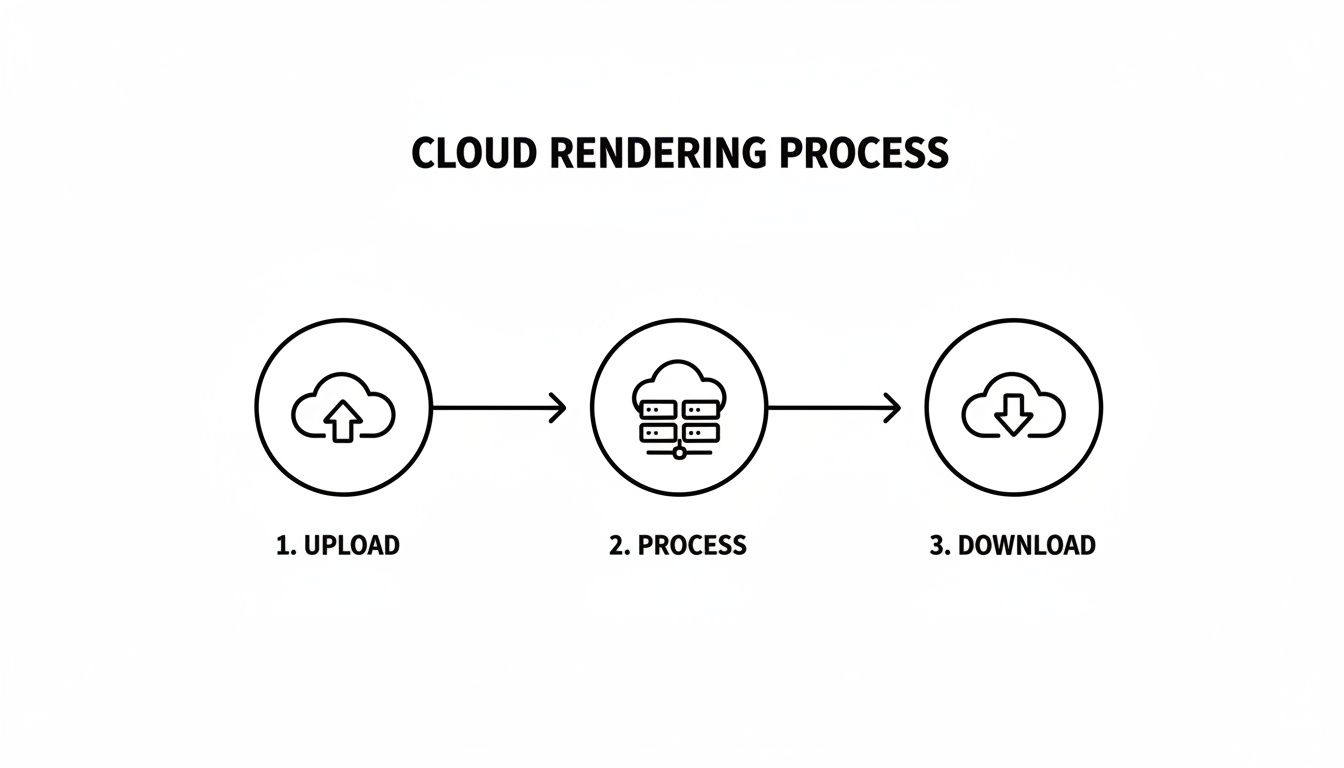
From your 3D model to a finished image, the whole thing breaks down into three simple steps.
Upload Your Scene: First, you package up your 3D model file and send it over to the cloud service. This isn't just the geometry; it's everything—textures, lighting, camera angles, the whole nine yards. Modern platforms like MoldaSpace have made this incredibly smooth, often building plugins that let you send your work over directly from your favorite design software.
Process in the Cloud: Here's where the real magic happens. The cloud service takes your single rendering job and splits it into tiny pieces. It then hands those pieces out to a massive network of powerful servers. Instead of one computer chugging away, you have hundreds—or even thousands—of processors all working on your image at the same time.
Download Your Result: Once all those servers finish their calculations, the final, beautiful image is assembled and sent right back to you. The result? A render that might have tied up your desktop for eight hours can be done in just a few minutes.
This is a screenshot of the MoldaSpace interface, which really shows how simple the front-end experience can be.
You can see how an architect can just upload a model and start applying styles with a few clicks, without ever having to worry about the complex server network crunching numbers in the background.
Why This Method Changes Everything
This "divide and conquer" approach is the secret sauce. The second you hit "upload," your own computer is free. You’re no longer stuck watching a progress bar crawl across the screen.
You're no longer a passive observer. While the cloud is doing the heavy lifting, you can get back to designing, start on another project, or put the final touches on your client presentation.
Suddenly, rendering isn't a bottleneck anymore. It becomes just another tool you can call on whenever you need it. By tapping into the raw power of GPU-driven cloud resources, you're essentially renting a supercomputer on-demand, but without the headache of owning or maintaining it. This opens the door for anyone to create the kind of stunning, photorealistic visuals that used to be the exclusive domain of massive studios with their own expensive render farms. It's about faster iterations, better client feedback, and ultimately, democratizing high-quality visualization for all of us.
Comparing Your Rendering Options: Local vs. Cloud
So, how should you actually produce your final renders? This is a huge decision, and it’s one that directly shapes your workflow, your ability to hit deadlines, and ultimately, your budget. For years, the only real option was to lean on your own local workstation. But now, cloud-based rendering has completely changed the game. Let's break down what that means for you in practical terms.
Imagine this all-too-common scenario: you have a critical client meeting tomorrow morning and need to show ten different design variations. Each one is a complex scene with detailed textures, realistic lighting, and high-resolution output.
If you’re relying on local rendering, you kick off the first image, and your powerful workstation immediately grinds to a halt. It’s completely tied up. For the next several hours—or even days—it’s just a glorified (and very loud) space heater. You’re forced to babysit a progress bar, rendering one image after another in a stressful, sequential slog that often leads to an all-nighter.
Now, let's hit rewind and run that same scenario through a cloud rendering service. You package and upload all ten of your scenes at once. The platform then spins up a massive virtual supercomputer, assigning hundreds of powerful processors to tackle your job. All ten of your variations render in parallel. In about an hour, you get a notification: your images are ready for download. Your own computer? It was free the entire time, letting you fine-tune the presentation, answer emails, or just go home on time.
This story gets right to the heart of the difference. Local rendering is a one-at-a-time process bottlenecked by the hardware you own. Cloud rendering is a massively parallel process limited only by how fast you need to get things done.
At its core, the cloud rendering process is brilliantly simple. You just upload your scene, let the cloud’s servers do the heavy lifting, and then download the finished product.
The real beauty here is that all the mind-numbing technical complexity is handled for you. You don't need to worry about hardware maintenance, driver updates, or network configurations. You can just focus on what you do best: creating stunning designs.
A Head-to-Head Comparison
To really see the trade-offs, it helps to put the old-school methods side-by-side with a modern cloud workflow. We’ll look at rendering on your own machine, using a traditional (and often clunky) third-party render farm, and a seamless cloud platform like MoldaSpace.
Comparing Rendering Workflows: Local vs. Cloud
This table breaks down the key differences between rendering on a local machine and leveraging a modern cloud based rendering platform.
| Factor | Local Rendering | Traditional Render Farm | Cloud Based Rendering (e.g., MoldaSpace) |
|---|---|---|---|
| Speed & Efficiency | Very slow; processes one job at a time, tying up your machine for hours or days. | Faster than local, but often involves queues, complex uploads, and manual job management. | Extremely fast; processes multiple jobs in parallel, freeing your machine instantly. |
| Hardware Costs | Requires a massive upfront investment in powerful GPUs and CPUs, plus ongoing maintenance. | No hardware costs, but pricing can be complex and unpredictable (GHz-hour, core-hour). | Zero hardware investment; you pay only for the processing power you use, often with simpler pricing. |
| Scalability | Fixed capacity; to handle larger projects, you must buy more expensive hardware. | Scalable, but might have limits or queue times during peak demand. | Infinite scalability; access thousands of processors on-demand for any project size. |
| Workflow Flexibility | Inflexible; rendering stops all other design work, creating a major bottleneck. | Disjointed; requires exporting, uploading, and managing files on a separate platform, interrupting flow. | Highly flexible; integrated plugins let you render from your design software, and you can keep working. |
| Accessibility | Limited to the physical location of your powerful workstation. | Web-based, but often with outdated interfaces that require technical know-how. | Accessible from anywhere with an internet connection, promoting seamless remote collaboration. |
| Cost Model | High capital expenditure (CapEx) with costs for hardware, electricity, and maintenance. | Operational expenditure (OpEx), but with potentially confusing credit systems and hidden fees. | Clear operational expenditure (OpEx); a pay-as-you-go model that scales directly with your needs. |
As you can see, the evolution is clear. The industry is moving away from a model of ownership and limitation (local) toward one of on-demand access and creative freedom (cloud).
The Real-World Business Impact
This choice isn't just about convenience—it has a direct impact on your firm’s profitability and your relationship with clients.
The ability to iterate quickly and present multiple high-quality options is a powerful tool for winning client trust and securing projects. Cloud rendering makes this level of service accessible to everyone.
Instead of showing up with a single, laboriously produced render, you can confidently present a whole spectrum of possibilities. What if we tried a different wood for the flooring? How does the morning light look versus the afternoon sun? With the cloud, answering these questions with a beautiful visual is no longer a monumental task. You can explore how to achieve this with the right photorealistic rendering software in our detailed guide.
This kind of agility does more than just impress clients. It dramatically speeds up the feedback loop, cutting down on revision cycles and helping you close out projects faster. In the end, moving to a cloud workflow isn’t just a technical upgrade; it's a strategic business decision that frees you to be more creative and competitive.
So, Why Is Cloud Rendering Such a Big Deal for Designers?
Knowing the "how" is one thing, but the real question is how this technology actually changes your day-to-day grind, your deadlines, and your studio's profitability. Cloud rendering isn't just some minor tech upgrade; it’s a complete shift in how we can approach design work, unlocking possibilities that were unthinkable just a few years ago.
Let's break down the benefits that are making this such a powerful tool in the modern designer's arsenal.
The first thing you'll notice is the raw, unapologetic speed. When you're tied to your local machine, your project is a prisoner of its hardware. A complex, high-res architectural scene can easily tie up your computer for 8, 12, or even 24 hours. Your workstation becomes a very expensive brick.
Cloud rendering smashes that bottleneck to pieces. By farming out the heavy lifting to a huge network of powerful servers, it can crank out in minutes what used to take an entire day. This isn't just a nice-to-have; it completely redefines your workflow.
The Power of "What If" at Lightning Speed
The design process is never a straight line. It's a messy, beautiful cycle of ideas, tweaks, and refinements. Cloud rendering feeds this creative loop by dramatically shortening the time between a new idea and seeing it come to life.
Picture this: a client asks, "I'm not sure about this... what would it look like with darker flooring and afternoon light?" Instead of the classic, "I'll have that for you by tomorrow," you can generate a new photorealistic version in minutes, right there in the meeting. That's a game-changer.
Being able to produce multiple high-fidelity options on the fly doesn’t just speed up project timelines; it builds trust. You can explore more ideas with your client, leading to better designs and a much happier partnership.
This need for speed is fueling incredible growth in visualization tools. The Global Visualization & 3D Rendering Software Market is on track to hit USD 5.6 billion by 2026, growing at a blistering 24.5% each year. This isn't just hype; it shows how critical fast, top-tier visuals have become. You can dig deeper into these numbers in this detailed industry report.
Ditching the Hardware Arms Race
For years, high-end rendering meant a massive upfront investment. A beast of a workstation with the latest GPUs and CPUs can set you back thousands, and that pricey hardware is practically obsolete in just a few years. For smaller firms or solo designers, this has always been a huge barrier to entry.
Cloud rendering completely flips that script. It turns a huge capital expense (CapEx) into a predictable and flexible operational expense (OpEx). You stop owning the hardware and just rent the processing power you need, when you need it.
This pay-as-you-go model is a breath of fresh air:
- Zero Upfront Cost: You get access to a virtual supercomputer without buying a single piece of new gear.
- Predictable Budgeting: You only pay for what you render, making it simple to cost out specific projects.
- Always Cutting-Edge: You're always using the latest, fastest hardware without ever worrying about maintenance or upgrade cycles.
This model truly levels the playing field, giving a small studio the exact same rendering muscle as a massive global firm. To see how this impacts a specific niche, take a look at our guide on creating exceptional interior design renderings without the five-figure hardware bill.
Scaling Up Without the Panic
What happens when you finally land that dream project—the one that's way bigger and more complex than anything you've tackled before? On a local setup, that dream can quickly turn into a rendering nightmare. Your machine chokes, crashes, and spits out render times that make your deadlines laughable.
With the cloud, scalability is practically infinite. It doesn’t matter if you’re rendering a single bathroom or an entire city block; the cloud simply assigns more servers to the job. You don't have to guess your hardware needs for the next three years—the power is just there.
This means hardware is no longer the bottleneck to your firm's ambition. You are free to take on that massive, career-defining project, knowing you have the production horsepower to back it up.
Putting Cloud Rendering to Work in Your Business
It’s great to understand the technical side of speed and scalability, but the real question is, how does cloud based rendering actually help you land more projects? The true value is in how you use it—turning those abstract benefits into a real competitive advantage. For architects and designers, it opens up entirely new ways to present ideas, collaborate with clients, and market properties.
Let's get past the theory and look at a few real-world situations where this technology gives you a serious edge. These aren't far-off ideas; they're what smart design pros are doing right now to make their work stand out.
Winning Bids with a Stunning Visual Portfolio
Picture this: you're up against two other firms for a big commercial contract. They show up with technical drawings and maybe a couple of decent renders. You, however, walk in with a proposal packed with a dozen photorealistic images showing the space from every important angle, in different lighting, and with multiple material options.
This is where cloud rendering completely changes the game. You can produce an incredible amount of high-quality visuals without locking up your main computer for days or weeks. It lets you build a powerful visual story that helps clients see your vision, not just read a description of it. Being able to produce that much quality work that quickly really sets you apart.
Live Design Sessions that Wow Clients
One of the most effective ways to use cloud rendering is to make your client meetings interactive. The client isn't sure about the kitchen countertop you picked or the paint color for the living room. Instead of saying, “Let me work on that and get back to you next week,” you can make the change right there and generate a new, high-quality visual in just a few minutes.
A client who feels involved in the design process is a client who trusts you. Cloud rendering transforms passive presentations into active collaborations, drastically shortening the feedback loop and leading to faster approvals.
This is exactly what platforms like MoldaSpace are designed for. You can use simple commands like “change the walls to a warm beige” or “make the floors light oak” to iterate in real time. That kind of responsiveness doesn't just impress clients; it guarantees the final design is what they actually want, which means fewer headaches and costly changes down the road.
Turning Empty Spaces into Inhabited Homes
For real estate marketing and virtual staging, it’s all about speed and volume. An empty house on a listing is hard for buyers to connect with. With cloud rendering, you can take a photo of an empty room and, within an hour, have multiple, fully furnished design concepts ready to go.
- Showcase Versatility: Present the same living room styled as Minimalist, Industrial, and Mid-Century Modern to appeal to different buyer tastes.
- Accelerate Sales: Help potential buyers visualize themselves in the space, creating an emotional connection that static photos of empty rooms simply cannot.
- Reduce Costs: Virtual staging is far more affordable and flexible than physically furnishing a property just for a photoshoot.
This ability to create visuals on the fly is a huge reason why the visualization and simulation segment holds the largest market share at 38%. Architects and real estate pros are the ones driving this demand, and most of them are working in the Windows ecosystem, which commands an 84% market share because of essential tools like SketchUp and Revit. You can dig deeper into these numbers in this in-depth market analysis by Precedence Research.
Ultimately, bringing a cloud workflow into your process isn't just about making pretty pictures faster. It’s a strategic move that directly impacts how well you communicate ideas, work with clients, and close deals. By offloading the heavy lifting of rendering, you free up your most valuable asset—your creative expertise—to focus on what really matters: delivering outstanding design.
Choosing the Right Cloud Rendering Platform
Picking a cloud based rendering service can feel like navigating a minefield. The goal isn't just to find the most powerful option, but to find the one that slots seamlessly into your existing workflow. The right choice can feel like a superpower; the wrong one just adds another layer of frustration to your day.
When you start comparing options, it’s easy to get lost in technical specs. Instead, I've found it's best to zero in on three things that really matter in a design studio: pricing clarity, user experience, and how well it plays with your current software.
The Problem with Complicated Pricing
Let's talk money first, because it’s often the biggest headache. Many cloud rendering services use incredibly confusing pricing models based on things like GHz-hours or core-hours. This makes it almost impossible to guess what a final render will actually cost you.
Have you ever gotten a surprise bill that was way higher than you expected? That's what happens with these systems. It makes quoting projects a nightmare and can eat into your profitability.
A much better approach is a platform that gives you predictable costs. For example, MoldaSpace uses a simple credit system where you know the exact cost before you hit the "render" button. No guesswork, no surprises. Always look for a transparent, pay-as-you-go model so you’re only paying for the resources you actually consume.
How Does it Feel to Use?
The most powerful render engine on the planet is worthless if it takes a computer science degree to operate. Frankly, some platforms feel like they were built for Hollywood visual effects TDs, demanding a deep understanding of network protocols and command-line scripts. For an architect or designer, that's a non-starter.
A great user experience is all about intuition. Does the platform feel like it was designed by someone who understands a creative professional's mindset? You should be able to upload your model and get a fantastic result without getting bogged down in technical minutiae.
The goal is to spend your time designing, not troubleshooting render settings. A platform should feel like an extension of your creative toolkit, not a technical hurdle you have to overcome.
Newer platforms are even using AI to make things even simpler. Imagine adjusting lighting or changing materials just by typing what you want in plain English instead of digging through confusing menus. That's where the industry is headed.
Does It Integrate With Your Workflow?
Finally, think about how the service will fit into your studio's day-to-day process. A clunky workflow that forces you to manually export, zip, and upload files every time you make a small change is a guaranteed creativity killer.
The best cloud rendering platforms feel like a natural part of the software you already use.
- Direct Plugins: Look for services that offer one-click plugins for tools like SketchUp, Revit, or Rhino. This lets you send your scene to the cloud without ever leaving your design environment.
- File Compatibility: Make sure the platform supports your native file formats. Nothing is more tedious than having to deal with file conversion errors.
- Workflow Continuity: The service should support your creative flow, not constantly interrupt it.
By focusing on these three areas—clear pricing, an intuitive interface, and smooth software integration—you can cut through the marketing noise. You'll be able to find a tool that not only produces stunning visuals but also aligns with your studio's creative and business goals. For a deeper look at the top contenders, check out our guide to the best architectural rendering software.
Answering Your Questions About Cloud Rendering
Even when the benefits are clear, switching up your workflow always comes with a few questions. It's only natural. Let's tackle some of the most common concerns we hear from architects and designers to help you move forward with confidence.
Is My Confidential Client Work Secure?
This is probably the most important question on the list, and for good reason. You’re handling sensitive intellectual property, and you need to know it's safe.
Reputable cloud rendering platforms treat security with the same seriousness as a bank. They use protocols like end-to-end encryption, which means your data is scrambled and protected both while you're uploading it and when it's stored on their servers. Think of it this way: your project files are locked in a digital vault that only you have the key to, keeping them completely confidential and separate from other users' work.
What Kind of Internet Speed Do I Actually Need?
It's a common myth that you need a ridiculously fast, fiber-optic connection to use cloud rendering. The reality is much simpler. The only time your internet speed really matters is during the initial upload of your 3D scene files.
Once your project is on the server, all the heavy lifting—the actual rendering—happens in a data center with a massive connection. Your local internet isn't involved in that part at all. A standard business broadband or even a solid home internet plan is usually more than enough. A faster upload speed will get your files there quicker, but the rendering process itself won't be affected.
Can I Maintain Creative Control Over My Renders?
Absolutely. In fact, you might find you have more creative freedom. A cloud platform doesn't make creative decisions for you; it just executes your vision on a much more powerful system.
The cloud service acts as a powerful production assistant, not a creative director. It takes your exact instructions—your models, lighting, materials, and camera angles—and brings them to life without the hardware bottlenecks.
You're still in the driver's seat. Services like MoldaSpace push this even further, letting you tweak materials and lighting with simple text prompts after the render is done. This gives you an intuitive, direct line of control that's hard to achieve with traditional workflows.
How Does the Cost Compare to Buying a New Computer?
This is where the numbers get really interesting. Dropping $5,000 or more on a new high-end workstation is a major capital expense, and that machine starts losing value the moment you unbox it.
Cloud rendering flips that model on its head. Instead of a huge upfront cost, it becomes a flexible, operational expense. You pay only for the processing power you need, when you need it. For freelance architects and smaller firms, this is a game-changer. It gives you the rendering muscle of a large studio without the overhead of buying, maintaining, and powering a dedicated render farm.
Ready to stop waiting and start creating? MoldaSpace gives you access to an AI-powered visualization engine that delivers stunning, photorealistic renders in seconds, not hours. Transform your SketchUp models, floor plans, and even phone photos into client-ready visuals without the complexity. Get started today and see how easy it is to elevate your design presentations.