A Guide to Interior Design Rendering That Wins Clients

Ever tried to explain a design idea, only to be met with a blank stare? An interior design rendering is the solution. Think of it less like a technical drawing and more like a photograph of a space that doesn't exist yet. It takes all those abstract floor plans, swatches, and concepts and turns them into a stunningly realistic preview of the finished room.
This is how you get clients to truly feel the space before a single can of paint is opened or a sofa is ordered.
Closing the Gap Between Idea and "I Get It!"
At its heart, an interior design rendering is a powerful communication tool. It’s what closes that crucial gap between the vision in your head and what your client can actually understand. Mood boards and sketches are great for setting a vibe, but a high-quality render creates an immediate, emotional connection to the final design. It builds trust and, more importantly, excitement.
This is the key to getting approvals and selling your concept with confidence. Instead of asking a client to imagine how the afternoon light will hit a specific velvet chair, you can just show them. That kind of clarity prevents expensive do-overs and ensures everyone is on the same page from day one.
The Old School vs. The New Wave
When it comes to creating these visuals, the industry is really split between two different worlds:
- Traditional Rendering: This is the classic, time-tested approach. It involves painstaking 3D modeling, setting up complex digital lighting, and then waiting—sometimes for hours—for the computer to process the image. Tools like V-Ray or Lumion are the workhorses here, but they require powerful computers and a ton of technical skill.
- AI-Powered Rendering: This is the newer, faster kid on the block. It uses artificial intelligence to generate incredibly realistic images in just a few seconds. You can start with a simple sketch, a photo of an existing room, or a basic 3D model. This approach is a game-changer, finally making high-end visualization accessible to solo designers and small firms that don't have a dedicated rendering expert on staff.
An interior design rendering isn't just a pretty picture; it's a visual contract. It shows the client exactly what to expect, turning an abstract idea into a tangible future they can get excited about and invest in.
Why Visuals Are Your Most Powerful Business Tool
The demand for top-notch visuals isn't just a trend; it's a reflection of a booming market. The global interior design industry is on track to grow from USD 145.96 billion in 2025 to a staggering USD 214.35 billion by 2034. A huge piece of that pie—42% of the market—is residential projects.
In such a competitive field, designers, architects, and real estate pros lean on renderings to make their pitches unforgettable and win more business. You can discover more about these market trends and see how they're shaping the industry.
For a long time, the cost and time commitment of traditional rendering made it tough for solo designers or small studios to compete with big firms. That's exactly where modern AI tools are making a difference. By slashing the time and technical barriers, they’re leveling the playing field, empowering more professionals to create incredible visuals that capture a client’s imagination and seal the deal.
Understanding the Traditional Rendering Workflow
Before we had tools that could generate visuals in minutes, creating a photorealistic rendering was a true craft. Think of a digital sculptor, meticulously chipping away at a virtual block of marble. This traditional workflow has been the industry backbone for decades, and it’s a multi-step process that demands a ton of skill, patience, and serious computing power. It's how we've always turned a blank screen into a stunning visual, but it's a long and often frustrating road.
Everything starts with building the room from scratch. Using software like SketchUp, 3ds Max, or Revit, a designer or 3D artist constructs the entire space in a virtual environment. Every wall, window, door, and piece of trim has to be modeled with exact dimensions, essentially creating the digital skeleton of the final image.
This diagram gives you a high-level look at the path from an initial idea to the finished product.
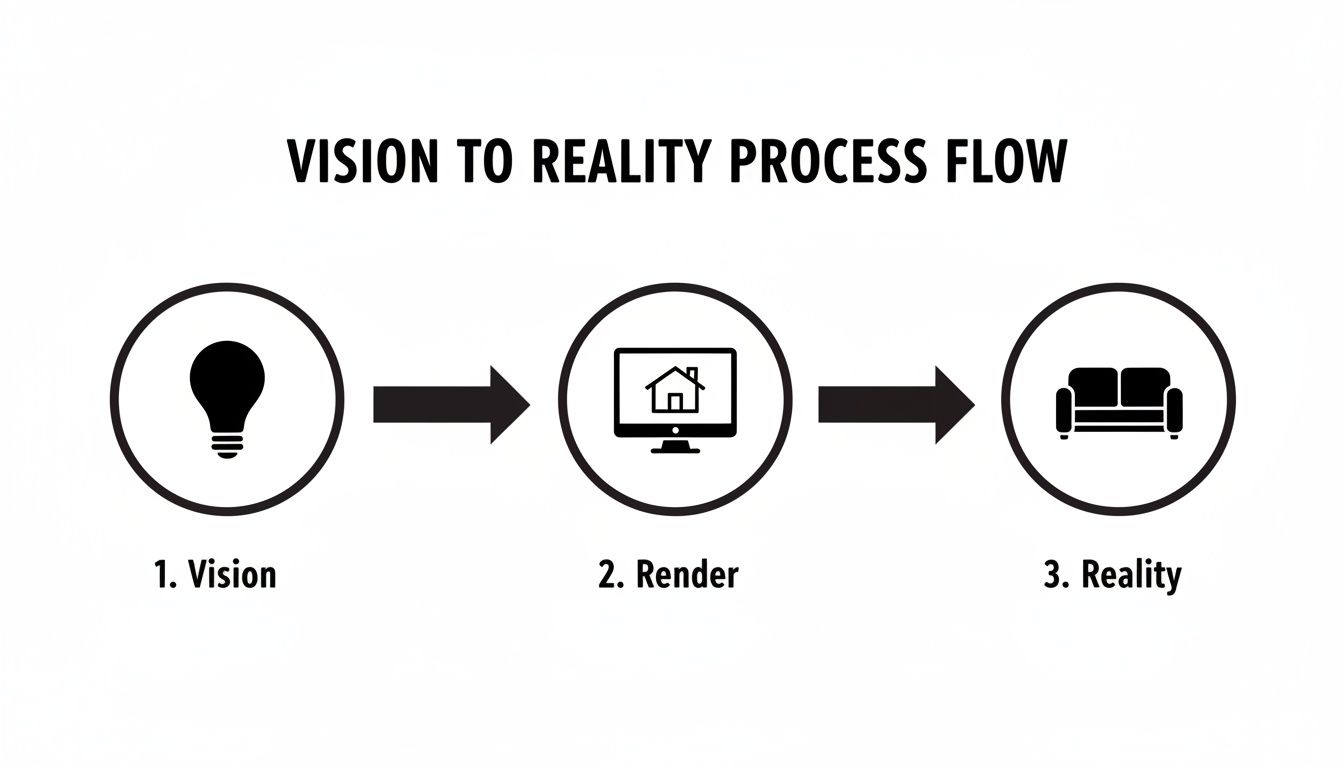
While the visual makes it look simple, that "Render" stage is where the real time-suck and technical heavy lifting happens in the traditional process.
The Art of Digital Materials
Once the 3D model is built, it's just a lifeless, grey shell. The next step is to breathe life into it by applying materials. This isn’t as simple as just picking a color from a palette; it’s about creating and assigning detailed textures that tell the computer exactly how each surface should look and behave under light.
For instance, a wooden floor isn't just a picture of wood grain. The artist has to fine-tune a whole set of parameters:
- Roughness: This controls whether the finish looks like a high-gloss varnish or a matte, oiled surface.
- Bump Maps: These add a subtle physical texture, giving the wood a grain you can almost feel with your eyes.
- Reflection: This defines how clearly the floor reflects the light pouring in from a window.
Every single material, from the velvet on a sofa to the brushed metal on a lamp, needs this same obsessive level of detail. Getting it right can take hours of tweaking and requires a deep, almost intuitive understanding of how materials look and feel in the real world.
Setting the Scene with Light and Shadow
Lighting is arguably the most critical—and most difficult—part of the whole process. In a traditional workflow, the artist essentially becomes a virtual director of photography, placing every single light source by hand. We’re talking about everything from the sun outside the window to the tiny LED strip under a kitchen cabinet.
For each light, the artist has to configure its intensity, color temperature (is it a warm or cool light?), and shadow softness. Get the lighting wrong, and even a multi-million-dollar design will look flat and unconvincing. It takes a real artist’s eye to use light to create a mood that feels both realistic and emotionally resonant.
The biggest headache with traditional rendering is that it's a one-way street. You set up your models, materials, and lights, then hit 'render' and wait... sometimes for hours. If a single shadow is off or a texture looks wrong, you have to go back, make your best guess at a fix, and start the long wait all over again.
The Final, Patient Wait
After all the modeling, texturing, and lighting is done, you finally get to the render itself. This is where the computer takes all that information and calculates how every single ray of light would bounce around the room to produce the final image. It’s an incredibly demanding process that requires high-end, expensive computers with beefy processors and graphics cards.
Depending on the image's complexity and the quality you're aiming for, a single high-resolution rendering can take anywhere from 30 minutes to 24 hours—or even longer. An entire set of images for a project could tie up a machine for days, creating a massive bottleneck in the design timeline. This heavy investment in time, hardware, and specialized software like V-Ray is exactly why this workflow has typically been the domain of large, well-funded firms. And it’s the very problem that newer, faster technologies are now trying to solve.
How AI Is Changing the Game in Interior Design Rendering
For decades, the traditional rendering workflow was a necessary evil—a slow, technical slog to turn a 3D model into something beautiful. It worked, but it was always a fight against the clock. Now, artificial intelligence is tearing up that old playbook. The whole process is shifting from a meticulous, multi-day technical exercise to a fluid, nearly instant creative session.
This isn't just a small step forward; it's a completely different way of working. AI takes over the most tedious, time-consuming tasks like lighting, texturing, and final image processing. This frees you up to do what you do best: focus on the creative vision. Think about it—going from a rough idea to a polished visual in the time it takes to grab a coffee. That's what's possible today.
You don't even need a fully detailed 3D model to get started anymore. With AI, your starting point can be much simpler:
- A quick snapshot of an empty room from your phone
- A basic, untextured 3D model from SketchUp or Revit
- Even a simple hand-drawn floor plan or a perspective sketch
The AI engine takes these simple inputs, figures out the geometry of the space, and then waits for your creative instructions. This is where things get really exciting.
From Hours of Tweaking to Seconds of Prompting
Instead of wrestling with hundreds of material settings or painstakingly placing light sources one by one, you now direct the AI with simple text prompts. It’s like having a brilliant creative partner who’s also a supercomputer. You supply the vision, and it handles all the heavy lifting in an instant.
For instance, you could upload a photo of an empty living room and ask the AI to:
- "Generate a Japandi style interior with light oak floors, a cream-colored bouclé sofa, and soft, indirect afternoon lighting."
- "Redesign this space as an Industrial loft with exposed brick, polished concrete floors, and black metal track lighting."
In about 30 seconds, the AI delivers a high-quality rendering based on your exact words. Suddenly, the need for deep software expertise or a beast of a computer just disappears. This opens the door for so many more professionals to create top-tier visuals. To see this in action, check out our deep dive into AI rendering for interior designers.
Comparing Traditional Rendering vs AI-Powered Rendering
To really grasp the shift, it helps to see the old and new methods side-by-side. This table breaks down the key differences between the conventional rendering workflow and modern AI-driven solutions like MoldaSpace, showing the practical impact on a designer's day-to-day.
| Aspect | Traditional Rendering (e.g., V-Ray, Lumion) | AI-Powered Rendering (e.g., MoldaSpace) |
|---|---|---|
| Speed | Hours or days per image | 30-60 seconds per image |
| Required Input | Detailed, fully textured 3D models | Photos, simple 3D models, or even sketches |
| Technical Skill | High; requires expertise in complex software | Low; based on simple text prompts and UI |
| Hardware Needs | Powerful, expensive computers with high-end GPUs | Any standard computer with an internet connection |
| Iteration Cost | High; revisions are very time-consuming | Virtually zero; create dozens of variations easily |
| Accessibility | Limited to trained visualization specialists | Accessible to designers, architects, and stagers |
As you can see, the move to AI isn't just about doing the same thing faster—it's about fundamentally changing what's possible in the design process.
The Power of Unlimited Iteration
Maybe the biggest win here is the freedom to experiment. With traditional rendering, the huge time commitment made revisions painful and expensive. Most designers would only produce one or two polished images for a client presentation because doing more just wasn't practical.
With AI, the script is flipped. You can generate ten completely different design concepts in less time than it used to take to create a single image. This sparks a much richer, more collaborative conversation with your clients.
This kind of speed is crucial. The global interior design market is expected to hit around USD 145.96 billion by 2026, with huge demand coming from the residential (42% market share) and new construction (46% market share) sectors. In a market this competitive, being able to produce stunning visuals quickly isn't just a nice-to-have—it’s essential for staying relevant and growing your business. You can read a full analysis of the interior design market's future on fortunebusinessinsights.com.
AI-powered tools are leveling the playing field, allowing solo designers and small firms to go head-to-head with big agencies that have entire visualization departments. It gives anyone the ability to present their ideas with a professional sheen that builds client confidence and helps win more projects. The era of waiting for renders is over. The era of instant creation has begun.
2. Prepping Your Files for a Flawless Render
Every great interior design render starts with a great foundation. Think of it like cooking: the quality of your ingredients directly impacts the final dish. Whether you're starting with a quick photo from your phone or a detailed 3D model, the way you prepare your input files is the single most important step to getting professional, jaw-dropping results.
The good news is that modern rendering tools are incredibly flexible. You don't need a perfectly constructed, architect-grade 3D model just to get the ball rolling. You can jump in from several different points in your design process, each with its own perks.
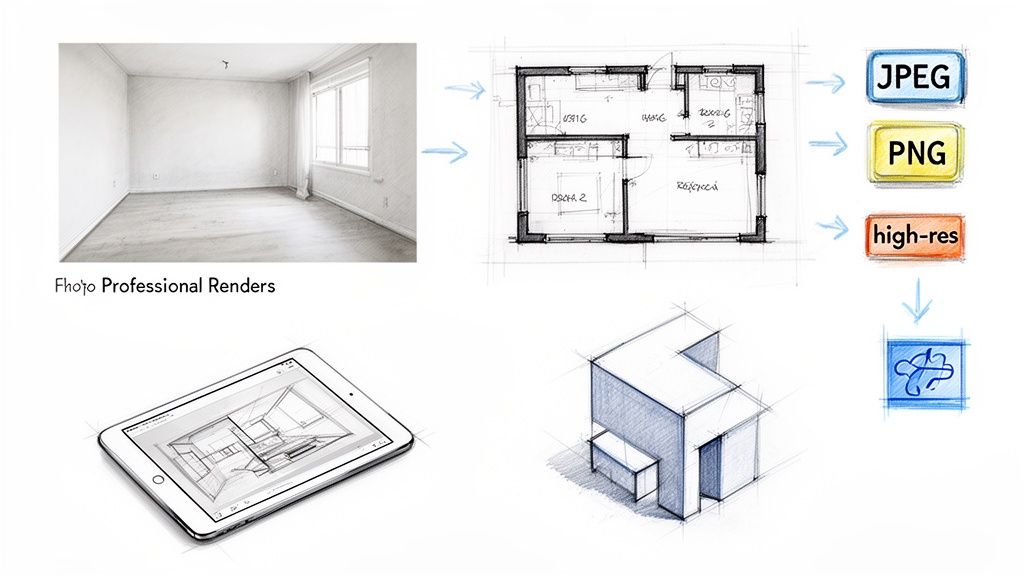
This workflow is a great example of how even the simplest starting point can be transformed into a polished, client-ready visual.
Common Input Types and How to Get Them Right
The file you start with is essentially the instruction manual for the rendering engine. The clearer and more accurate your input, the less guesswork the software has to do, and the closer the final image will be to what you pictured in your head.
Here are the most common starting points I see designers use:
- A Simple Photograph: This is the fastest way to get started. Just snap a clear, well-lit photo of the room. My pro tip? Stand in a corner to capture as much of the space as possible, and try to keep your phone level to avoid wonky, distorted angles.
- A Hand Sketch: Perfect for those early "napkin sketch" ideas. A clean line drawing of a floor plan or a simple perspective sketch is often all you need. Just make sure your lines are dark and distinct so the software can easily recognize the room's geometry.
- A Digital Floor Plan: If you have a 2D floor plan from a program like AutoCAD, you're already ahead of the game. Export it as a simple image file (JPEG or PNG work great) with clean lines and no extra clutter.
- A Basic 3D Model: This is the gold standard for accuracy. A simple, untextured "white box" model from software like SketchUp, Revit, or 3ds Max provides the most geometric data. You don't even need the full file; just exporting a clear view from your model as an image is enough to kick things off.
The goal isn't to create a perfect input file. It’s all about clarity. Whether it's a photo or a sketch, the system just needs to clearly understand the room's basic shape, proportions, and key features like windows and doors.
Understanding Your Output Options
Once your render is generated, you have to save it in a format that works for whatever you plan to do next. The two file formats you’ll run into 99% of the time are JPEG and PNG. They might seem similar, but they have very different jobs.
JPEG (Joint Photographic Experts Group): This is your go-to for almost all digital images. JPEGs are fantastic for your website portfolio, social media, and sending proofs to clients via email. They compress images into smaller file sizes, which means your web pages load faster.
PNG (Portable Network Graphics): The superpower of a PNG is its ability to handle transparency. If you ever need to place your rendered room onto a different background—like in a marketing brochure or a multi-page design proposal—a PNG is the only way to go.
Matching Resolution to the Real World
Finally, let's talk about resolution. Higher resolution means more detail, but it also creates a much larger file. You don't always need the absolute highest quality; you just need the right quality for the specific task at hand.
Here’s a simple cheat sheet:
- For the Screen (72-150 DPI): When showing renderings to clients on a monitor, in a website gallery, or on social media, a resolution of 1920x1080 pixels is usually perfect. It looks crisp and professional on most displays without being a massive file.
- For Print (300 DPI): If that render is going into a printed brochure, a client binder, or a large poster for a presentation, you need much more detail. To avoid a blurry, pixelated mess, always aim for at least 300 DPI (dots per inch). This is the industry standard for professional print quality.
How Professionals Use Interior Design Renders
An interior design render stops being just a pretty picture and becomes a serious business tool the moment you put it to work. For professionals in design, architecture, and real estate, these images are far more than just eye candy; they are strategic assets used to close deals, smooth out communication, and speed up project timelines.
At its core, a rendering is a communication powerhouse. It bridges the gap between an abstract idea and a tangible result, helping clients and stakeholders feel genuine confidence in a project's potential.
Interior Designers Winning More Projects
For an interior designer, the most important battle is often won long before the first sofa is ordered. It’s won in the pitch. While mood boards and fabric swatches can set a tone, a high-quality rendering lets a client step inside their future home. It’s a game-changer for getting that "yes."
Think about a designer pitching a bold concept for a living room. Instead of relying on imagination, they can show three distinct, fully realized options:
- Option 1: A calm, Scandinavian-inspired space with light woods and soft neutrals.
- Option 2: A vibrant, Mid-Century Modern look with pops of color and iconic furniture.
- Option 3: A sophisticated, minimalist design focused on rich textures and clean lines.
This simple act takes all the guesswork out of the process. The client isn't just approving a vague concept; they're choosing a finished reality. This kind of visual clarity also cuts down on the endless back-and-forth during the feedback stage, as everyone is looking at the exact same vision.
Architects Securing Stakeholder Buy-In
Architects have a tougher job. They’re often juggling the expectations of developers, investors, community boards, and planning commissions all at once. For them, an interior render is the key to showing how a building will actually feel from the inside. A floor plan is one thing, but showing the light streaming into a double-height atrium at 4 PM on a winter afternoon is something else entirely.
These visuals are absolutely critical for getting buy-in during the early conceptual phases. A render can demonstrate the human scale of a sprawling commercial lobby or capture the intimate atmosphere of a boutique hotel. It helps stakeholders see the project's value beyond blueprints and balance sheets, making it much easier to get funding approved and keep things moving.
A rendering is the most effective way to translate architectural intent into an emotional experience. It proves that a space will not only be functional but also desirable—a place where people will want to live, work, or visit.
Real Estate Agents Enhancing Property Listings
In the cutthroat world of real estate, first impressions are everything. An interior design rendering gives agents a huge leg up, especially with vacant or under-construction properties. Why ask potential buyers to "imagine the possibilities" when you can show them?
Picture this common scenario: an agent is trying to sell a brand-new, completely empty apartment. The stark white walls and bare floors feel cold and uninviting, making it tough for buyers to emotionally connect with the space.
Instead, the agent can use a photo of the empty room to generate several virtually staged versions:
- A warm, family-friendly setup to appeal to young couples.
- A sleek, modern design targeted at single professionals.
- A cozy, traditional style perfect for attracting downsizers.
By including these renderings in the online listing, the agent casts a much wider net. The data doesn't lie: staged homes sell faster and for more money. Virtual staging is a powerful, cost-effective way to help buyers see themselves in a property, turning an empty shell into a place they can’t wait to call home. For all of these pros, elevating the quality of their client presentations is what separates them from the competition.
Achieving Photorealism in Your Renders
Anyone can create an image, but crafting a believable one? That's a different game entirely. The final hurdle in mastering interior design rendering is learning to art-direct your creations until they look real enough to step into. This is what elevates a good visual into one that truly sells a vision, turning a digital file into an emotional gut-check for your client.
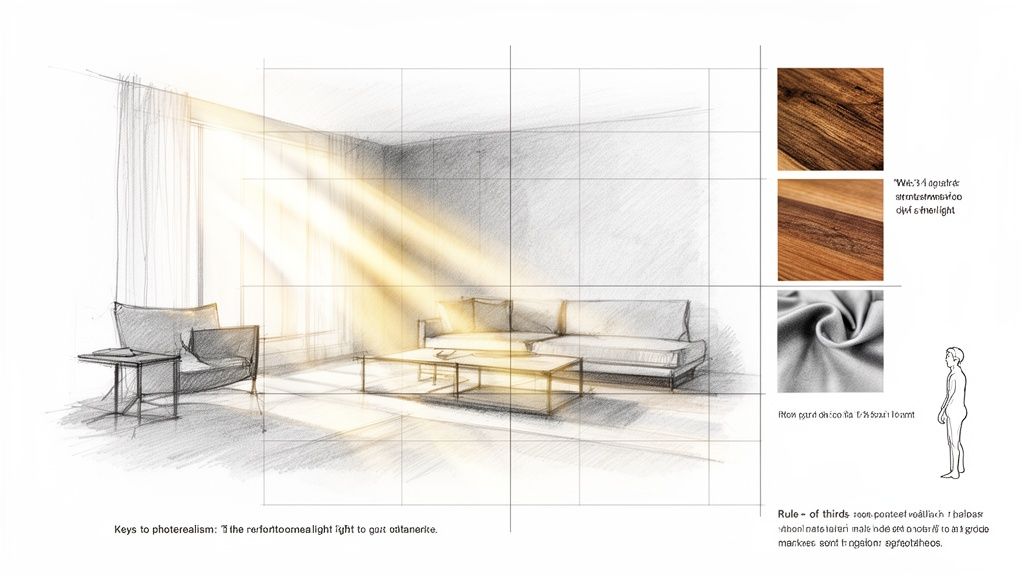
The magic really boils down to three key things: authentic lighting, accurate materials, and thoughtful composition. When these elements sing in harmony, your render stops feeling like a computer-generated image and starts feeling like a photograph of a real, livable space.
Mastering Light and Shadow
If you only focus on one thing, make it the light. It is, without a doubt, the single most important ingredient for realism. Light sets the mood, carves out shapes, and gives materials a tangible quality. Don't just settle for the default lighting setup; take the reins and tell the software exactly what you want.
Think like a photographer and use prompts that describe both the quality of the light and the time of day:
- "Soft, indirect afternoon light streaming through a large window." This will give you those long, gentle shadows and a warm, inviting atmosphere.
- "Bright, crisp morning light with sharp, defined shadows." This is perfect for clean, minimalist spaces that you want to feel fresh and airy.
- "A warm ambient glow from a fireplace and several table lamps." Use this kind of prompt to build a cozy, intimate evening scene.
Getting Materials and Textures Right
The second pillar of realism is getting the materials to look and feel authentic. This is where so many renders fall flat—surfaces look too perfect, almost like plastic. The real world is full of subtle imperfections: the slight roughness of linen, the gentle bump of wood grain, the soft sheen of brushed metal. While you can spend ages tweaking these details, it often helps to use the right tool for the job. You can learn more about selecting the right photorealistic rendering software that handles this stuff expertly.
The secret to photorealism isn't perfection; it's imperfection. It's the subtle variations in texture, reflection, and color that trick our eyes into believing an image is real. A perfectly smooth, evenly lit surface is the fastest way to scream "this is fake."
Keep an eye out for the common pitfalls that shatter the illusion. Unnatural reflections, textures that are scaled incorrectly, or materials that don't react to light properly can instantly make a scene feel artificial. Always zoom in and double-check the details. Is the wood grain on that table stretched and weird? Does that mirror actually reflect the room accurately? A little extra attention here goes a long way, resulting in a polished, professional image that will truly impress your clients.
Your Questions, Answered
Getting started with interior design rendering can feel a bit overwhelming, so I've put together answers to some of the most common questions I hear from designers.
What Software Do I Need to Make a Rendering?
In the past, this was a tough question. The answer used to be complex, expensive software like V-Ray, 3ds Max, or Lumion, which all come with a steep learning curve and demand a powerful computer.
Thankfully, that's not the only route anymore. Modern AI-powered platforms have completely changed the game. Tools like MoldaSpace let you create incredible visuals starting from something as simple as a photo, a quick sketch, or a basic 3D model exported from SketchUp or Revit. The right choice for you really boils down to your technical skills and how fast you need to turn ideas around.
How Much Does an Interior Design Rendering Cost?
This is a "how long is a piece of string?" kind of question. The price for a single interior design rendering can swing wildly depending on how you get it made.
If you hire a freelance 3D artist or a specialized agency, you can expect to pay anywhere from $250 to over $2,500 for just one image. The final price tag depends on the project's complexity and how much detail you need.
AI rendering tools, on the other hand, are built on a totally different, much more accessible model. You can often generate dozens of high-quality images for less than the cost of a single traditional render. This makes professional-grade visualization a real possibility for solo designers, small firms, and real estate agents.
Do I Need to Be a Great Artist to Create a Render?
Not anymore, and this is a huge relief for many designers. The traditional workflow absolutely required deep technical skill, starting with meticulous 3D modeling. But AI makes that part of the process completely optional.
If you can snap a clear photo of a room, you have everything you need to start generating beautiful, professional renderings.
The focus has shifted from technical execution to creative direction. Your value is in your design vision, not your ability to master complex software. AI simply becomes the tool that brings that vision to life instantly.
This is a game-changer. It empowers designers whose strengths lie in aesthetics, space planning, and client relationships, rather than in technical 3D work. It truly opens up high-end visualization to everyone.
Can AI Really Match the Quality of a Traditional Render?
Yes. For most professional needs, the quality is definitely there, and the incredible speed and flexibility AI offers often make it the better choice. AI can produce photorealistic images with convincing lighting, materials, and shadows that are perfect for client presentations, marketing brochures, and virtual staging.
A top-tier 3D artist might be able to create a slightly more bespoke image after spending days on it, but an AI tool can give you dozens of fantastic options in just a few minutes. For 95% of professional use cases, the quality is more than good enough, and the efficiency is simply on another level.
Ready to turn your design ideas into stunning, client-winning visuals in seconds? MoldaSpace gives you the power to create photorealistic renders from a simple photo or sketch. See how it works at MoldaSpace.


