The 12 Best AI Tools for Architects in 2026

From lightning-fast visualizations to data-driven site analysis, Artificial Intelligence is no longer a futuristic concept. It's a practical toolkit reshaping architectural workflows. For solo practitioners and large firms alike, the best AI tools for architects are automating tedious tasks, unlocking new design possibilities, and closing the gap between concept and client approval.
But with dozens of platforms emerging, which ones actually deliver on their promises? This guide cuts through the noise to detail the 12 most impactful AI tools for architects and designers. We focus on practical applications, real-world pros and cons, and how each platform integrates into your existing software stack like Revit, SketchUp, or Blender.
You will find a comprehensive breakdown for each tool, complete with screenshots, direct links, and pricing information to help you make an informed decision. We cover everything from AI platforms that generate photorealistic renders in seconds to generative design software that optimizes complex residential layouts automatically.
This is not a list of generic features; it’s a curated resource designed to help you find the right software for specific tasks. Whether you need to accelerate concept visualization, automate BIM data analysis, or create compelling marketing materials, you'll find a solution here. Let's explore the tools that will redefine your design process.
1. MoldaSpace
MoldaSpace emerges as a powerful and pragmatic AI tool, specifically engineered to bridge the gap between initial concepts and client-ready photorealistic visualizations. It democratizes high-end rendering, enabling solo architects, small studios, and interior designers to produce visuals that once required specialized teams and expensive software. The platform's core strength lies in its incredible speed and accessibility, transforming sketches, 3D model exports, or even simple phone photos into polished, professional images in about 30 seconds.
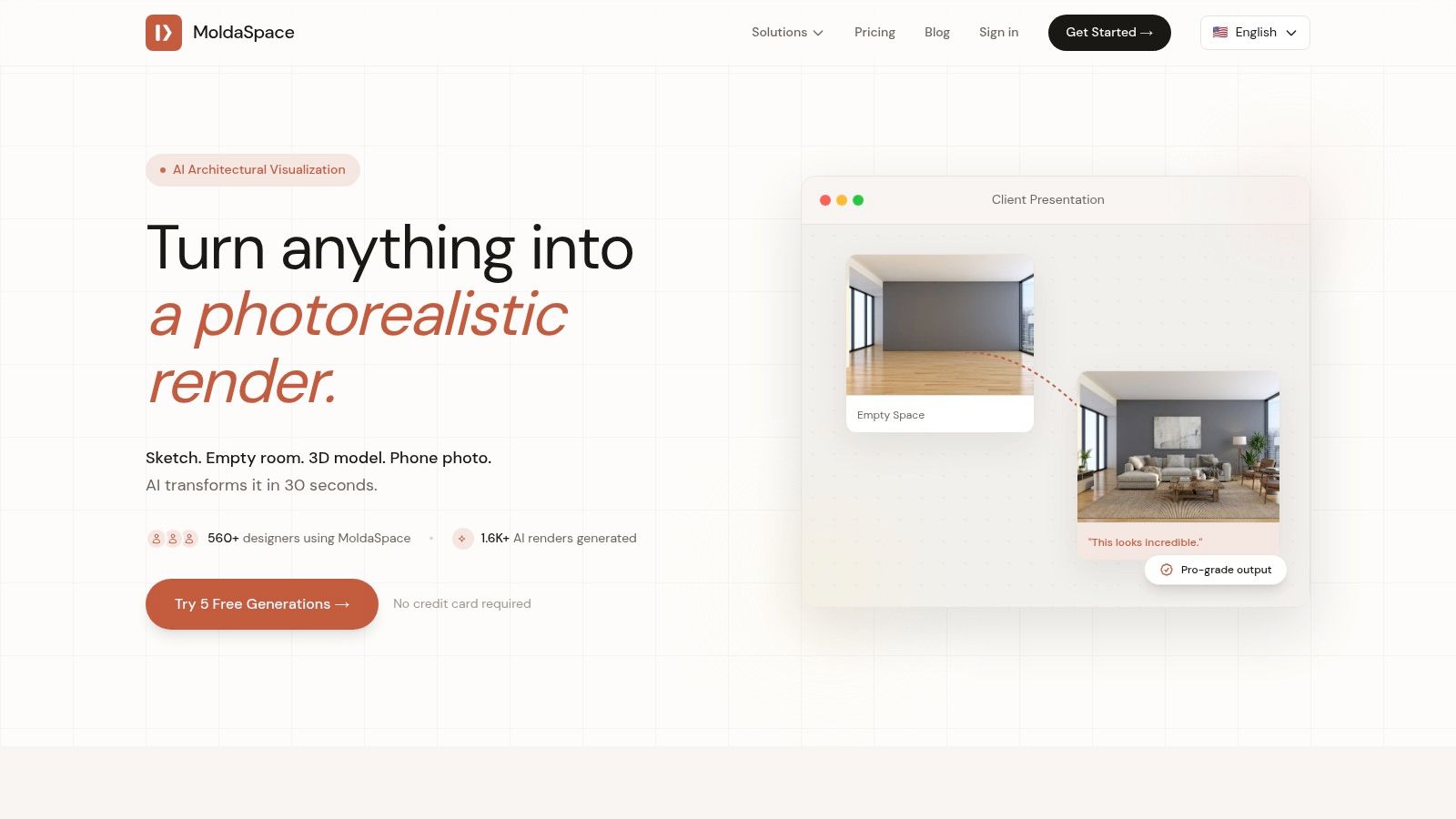
This tool is one of the best AI tools for architects for rapid ideation and client communication because it eliminates the traditional rendering bottleneck. Instead of waiting hours for a single image, you can generate a dozen design variations during a client meeting, fostering real-time collaboration and faster decision-making.
Key Features & Workflow
MoldaSpace operates on a straightforward yet flexible workflow. Users upload a source image, which can be anything from a line drawing to an export from major design software like SketchUp, Revit, Blender, or ArchiCAD. From there, you use natural language prompts to direct the AI.
- Prompt-Based Control: Describe the desired materials, lighting conditions, and overall mood (e.g., "bright morning light, oak wood floors, and a white marble countertop").
- Instant Style Presets: Apply pre-defined aesthetic styles like Japandi, Scandinavian, Industrial, or Minimalist with a single click to explore different design directions instantly.
- Iterative Refinement: The process encourages experimentation. If the first result isn't perfect, you can quickly adjust your text prompt and regenerate, fine-tuning the output without a significant time investment.
| Feature Summary | Details |
|---|---|
| Best Use Cases | Early-stage design exploration, client presentations, virtual staging, marketing materials, and rapid mood boarding. |
| Integrations | Accepts image exports from any 3D or 2D software, including SketchUp, Revit, Rhino, AutoCAD, and Blender. |
| Pricing | Pay-as-you-go credit packs. The most popular option is $19 for 40 generations (approx. $0.47 per image). Credits never expire, and no subscription is required. A free trial and a 7-day money-back guarantee are available. |
Pros & Cons
Pros:
- Exceptional Speed: Generates high-quality renders in approximately 30 seconds, accelerating the design cycle.
- Cost-Effective: The non-expiring credit system offers a very low cost-per-image without subscription commitments.
- High Flexibility: Works with a wide variety of inputs, from rough sketches to detailed 3D models.
- User-Friendly: Simple interface and natural language controls make it accessible to non-specialists.
Cons:
- Not for Construction Documents: While excellent for visualization, it is not a substitute for high-precision render engines required for final technical documentation.
- Requires Iteration: Achieving highly specific or unique material details may require several prompt refinements.
Website: https://moldaspace.com
2. Autodesk Forma
Autodesk Forma, which evolved from the Spacemaker platform, is a powerful conceptual design tool that leverages AI to supercharge the earliest stages of architectural planning. It excels at site analysis, allowing architects to rapidly test massing options against environmental factors like wind, sun, noise, and microclimate. This makes it an indispensable asset for feasibility studies and master planning, where quick, data-driven decisions are crucial.
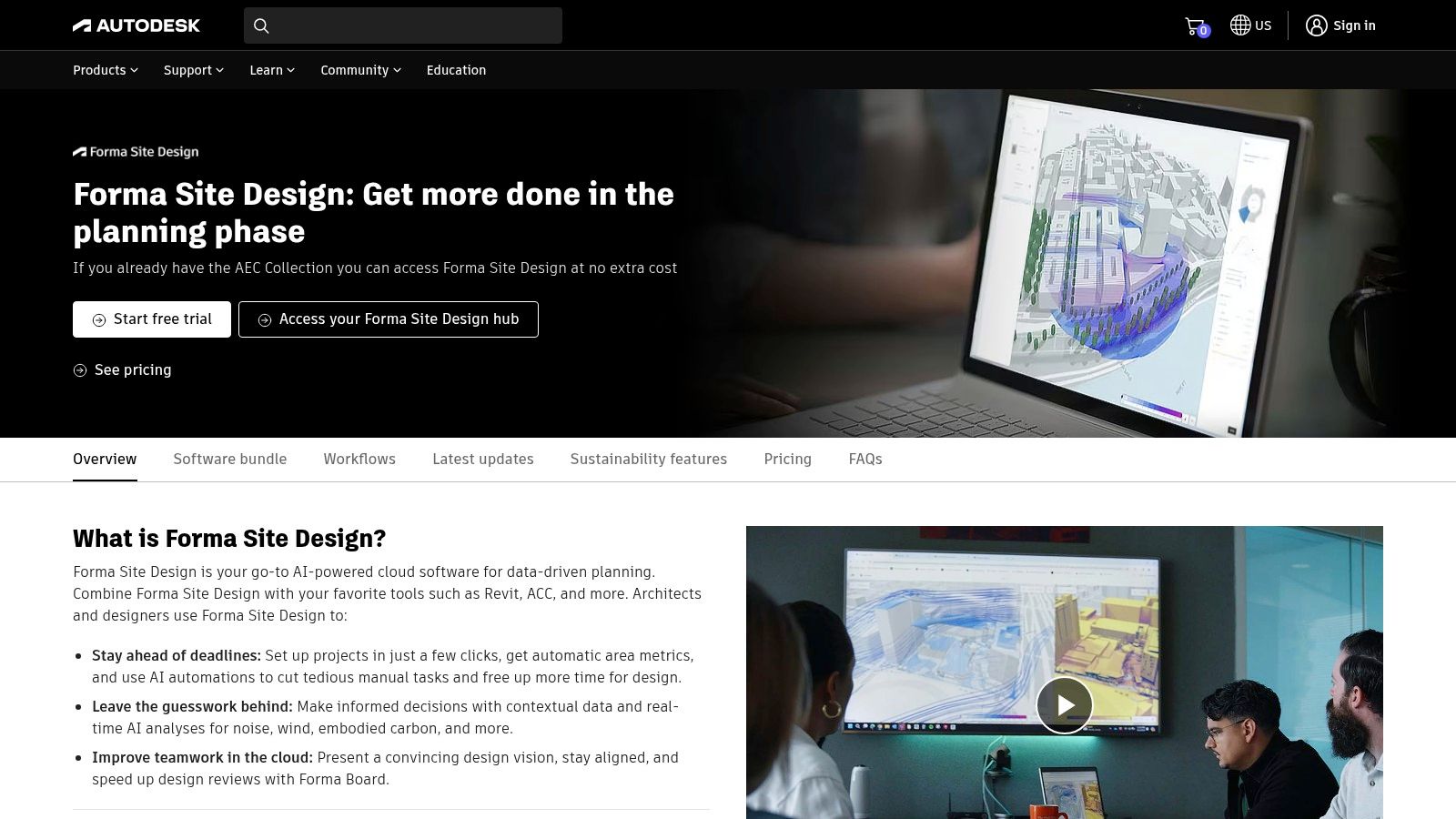
What sets Forma apart is its seamless integration into the broader Autodesk ecosystem, acting as a cloud-based bridge to tools like Revit. This creates a cohesive workflow from high-level concept to detailed design development. The platform’s analytical capabilities provide near-instant feedback that would traditionally require specialist consultants and days of work, democratizing performance-based design for firms of all sizes. For teams working on complex urban projects, enhancing design team collaboration is a significant benefit.
Core Features & Use Cases
- Best For: Early-stage site analysis, massing studies, and environmental performance testing.
- AI-Powered Analysis: Instantly generate analyses for solar, wind, noise, and daylight potential to inform design iterations.
- Cloud Collaboration: Work on projects in a shared cloud environment, ensuring all stakeholders have access to the latest data.
- Autodesk Ecosystem Integration: Features a robust, native connection with Revit for a smooth transition from conceptual massing to detailed BIM.
Pricing & Access
| Plan Type | Pricing | Key Details |
|---|---|---|
| Free Trial | Free | 30-day access to full features. |
| Subscription | Quote-based | Pricing is not publicly listed; requires contacting Autodesk sales. |
| Education | Free | Available for students and educators through the Autodesk Education Community. |
Pros & Cons
- Pros: Tight integration with Revit, powerful and fast environmental analysis, excellent for data-driven concept design.
- Cons: Primarily focused on early-stage design, not a full BIM authoring tool; subscription pricing is not transparent.
3. TestFit
TestFit is a powerful generative design platform purpose-built for real estate feasibility and early-stage site planning. It utilizes a combination of AI and rule-based algorithms to help architects, developers, and urban planners instantly generate building layouts, parking configurations, and unit mixes based on specific constraints. The platform shines at rapidly validating a site's potential, running countless iterations in seconds to find the optimal design that maximizes yield while adhering to zoning codes and site parameters.
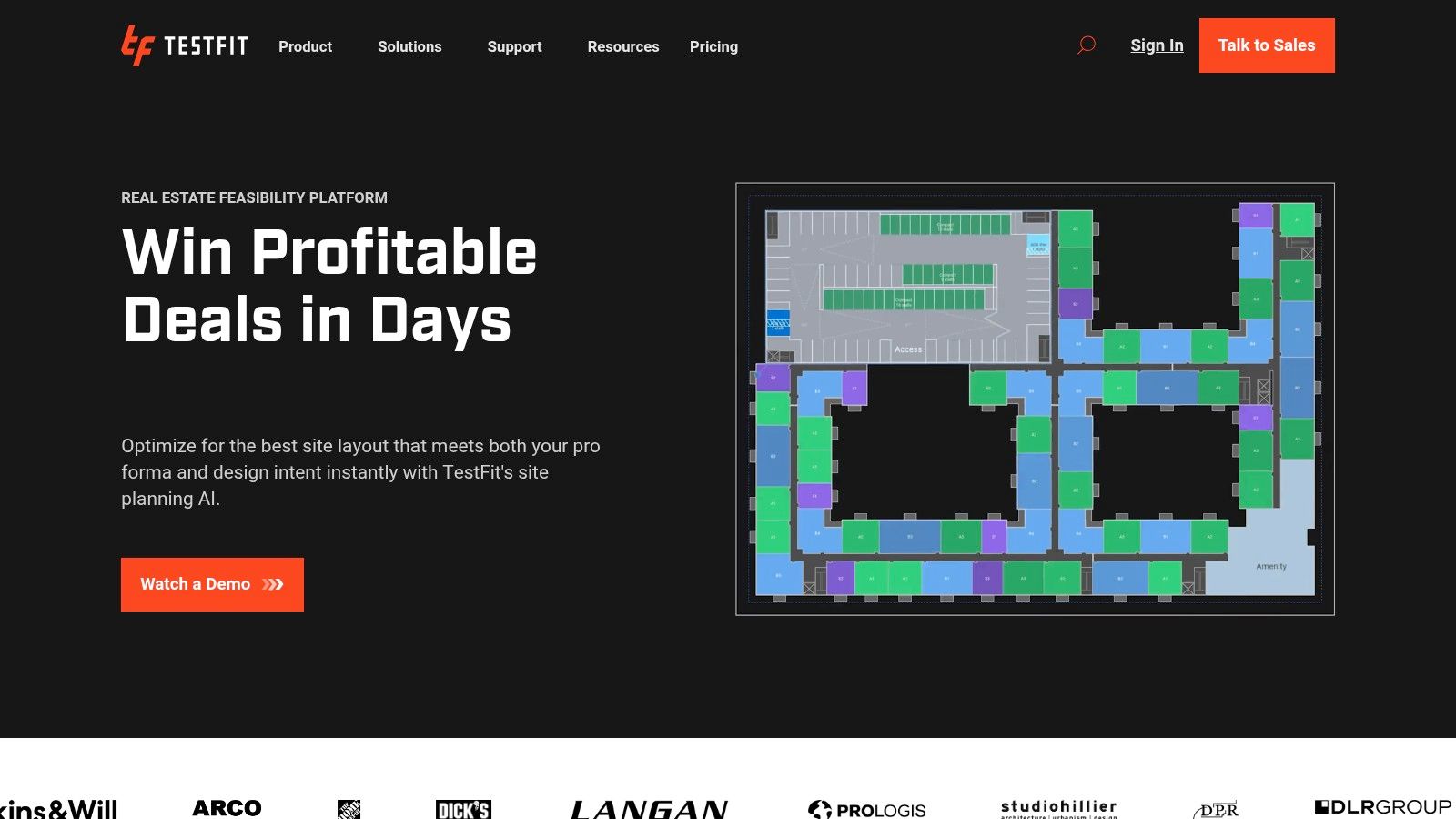
What makes TestFit a standout among AI tools for architects is its laser focus on the financial viability of a project from day one. It goes beyond simple massing by incorporating cost modeling and quantity takeoffs directly into the generative process. This provides an immediate understanding of a project's financial feasibility, a task that traditionally takes weeks of manual calculation. With integrations for tools like Revit and SketchUp, TestFit bridges the critical gap between high-level financial analysis and detailed design development, ensuring concepts are both visionary and viable.
Core Features & Use Cases
- Best For: Rapid site feasibility studies, multifamily housing layouts, and parking optimization.
- Generative Site Planning: Automatically generates and solves for building massing, unit layouts, and parking based on user-defined inputs.
- Real-Time Financial Analysis: Includes a dynamic cost model that provides instant feedback on project viability as the design changes.
- Data-Driven Insights: Leverages U.S. zoning, environmental, and utilities data layers to inform site selection and planning decisions.
- BIM & Design Integration: Seamlessly exports designs to Revit and SketchUp, preserving data for further development.
Pricing & Access
| Plan Type | Pricing | Key Details |
|---|---|---|
| TestFit Analyst | $450/month (annual) | For site acquisition and analysis professionals. |
| TestFit Design | $600/month (annual) | For architects and designers needing robust layout tools. |
| TestFit Site Solver | Quote-based | Advanced tier for teams needing automated solver capabilities. |
Pros & Cons
- Pros: Extremely fast for yield studies and iterations, clear product tiers for different roles, strong Revit and SketchUp integrations.
- Cons: Advanced automated solver plan requires a higher annual spend; geographic data layer coverage can vary.
4. Hypar
Hypar is a cloud-based generative design platform that empowers architects to automate repetitive design tasks and rapidly explore building system options. It focuses on creating and deploying systemized logic, allowing firms to build their own libraries of repeatable components like core layouts, structural grids, or facade patterns. This approach moves beyond simple massing to encode complex building knowledge that can be applied across multiple projects.
What makes Hypar a unique entry among AI tools for architects is its emphasis on creating reusable, logic-driven systems rather than one-off generative results. Architects can develop functions for everything from space planning to furniture layouts, which can then be shared across a team. This systemized approach ensures consistency and dramatically accelerates the initial stages of design by automating the placement and configuration of building elements based on predefined rules, with a direct connection to Revit for a seamless workflow.
Core Features & Use Cases
- Best For: Systemizing design logic, generative space planning, and creating reusable building systems.
- Generative Systems: Develop and share custom functions that automate complex layout tasks, from residential unit mixes to commercial space plans.
- Revit Integration: A strong connection allows for the transfer of generated models and data directly into a BIM environment.
- Cloud-Based Collaboration: Team-based seat management allows firms to build and manage a central library of proprietary design logic.
- Automatic Clash Detection: Higher-tier plans include automated clash detection to identify issues early in the design process.
Pricing & Access
| Plan Type | Pricing | Key Details |
|---|---|---|
| Free | Free | Allows creation and sharing of functions with some usage limits. |
| Pro | $40/month per user | Adds private functions, unlimited workflows, and more computing credits. |
| Enterprise | Quote-based | Custom solutions for large teams, including advanced security and support. |
Pros & Cons
- Pros: Very affordable entry point for individuals, enables systemized and repeatable design logic, strong team collaboration features.
- Cons: Some advanced features like clash detection are locked behind paid plans; provides the most value when teams invest in creating and sharing content.
5. ARCHITEChTURES
ARCHITEChTURES is a specialized, cloud-based AI platform designed to accelerate the feasibility and schematic design phases of residential projects. It excels at generative design, allowing architects and developers to rapidly produce optimized building layouts based on specific parameters like unit mix, building codes, and site constraints. The tool provides real-time quantitative feedback, turning a subjective process into a data-driven exercise.
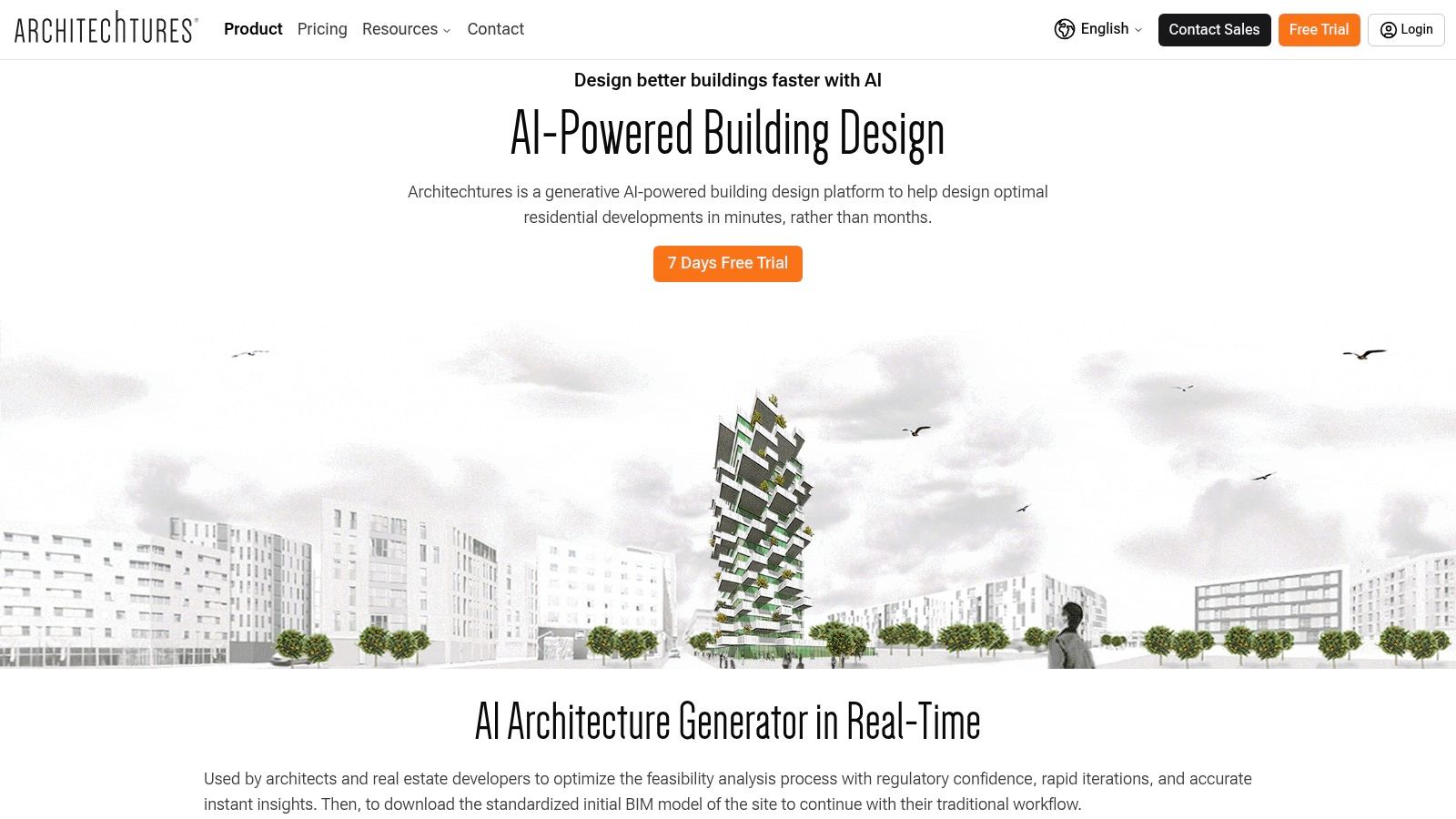
What makes ARCHITEChTURES a standout among AI tools for architects is its dedicated focus on residential efficiency and its direct integration with BIM workflows. While other tools focus on massing or visualization, this platform generates detailed floor plans, including unit distributions and parking layouts. The immediate cost and area dashboards allow designers to evaluate the financial viability of a scheme in seconds, not days, making it an incredibly powerful asset for developers and firms specializing in housing.
Core Features & Use Cases
- Best For: Rapid residential feasibility studies, optimizing unit layouts, and data-driven schematic design.
- Generative Residential Design: AI automatically generates entire building layouts, from floor plans to facade compositions, based on user-defined inputs.
- Real-Time Dashboards: Instantly access key metrics like gross floor area, net saleable area, unit counts, and estimated costs to guide design decisions.
- BIM & CAD Integration: Export designs as IFC or DXF files to continue work in software like Revit, ArchiCAD, or AutoCAD, plus XLSX exports for data analysis.
Pricing & Access
| Plan Type | Pricing | Key Details |
|---|---|---|
| Free Trial | Free | 7-day access to the platform's features. |
| Professional | €119/month | Billed annually. Includes unlimited AI generations and standard exports. |
| Business | Quote-based | For larger teams; includes advanced features and support. |
Pros & Cons
- Pros: Highly specialized for residential projects, provides instant financial and spatial metrics, direct BIM and CAD export functionality.
- Cons: Niche focus limits its use for other building typologies; listed plans require annual billing commitment.
6. Veras (EvolveLAB / Chaos)
Veras is an AI-powered visualization tool that integrates directly into architects' primary modeling software, including Revit, SketchUp, Rhino, Vectorworks, and Archicad. Developed by EvolveLAB and now also offered through Chaos, it functions as a plugin that transforms simple 3D model views into compelling, stylized, or photorealistic concepts with incredible speed. It acts as a creative partner during the design process, allowing for rapid visual exploration without leaving the native design environment.
What makes Veras one of the most practical AI tools for architects is its deep workflow integration. Instead of exporting models and importing them into a separate rendering engine, Veras works with the live view, using text prompts and intuitive sliders to generate design variations on the fly. This tight feedback loop is ideal for ideation, client presentations, and mood boarding, offering a powerful way to communicate design intent long before committing to a final, high-fidelity render.
Core Features & Use Cases
- Best For: Rapid design ideation, conceptual visualization, and style exploration directly within CAD/BIM software.
- Direct Software Integration: Operates as a plugin for Revit, SketchUp, Rhino, and others, plus a standalone web app for flexibility.
- Prompt-Based Rendering: Uses text prompts and control sliders like "Geometry Override" to guide the AI in generating specific aesthetics, materials, and moods.
- Iterative Design: Quickly generate dozens of visual options from a single model view to explore different design directions with clients or internal teams.
Pricing & Access
| Plan Type | Pricing | Key Details |
|---|---|---|
| Free Trial | Free | 15-day trial with 30 free renders. |
| Individual License | Starts at $49/month | Annual plans available at a discount; sold via EvolveLAB. |
| Floating License | Starts at $79/month | Shareable license for teams; sold via EvolveLAB. |
| Chaos License | Varies | Can be purchased as an add-on to V-Ray or Corona subscriptions. |
Pros & Cons
- Pros: Seamless integration with major architectural software, intuitive and fast image generation, flexible licensing options for individuals and teams.
- Cons: Not a replacement for traditional ray-trace rendering for final photorealism; pricing tiers can be confusing as they differ between EvolveLAB and Chaos.
7. Coohom
Coohom is a cloud-native interior design platform that leverages AI and rapid rendering technology to streamline the visualization process. It is particularly powerful for architects and interior designers focused on furnishing, staging, and producing photorealistic interior visuals at speed. The platform's core strength lies in its extensive, integrated library of 3D models and materials, allowing designers to quickly populate and render scenes directly within their browser without needing powerful local hardware.
What makes Coohom a valuable AI tool for architects is its ability to generate high-quality renders in minutes, not hours. This drastically shortens the feedback loop with clients for interior specifications. The platform supports everything from standard renders to 4K stills, video walkthroughs, and 720° panoramas, making it a comprehensive solution for marketing and client presentations. For design firms specializing in residential or commercial interiors, Coohom provides an all-in-one ecosystem for design, visualization, and collaboration.
Core Features & Use Cases
- Best For: Rapid interior rendering, virtual staging, and client presentations.
- Extensive Model Library: Access a massive, cloud-based catalog of furniture, lighting, and decor to drag-and-drop into designs.
- Fast Cloud Rendering: Generate high-resolution stills, panoramas, and video animations in minutes.
- Browser-Based Platform: No installation or powerful hardware is required; the entire workflow is managed in the cloud.
Pricing & Access
| Plan Type | Pricing | Key Details |
|---|---|---|
| Basic | Free | Limited features, includes standard renders. |
| Pro | Starts at ~$25/month (billed annually) | Includes 4K rendering, unlimited standard renders, and access to more models. |
| Enterprise | Quote-based | Custom solutions for large teams and furniture brands, including API access. |
Pros & Cons
- Pros: Extremely fast rendering times, vast and ready-to-use 3D model library, requires no specialized hardware.
- Cons: Less focus on architectural modeling and more on interior decoration, learning curve for advanced features.
8. Interior AI
Interior AI is a highly accessible, browser-based tool designed for rapid interior redesign and virtual staging. It empowers architects, interior designers, and real estate professionals to transform existing photos, sketches, or even basic SketchUp models into photorealistic visualizations in seconds. Users can upload an image of a space and apply various design styles, from "Minimalist" to "Art Deco," to generate multiple design concepts almost instantly.
What makes Interior AI particularly useful in a professional workflow is its focus on commercial application. Paid plans include a commercial license, allowing the generated images to be used for client presentations, marketing materials, and property listings. Its ability to process images in batches and offer different quality outputs makes it a scalable solution for firms needing to produce a high volume of staging concepts or mood board imagery without the time investment of traditional rendering. This makes it one of the most practical AI tools for architects focused on interior visualization.
Core Features & Use Cases
- Best For: Virtual staging, rapid interior design ideation, and creating marketing visuals.
- Style-Guided Redesign: Apply over 30 predefined interior styles to an existing photo to quickly explore different aesthetic directions.
- Sketch-to-Image: Convert hand-drawn sketches or simple 3D model exports into polished, photorealistic images.
- Commercial Licensing: Paid plans provide the necessary rights to use generated images for professional and client-facing projects.
Pricing & Access
| Plan Type | Pricing | Key Details |
|---|---|---|
| Free Version | Free | Limited to 5 renders, low-quality outputs, and non-commercial use. |
| Pro | $39/month | Unlimited renders, medium quality, batch processing, and commercial license. |
| Business | $299/month | All Pro features plus Ultra HD quality, API access, and video/VR tour options. |
Pros & Cons
- Pros: Extremely fast concept and staging cycles, commercial licensing is included in paid tiers, very easy to use with no technical setup.
- Cons: Not a CAD or BIM tool; it's purely for image generation. Output quality is tied directly to the subscription plan.
9. REimagineHome
REimagineHome is an AI-powered design and virtual staging platform tailored for rapid visualization of interiors, exteriors, and landscaping. It allows architects and designers to quickly showcase a property's potential by generating photorealistic redesigns, decluttering spaces, and even changing seasons in exterior shots. This makes it an excellent tool for client presentations, marketing materials, and exploring design concepts without manual rendering.
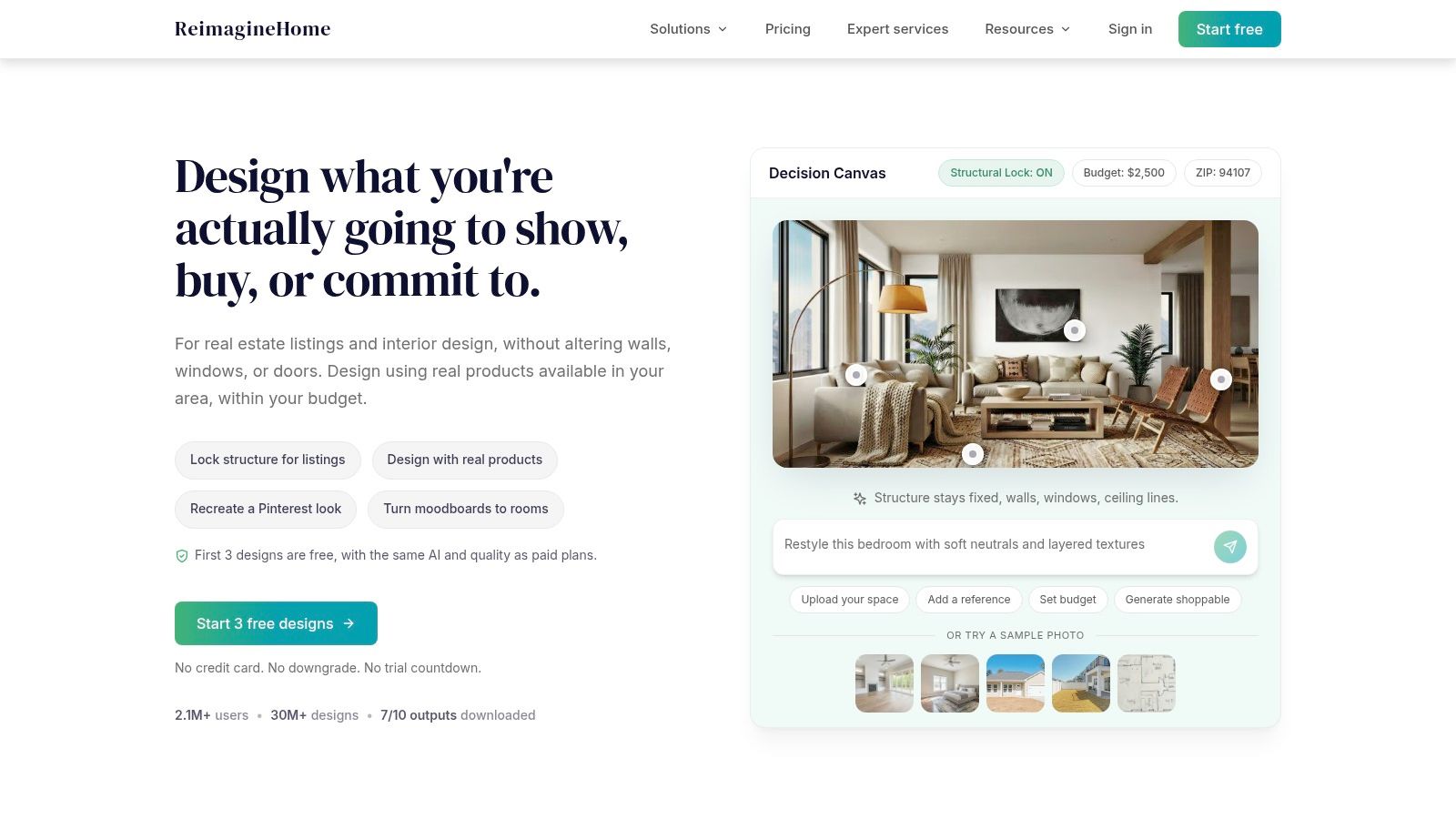
What sets REimagineHome apart is its focus on practical, high-volume workflows for professionals. Features like batch uploads and parallel processing allow for the efficient transformation of entire project portfolios at once. The platform also includes a conversational AI assistant to refine designs and interactive before-and-after sliders, providing a polished and compelling way to communicate design intent to clients or potential buyers. It’s one of the more versatile AI tools for architects focused on the marketing and conceptualization phase.
Core Features & Use Cases
- Best For: Virtual staging, client concept visualization, and marketing material creation.
- AI-Powered Redesign: Generate photorealistic redesigns for interiors, exteriors, and landscaping across various styles.
- Batch Processing: Upload and process multiple images simultaneously to streamline large-scale projects.
- Marketing Tools: Includes features like object and clutter removal, season changes, and interactive before/after sliders to create professional presentations.
Pricing & Access
| Plan Type | Pricing | Key Details |
|---|---|---|
| Starter | $25/month | Includes a bonus of 250 credits for the first month. |
| Pro | $50/month | Includes a bonus of 600 credits for the first month. |
| Business | $100/month | Includes a bonus of 1,500 credits for the first month. |
Pros & Cons
- Pros: Clear credit-based tiers to match volume needs, useful hands-on features for staging, season flips, and clutter clearing.
- Cons: Legacy/'Essential' tier uses older AI and supports fewer room types; monthly credits are required after initial bonuses, so plan selection matters.
10. Planner 5D (AI Plan Recognition)
Planner 5D is a widely accessible, consumer-friendly interior design tool that has a standout AI feature valuable to professionals: AI Plan Recognition. This function allows architects and designers to upload a 2D floor plan, blueprint, or even a sketch, and the AI automatically converts it into a fully editable 3D model. This dramatically speeds up the initial stages of visualizing an existing space, making it a powerful tool for renovation projects, client onboarding, or quick feasibility studies.
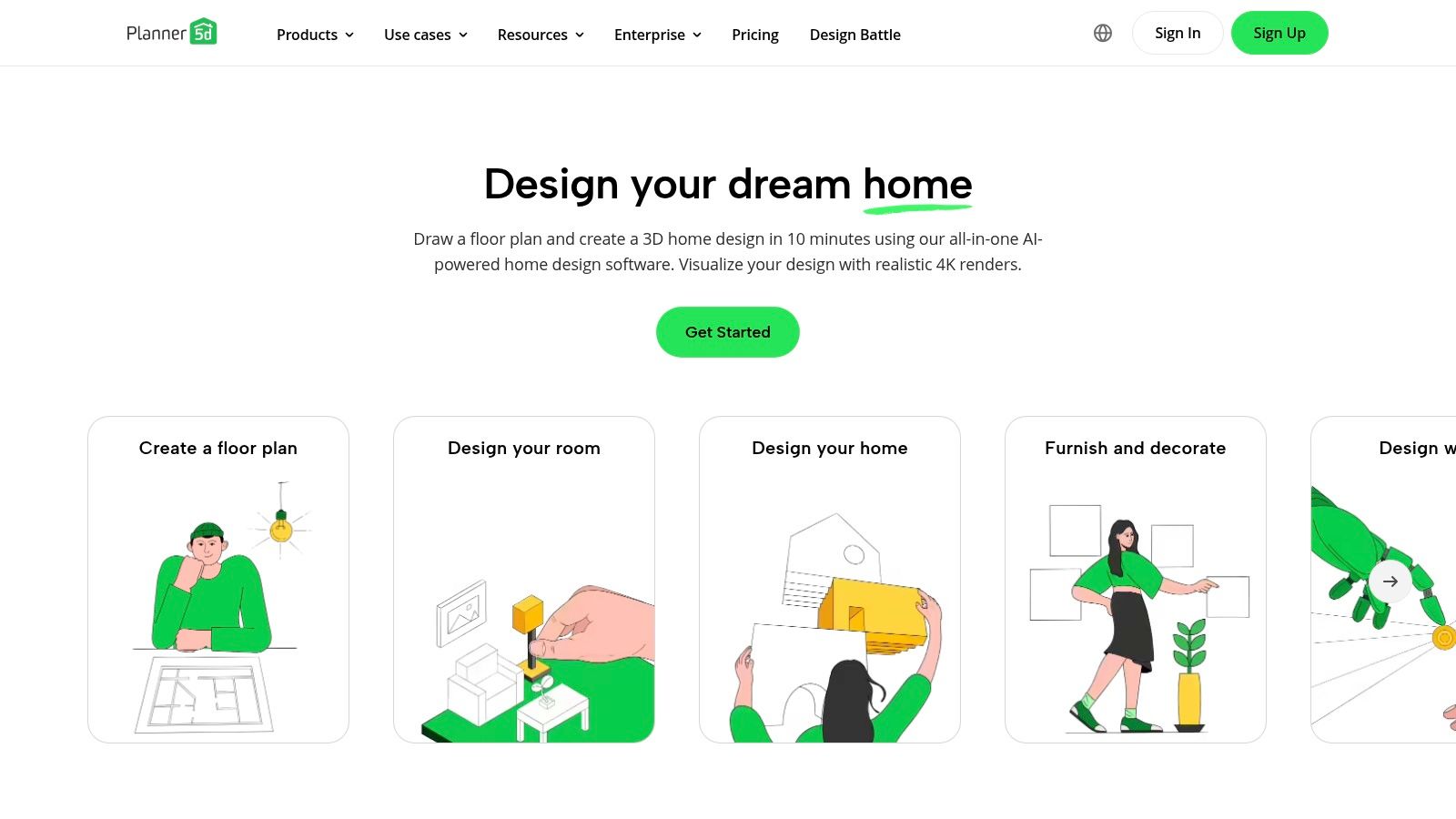
While not a replacement for professional BIM software, Planner 5D excels as a supplementary tool for rapid ideation and client communication. Its intuitive interface and extensive library of furniture and materials make it easy to create quick mockups and mood boards that clients can understand and interact with. The platform’s cross-device accessibility (web and mobile) further enhances its utility for on-the-go presentations and collaborative client work sessions, bridging the gap between technical drawings and tangible design concepts.
Core Features & Use Cases
- Best For: Rapidly converting existing 2D floor plans into 3D models for visualization and client presentations.
- AI Plan Recognition: Upload a photo or file of a blueprint and let the AI generate an interactive 3D model.
- 3D Interior Design: Furnish and decorate spaces using a large catalog of objects to create realistic mockups.
- Cross-Device Accessibility: Work on designs seamlessly across web browsers and dedicated mobile apps for flexibility.
- Client Collaboration: The simple interface makes it easy for clients to participate in the design process or view concepts.
Pricing & Access
| Plan Type | Pricing | Key Details |
|---|---|---|
| Free | Free | Basic features and limited item catalog access. |
| Premium | Starts at $9.99/month | Unlocks the full catalog of items and basic HD snapshots. |
| PRO | Starts at $15.99/month | Includes AI Plan Recognition, panoramic renders, and commercial use license. |
Pros & Cons
- Pros: Very low cost of entry, AI feature saves significant time on modeling existing plans, excellent for early-stage client mockups.
- Cons: Output and modeling controls are not as precise as professional AEC software; some users report confusion with subscription auto-renewals.
11. Morpholio Trace
Morpholio Trace is not an AI generator itself, but it earns its place on this list as an essential companion tool that bridges traditional sketching with digital workflows. This award-winning iPad app allows architects to sketch with intelligence, overlaying drawings on 3D models, maps, and photos. Its intuitive, layer-based system mimics the familiar process of using trace paper, but enhances it with digital precision, scaling tools, and AR capabilities for on-site visualization.
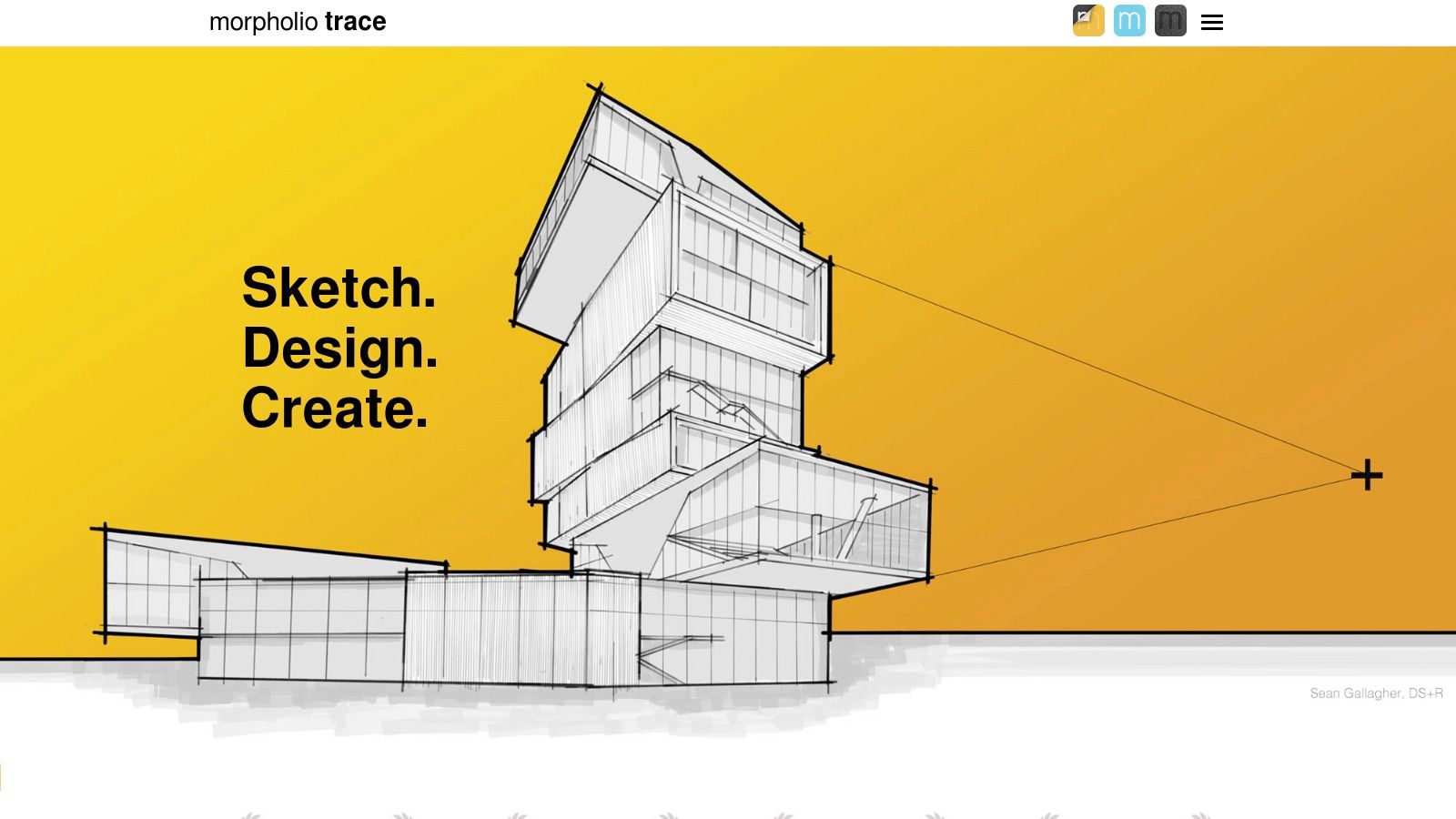
The app excels in the early ideation phase, where architects can quickly explore concepts by hand before committing to complex BIM or CAD software. It serves as the perfect canvas for developing ideas that can then be fed into AI visualization tools for further refinement. Features like the AR Perspective Finder help users instantly generate perspective grids from their iPad's camera, making on-site sketching remarkably accurate. This synergy makes it one of the most practical ai tools for architects to have in their digital toolkit, streamlining the journey from a rough idea to a polished concept.
Core Features & Use Cases
- Best For: Conceptual sketching, design development, site analysis markups, and bridging hand-drawing with digital and AI workflows.
- Intelligent Sketching: Draw to scale on an infinite canvas with smart rulers, stencils, and pens that feel like real architectural tools.
- AR & 3D Model Integration: Use AR SketchWalk to explore designs in the real world or sketch directly over 3D models from platforms like SketchUp.
- Layered Workflow: Manage complex drawings with a robust layer system and export multi-layered files to applications like Adobe Photoshop.
Pricing & Access
| Plan Type | Pricing | Key Details |
|---|---|---|
| Free | Free | Basic drawing tools and features. |
| TracePlus | ~$8 / year | Unlocks essential tools like layers, stencils, and rulers. |
| TracePro | ~$20 / year | Full access to all features, including AR tools, smart fill, and advanced export options. |
| Education | Discounted | Special pricing is available for students and educators. |
Pros & Cons
- Pros: Fast, intuitive analog-style design iteration on iPad; excellent for field work and concept development; integrates well with other digital tools.
- Cons: Exclusive to iOS/iPadOS; it is a companion app, not a standalone AI generator; key features require a subscription.
12. Midjourney
Midjourney is a premier AI image generator that has become a staple for architects in the early stages of creative exploration. Operating primarily through a Discord server and a dedicated web interface, it excels at transforming text prompts into high-fidelity, stylistically diverse concept imagery. Architects use it to rapidly generate mood boards, explore facade designs, visualize material palettes, and create compelling atmospheric visuals that communicate an idea long before any modeling begins.

What distinguishes Midjourney is its artistic output quality and the vibrant community that shares prompts and techniques. This collaborative environment makes it one of the most powerful AI tools for architects focused on pure ideation. While it doesn't create CAD or BIM data, its ability to produce stunning visuals almost instantly makes it an invaluable tool for client presentations, internal brainstorming, and design competitions. It serves a different purpose than traditional 3D tools, complementing the workflow by focusing on the 'what if' phase of design rather than the technical execution found in the best architectural rendering software.
Core Features & Use Cases
- Best For: Conceptual visualization, mood board creation, and rapid architectural ideation.
- Stylistically Diverse Generation: Capable of producing images in a vast range of styles, from photorealistic to painterly or schematic.
- Community-Driven Learning: An extensive user community on Discord provides a constant stream of inspiration and prompt engineering tips.
- Image Control Features: Includes commands for upscaling, panning, zooming, and creating variations to refine generated concepts.
Pricing & Access
| Plan Type | Pricing | Key Details |
|---|---|---|
| Basic Plan | ~$10/month | Limited "Fast" GPU time (~200 images/month), general commercial terms apply. |
| Standard Plan | ~$30/month | 15 hours of Fast GPU time, unlimited "Relax" GPU time, and more concurrent jobs. |
| Pro Plan | ~$60/month | 30 hours of Fast GPU time, unlimited Relax GPU time, and access to Stealth Mode for private generations. |
Pros & Cons
- Pros: Produces exceptionally high-quality and artistic images, huge community for support and inspiration, very fast for early visual ideation.
- Cons: The Discord-based interface can have a learning curve; outputs are purely 2D images with no 3D data; requires a paid subscription for use.
12 AI Tools for Architects — Feature Comparison
| Product | Core features | Quality (★) | Price/Value (💰) | Target (👥) | Unique (✨ / 🏆) |
|---|---|---|---|---|---|
| MoldaSpace 🏆 | AI photoreal renders from sketches/photos/3D exports in ~30s; natural‑language material & lighting; style presets | ★★★★☆ | 💰 $19 → 40 credits (~$0.47/image); credits never expire; 2 free tries; 7‑day guarantee | 👥 Solo designers, small studios, real‑estate pros, stagers | ✨ Ultra‑fast, wide input support, instant style variations, rapid iteration — recommended 🏆 |
| Autodesk Forma | AI site analyses (wind, sun, noise, microclimate); cloud collaboration; Autodesk ecosystem | ★★★★☆ | 💰 Trial 30 days; subscription/quote for full access | 👥 Urban designers, site planners, architects | ✨ Rapid site analytics + strong Autodesk interoperability |
| TestFit | Automated massing, unit layouts, cost modeling, zoning/data overlays; Revit/SketchUp integrations | ★★★★☆ | 💰 Tiered pricing; Advanced Site Solver = higher annual cost | 👥 Developers, architects, feasibility analysts | ✨ Fast yield studies; rule‑based + generative layouts |
| Hypar | Generative building systems, Revit integration, cloud app, team/seat management | ★★★★☆ | 💰 Affordable entry; free trial; paid tiers for advanced features | 👥 Architects, design teams building reusable systems | ✨ Repeatable logic libraries, easy to trial and scale |
| ARCHITEChTURES | AI real‑time residential plan generation, cost/area dashboards, IFC/DXF exports | ★★★★☆ | 💰 Annual billing on tiers; 7‑day trial | 👥 Residential developers, architects focused on feasibility | ✨ Real‑time metrics + BIM exports for scheme optimization |
| Veras (EvolveLAB / Chaos) | Plugin/web renderer: stylized/photoreal from model views; geometry overrides; style prompts | ★★★★☆ | 💰 Flexible licensing (named/floating); limited free trial renders | 👥 Revit/SketchUp/Rhino/Vectorworks/Archicad users | ✨ Deep CAD/BIM workflow integration; flexible licensing |
| Coohom | Cloud interior design + large furniture library; high‑res/panoramic/batch cloud renders | ★★★★☆ | 💰 Region‑based pricing; strong value for frequent renders | 👥 Interior designers, retailers, staging teams | ✨ Extensive catalog + fast cloud batch rendering |
| Interior AI | Style‑guided redesigns, sketch/SketchUp → photoreal, batch processing, commercial license | ★★★★☆ | 💰 Tiered plans (quality tiers); paid plans include commercial license | 👥 Designers, real‑estate pros, stagers | ✨ Fast staging + plan/SketchUp cleanup for photoreal outputs |
| REimagineHome | Batch virtual staging, conversational assistant, before/after sliders, season/clutter tools | ★★★★☆ | 💰 Credit‑based plans with first‑month bonuses; monthly credits afterward | 👥 Real‑estate marketers, stagers, volume workflows | ✨ Volume tools (batch), season flips, clutter removal |
| Planner 5D (AI Plan Recognition) | 2D→3D AI plan recognition, 3D interiors, moodboards, cross‑device access | ★★★☆☆ | 💰 Low‑cost entry; PRO tier for advanced renders | 👥 Homeowners, quick concept designers, entry‑level pros | ✨ Easy plan→3D conversion; cross‑device co‑creation |
| Morpholio Trace | iOS/iPadOS sketch‑over app, AR perspective tools, layered exports | ★★★★☆ | 💰 Free download; in‑app subscriptions; education discounts | 👥 Architects, students, field designers | ✨ Sketch‑to‑scale workflows + AR tools; complements AI renderers |
| Midjourney | Generative image engine (Discord/web): diverse styles, upscaling, private modes | ★★★★★ | 💰 Subscription tiers; no long free tier | 👥 Designers, concept artists, mood‑board creators | ✨ Vast style variety, strong community prompts and rapid ideation |
Integrating AI into Your Architectural Practice
The landscape of architectural design is undergoing a seismic shift, powered by the integration of artificial intelligence. As we've explored, the array of AI tools for architects is no longer a futuristic concept but a present-day reality, offering tangible solutions to long-standing industry challenges. From the rapid conceptual visualizations of MoldaSpace and Veras to the data-driven feasibility studies of Autodesk Forma and TestFit, these platforms are fundamentally reshaping workflows, enhancing creativity, and accelerating project timelines.
The core takeaway is not that AI is here to replace the architect's vision, but to amplify it. The true value of these tools lies in their ability to automate the mundane and accelerate the iterative. They act as tireless assistants, capable of generating hundreds of design options, rendering photorealistic scenes in seconds, and analyzing complex site data with unparalleled speed. This frees you, the designer, to focus on what truly matters: strategic thinking, client relationships, and the nuanced, creative decisions that define exceptional architecture.
How to Choose Your First AI Tool
Navigating this new ecosystem can feel overwhelming, but the path to integration is clearer when you start with a specific goal. Don't try to adopt every tool at once. Instead, perform a simple audit of your current process and identify the most significant bottleneck.
- Is early-stage visualization a time sink? If you spend countless hours creating preliminary renders just to get client buy-in, a tool like MoldaSpace or Midjourney is an ideal starting point. They can turn a basic SketchUp model or a simple text prompt into a compelling visual in under a minute, drastically shortening the feedback loop.
- Do you struggle with site feasibility and massing studies? For firms handling large-scale projects, generative design platforms like TestFit or Hypar can provide invaluable, data-backed insights from day one, preventing costly revisions later in the process.
- Are repetitive drafting tasks slowing you down? Look into AI-powered plugins for your existing software (like Revit or SketchUp) that can automate tasks like creating schedules, annotating drawings, or even suggesting structural layouts.
By pinpointing a specific pain point, you can select a tool that delivers an immediate and measurable return on investment, whether that's saved time, improved client satisfaction, or a more competitive proposal.
A Mindset for the Future
Adopting AI tools for architects requires more than just a software subscription; it requires a shift in mindset. It’s about moving from a linear design process to a more fluid, exploratory one. It’s about learning to collaborate with an algorithm, guiding it with your expertise and creative intuition to explore possibilities that were previously out of reach.
The most successful firms will be those that embrace this technology strategically. They will empower their teams to experiment, to learn the art of prompt engineering, and to integrate these tools thoughtfully into their existing workflows. The goal is to build a hybrid practice where human creativity is augmented by machine intelligence, leading to designs that are not only more innovative but also more efficient and responsive to client needs.
This technological evolution is not a threat but an opportunity. It is a chance to elevate the profession, automate the tedious, and dedicate more of our energy to the art and science of creating incredible spaces. The architect of the future will not be a machine operator but a creative director, orchestrating a suite of intelligent tools to bring their boldest visions to life.
Ready to transform your visualization workflow and impress clients with stunning, near-instantaneous renders? Start by exploring MoldaSpace, the AI-powered platform designed specifically to turn your 3D models into photorealistic images in seconds. Sign up today and see how the right AI tool can revolutionize your design process at MoldaSpace.