Free Architectural Visualization Software: Plans & Limits
Free architectural visualization software can mean an open-source renderer, a plan with eligibility limits, or a short trial of a paid product. Those differences matter before you start a client project. Use the comparison below to choose a workflow, then test it with one of your own scenes.
Free software, limited plans and trials compared
Plan and trial information checked against the linked official sources on September 24, 2026. Check the current terms before committing to a project. This is a workflow comparison, not a measured speed or image-quality benchmark.
| Tool | Free access and limits | Starting point / best fit |
|---|---|---|
| Blender | Free, open source; commercial use allowed. Assets and add-ons may have separate terms. | A 3D scene; control over geometry, materials, cameras and lighting. |
| Twinmotion | Free for eligible individuals and businesses below $1M in revenue over the past 12 months, plus students and educators. Cloud sharing requires a paid seat. | A CAD/BIM model; scene setup, presentations and walkthroughs. |
| D5 Community | Free for learning, personal projects and evaluation. Professional or revenue-generating work requires D5 Pro. | A supported model and compatible hardware; evaluating a real-time workflow. |
| MoldaSpace | Five starter credits to try generation. Continued use is paid; this is not an unlimited free plan. | A room photo, sketch or exported model-view image; exploring visual concepts. |
| Enscape | 14-day trial, followed by paid access. | A supported host application and model; evaluating an integrated rendering workflow. |
Sources: Blender license, Twinmotion licensing, D5 plans, MoldaSpace pricing and Enscape trial.
Choose by the input you have. If you need to control a 3D scene, start with a model-based renderer. If you have a photo or a model screenshot and need to explore a visual direction, try an image-based workflow such as MoldaSpace AI rendering.
1. Blender: a free 3D scene workflow
Blender combines modeling, materials, lighting and rendering in one application. Cycles supports path-traced output; Eevee provides a real-time rendering approach. You work with a scene rather than asking an image model to interpret a single view.
This fits projects where you need to place objects precisely, reuse cameras or revise materials across several views. The trade-off is setup: the model, materials, lights and camera need attention before the result is useful. A free software license does not remove the time needed to learn or prepare the scene.
A practical first test
- Use one room with simple geometry and check the model's scale.
- Assign a small set of materials and choose one camera view.
- Light the room, render a preview, then adjust exposure and material roughness.
- Change one material and render the same camera again to compare the result.
Get Blender. If you are comparing free and paid production renderers, use the broader architectural rendering software guide.
2. Twinmotion: model-based presentations for eligible users
Twinmotion focuses on turning a design model into a presentation with materials, surroundings and camera views. It is a candidate when you want to explore a scene or prepare several views from the same model.
Its free access has an eligibility condition. Individuals and small businesses below the stated revenue threshold can use it free, as can students and educators. Twinmotion Cloud is a separate consideration because it requires paid access. Check Epic's current licensing page before promising a cloud-delivered presentation.
Test the import path from your modeling tool with a small scene first. Check material assignments, scale and how a design revision reaches the visualization before importing a complete building.
3. D5 Community: evaluate before using it for paid work
D5 Render offers a real-time scene workflow with model imports, lighting and materials. The Community edition can help you learn the interface and evaluate it on your own hardware.
Community is not the free commercial tier. D5's pricing FAQ reserves it for non-commercial learning, personal projects and evaluation. Professional work requires a Pro license. Compare the features you need and the commercial-use conditions on the official plan comparison.
Use an evaluation scene to check viewport responsiveness, material setup and output before choosing a plan. Check D5's hardware requirements for your machine.
4. MoldaSpace: try a concept from an existing image
MoldaSpace starts with an image: a room photo, sketch or exported model view. Upload the image, describe the visual direction and review the generated result. You do not need to build a material and lighting setup in a 3D scene to explore the concept.
The trial includes five starter credits; ongoing generation is paid. Consult current plans and credits rather than treating MoldaSpace as permanently free software.
Example: explore a lighter living-room palette
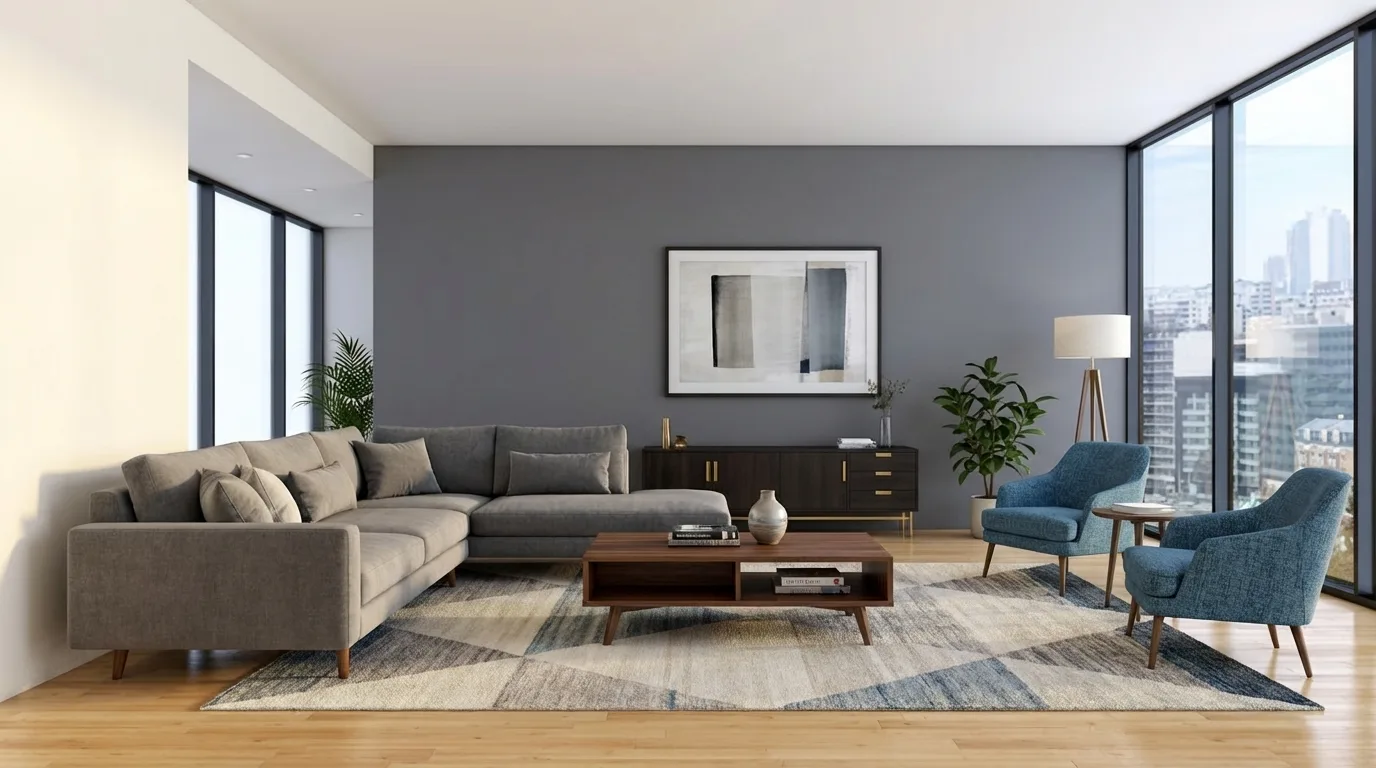
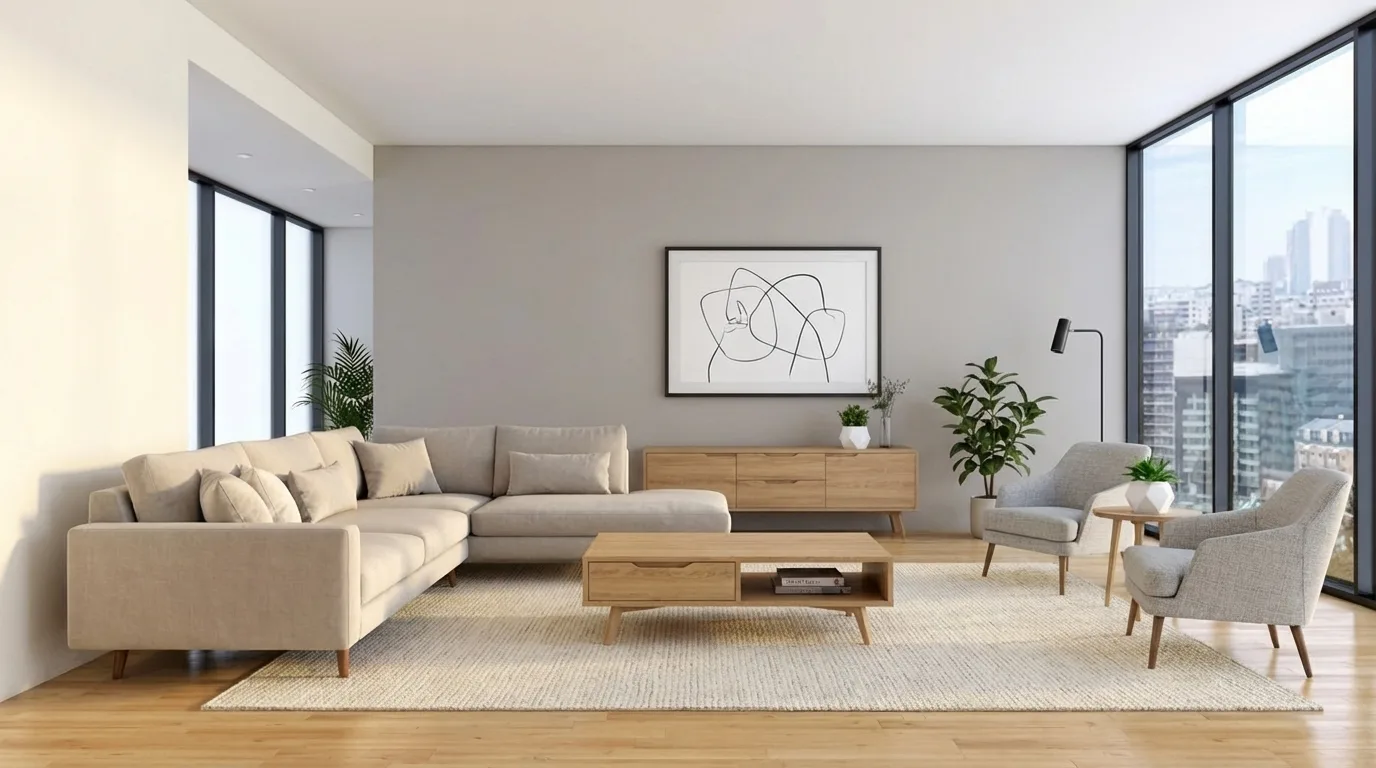
- Upload a clear room image or export the view you want to explore from your model.
- Describe the materials and atmosphere you want to change.
- Check the output against the source, especially windows, furniture, proportions and reflections.
- Keep a useful result, or revise the direction and generate another option.
The images above are existing gallery examples, not a timed comparison with the other tools. An AI concept can change unrequested details and does not update your underlying model. For exact dimensions or product specifications, keep working from the design model and drawings.
Try your first visual concept with MoldaSpace. For a suggested prompt and a review checklist, see the photorealistic rendering walkthrough.
5. Enscape: a time-limited trial for an integrated workflow
Enscape is worth evaluating when you want rendering alongside a supported design application. Its free access is a 14-day trial, not an ongoing free tier. Start the trial when you have a representative model and time to test the workflow.
Before committing, check that your host application, operating system and graphics hardware are supported. Test a model revision, a material change and the output format you need. See the official trial page for current access conditions.
How to compare tools on your own project
Use a small, repeatable brief rather than comparing unrelated showcase images. These steps are a suggested evaluation method, not results from a cross-tool test.
- Keep the view consistent: choose one room and camera framing.
- Set the task: for example, compare a light-oak and dark-walnut material direction.
- Record setup and revision time separately: a fast final render may still require substantial scene preparation.
- Check what you can revise: geometry, material assignments, camera, image details and output resolution.
- Inspect the result: count windows and doors, compare proportions and check reflections and repeated textures.
- Check total cost: software eligibility, host application, hardware, assets and ongoing credits or subscriptions.
Which free option should you start with?
Start with Blender if a free 3D workflow and direct scene control are your priorities. Evaluate Twinmotion if you meet its free-use conditions and want model-based presentations. Use D5 Community for non-commercial evaluation. Try MoldaSpace when the immediate task is a visual concept from an existing image, and consider Enscape's trial when integration with your modeling application is the main requirement.
If your next deliverable is a client proposal, use our editable interior design proposal template to present the chosen direction, its scope and the next decision together.

