7 Best Interior Design Proposal Examples to Win Clients in 2026
The difference between a potential client and a signed contract often comes down to one critical document: your interior design proposal. It's more than just a quote; it's your firm's handshake, portfolio, and strategic plan all rolled into one. A weak proposal can leave clients confused and hesitant, while a powerful one builds immediate trust and excitement, clearly communicating your vision and value from the very first interaction.
Crafting the perfect pitch can be time-consuming, but you don't have to start from a blank page. This guide is built to give you a strategic advantage by breaking down standout interior design proposal examples from a variety of powerful platforms. We'll move beyond generic templates to provide a comprehensive analysis of what makes each example effective and how you can replicate its success.
Inside this curated list, you'll find:
- Detailed Breakdowns: We dissect proposals from platforms like MoldaSpace, Proposify, and PandaDoc, analyzing their structure, scope, and client-facing language.
- Actionable Templates: For each example, you’ll get reusable templates and prompts to adapt these high-converting formats for your own projects.
- Strategic Insights: Learn the specific tactics each proposal uses to demonstrate value, manage expectations, and persuade clients to sign on the dotted line.
We will analyze screenshots, critique layouts, and provide direct links to each resource, giving you the tools needed to create compelling proposals that not only look professional but actively convert prospects into devoted clients. Let’s explore the examples that will help you win your next project.
1. MoldaSpace
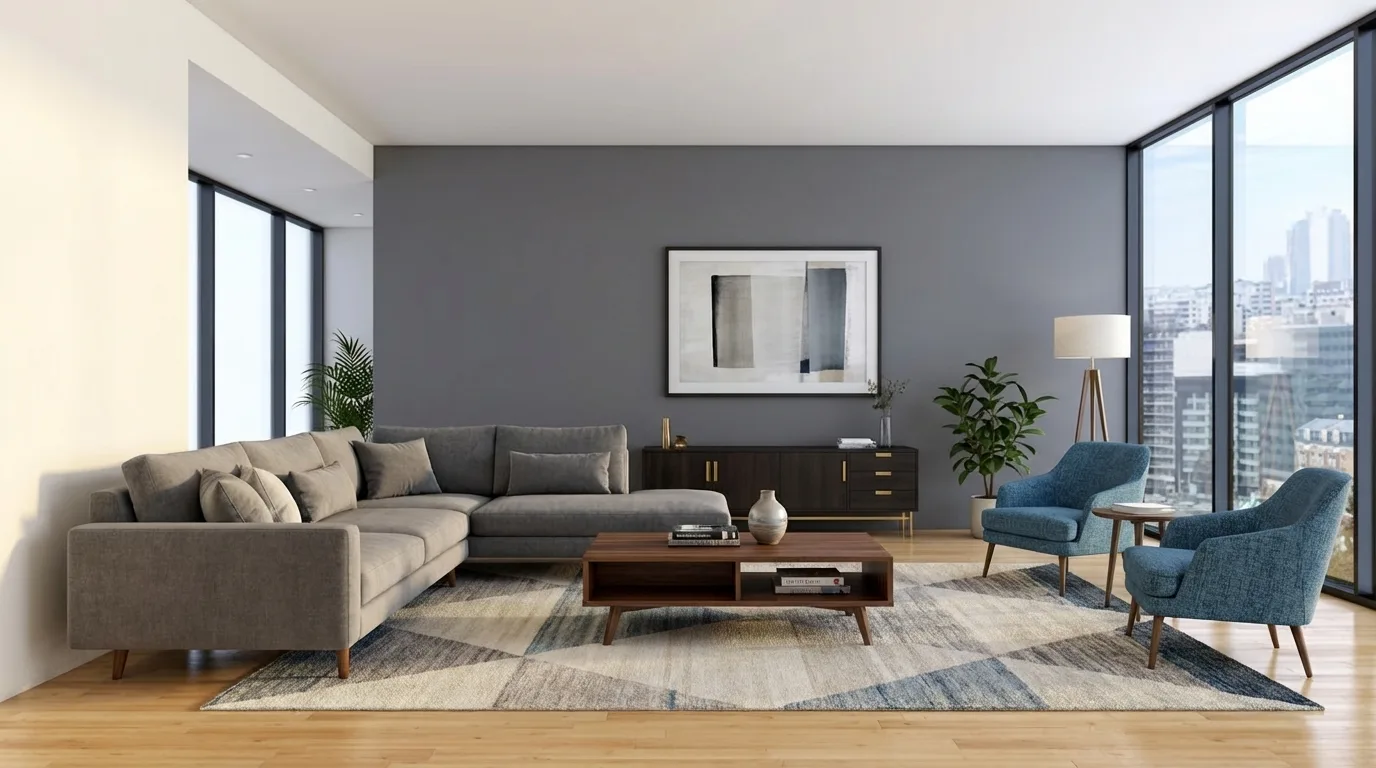
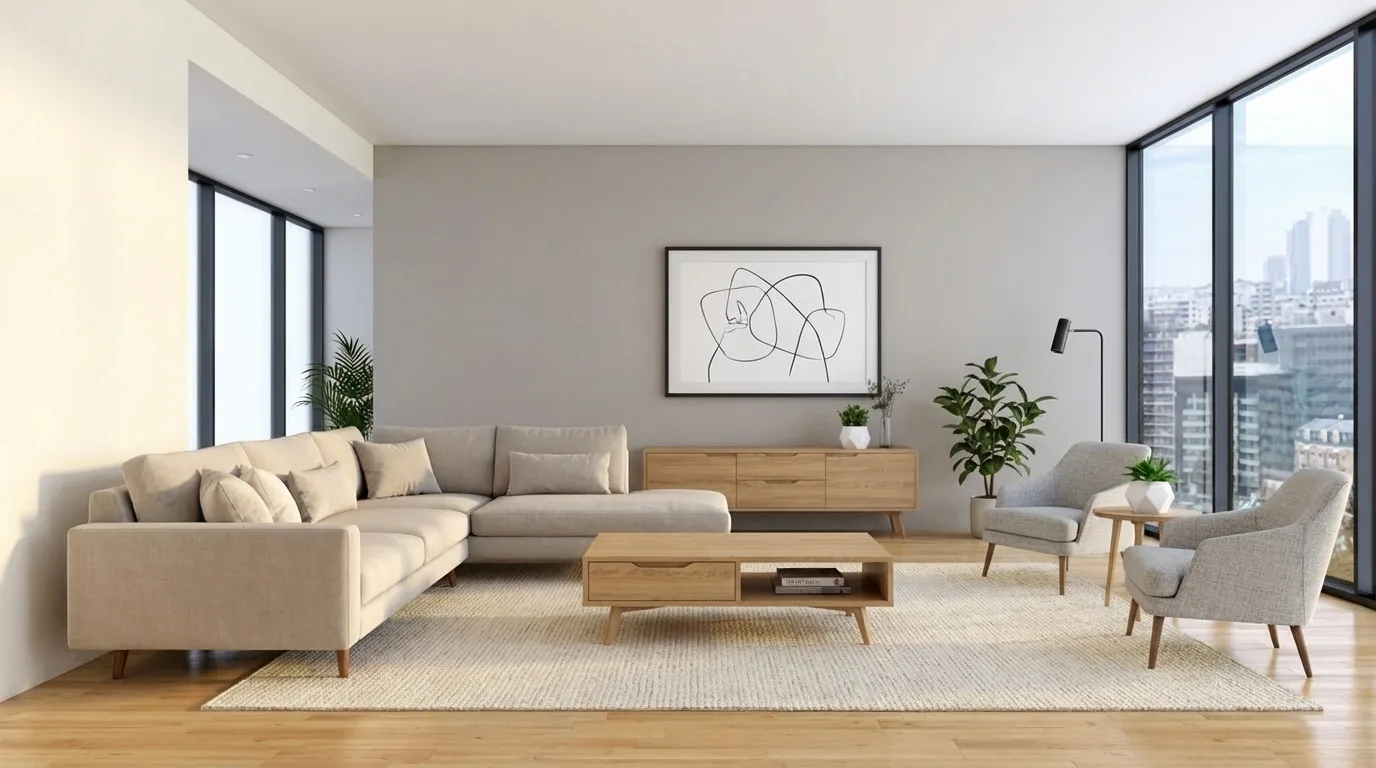
MoldaSpace is a powerful AI-driven visualization platform that has fundamentally changed the game for creating compelling interior design proposal examples. It empowers solo designers and small studios to produce production-quality, photorealistic renders in seconds, a task that traditionally required expensive software, powerful hardware, and hours of work. Instead of just describing a vision, designers can now show it with stunning clarity, making their proposals more persuasive and professional.

The platform’s core strength lies in its speed and accessibility. It can take a simple input, like a photo of an empty room, a hand sketch, or a 2D export from common design software (SketchUp, Revit, AutoCAD), and transform it into a high-fidelity image in about 30 seconds. This allows for rapid ideation and iteration, which is invaluable during the proposal stage when clients need to visualize possibilities quickly.
Why It Stands Out: The Competitive Edge
MoldaSpace levels the playing field, giving smaller firms the visual firepower of large agencies without the associated overhead. The ability to generate multiple design variations on the fly is a significant advantage. A designer can present a single room in Japandi, Scandinavian, and Mid-Century Modern styles within minutes, showcasing their versatility and helping clients make decisions faster.
This instant iteration capability is controlled through natural-language prompts. You can simply type commands like "walnut flooring, white marble countertop, and brass fixtures" to refine the render. This intuitive process removes the technical barriers of traditional rendering engines, allowing designers to focus on creativity rather than complex software settings.
Strategic Takeaway: Use MoldaSpace to create a "Visual Appendix" in your proposals. Instead of one or two renders, provide a grid of 6-8 variations showing different materials, color palettes, and furniture arrangements. This not only demonstrates your creative range but also proactively answers client questions, shortening the approval cycle.
Core Features & Practical Applications
MoldaSpace is built for practical, real-world design workflows. Its features directly address common bottlenecks in creating proposals and presentations.
- Ultra-Fast Renders: Generate images in approximately 30 seconds, eliminating the long wait times associated with traditional rendering software like V-Ray or Lumion.
- Flexible Inputs: It seamlessly integrates into existing workflows by accepting various file types, including sketches, phone photos, floor plans, and exports from SketchUp, Revit, Rhino, AutoCAD, and more.
- Prompt-Based Control: Use simple text prompts to direct materials, lighting, and style. Presets for popular aesthetics like Industrial, Minimalist, and Bohemian allow for one-click transformations.
- Cost-Effective Pricing: The pay-as-you-go model is a major draw. At around $0.47 per image ($19 for 40 generations) with credits that never expire, it’s a budget-friendly alternative to expensive software subscriptions or outsourcing.
For designers crafting interior design proposal examples, this means they can affordably include high-end visuals for every project, from a single-room refresh to a full-home renovation. The platform is also an excellent tool for virtual staging, marketing materials, and populating a professional portfolio.
Pricing and Access
MoldaSpace offers a straightforward, non-subscription pricing structure that is ideal for freelancers and small businesses.
| Feature | Details |
|---|---|
| Pricing Model | Pay-as-you-go (credits never expire) |
| Popular Pack | $19 for 40 render generations (≈ $0.47 per image) |
| Free Trial | Yes, new users start with 5 free generations |
| Guarantee | 7-day money-back guarantee |
| Access | Web-based platform, accessible at MoldaSpace.com |
Pros & Cons
Pros:
- Incredibly fast photorealistic rendering (≈30 seconds).
- Affordable pay-as-you-go pricing with no subscription.
- Supports a wide range of input files, fitting any workflow.
- Intuitive natural-language controls and style presets.
- Empowers small teams to compete with larger firms visually.
Cons:
- Not a substitute for technical renders needed for construction documents.
- AI interpretation may require a few attempts to perfect highly specific details.
MoldaSpace is an indispensable tool for modern designers looking to create winning proposals efficiently and affordably. Its blend of speed, quality, and ease of use makes it a standout choice for elevating client presentations.
2. Proposify
Proposify is a dedicated proposal software that streamlines the entire sales document workflow, from creation to client sign-off. While not a design tool itself, it excels at packaging your creative vision into a professional, trackable, and legally binding document. For designers looking to systemize their sales process, Proposify offers a robust, ready-to-use Interior Design Proposal template.
This platform's core strength lies in its sales-centric features. It’s built for speed and efficiency, allowing you to create, send, and track proposals with analytics that show when a client opens, views, and signs your document. This transforms the proposal from a static PDF into a dynamic sales tool.

Strategic Breakdown
Proposify's approach centers on standardization and workflow automation. The pre-built template provides a solid foundation, including sections for project summary, scope of services, fee structure, and terms. You can then customize it with your branding, visuals, and specific project details.
Key Tactic: Use Proposify’s interactive pricing tables. These allow clients to select or deselect optional services, instantly updating the total cost. This empowers clients and can lead to upselling without additional back-and-forth negotiation.
The platform also includes a content library, which is perfect for storing reusable assets like your company bio, testimonials, case studies, and service descriptions. This feature dramatically cuts down the time spent creating new proposals from scratch.
Actionable Takeaways & Reusable Prompts
To make the most of Proposify, integrate your high-quality visuals directly into their templates. You can use this platform to effectively present the visuals you’ve created elsewhere.
MoldaSpace Render Prompts for Proposify Visuals:
- Hero Image Prompt:
A photorealistic interior render of a modern minimalist living room with floor-to-ceiling windows showing a serene forest view, soft morning light, oak wood floors, a plush cream-colored sectional sofa, and a single dramatic art piece on a concrete wall, 8K, ultra-realistic. - Mood Board Element Prompt:
Close-up, flat-lay photograph of interior design material samples, including a swatch of emerald green velvet, a piece of white Carrara marble, a brass hardware handle, and a dark walnut wood sample, arranged aesthetically on a neutral linen background, soft studio lighting.
Practical Tips:
- Integrate Your Renders: Before sending, populate the template’s image placeholders with your best renders. A powerful visual can make or break a proposal. For guidance on creating stunning visuals, explore these tips on mastering interior design rendering.
- Set Up Automated Reminders: Use the platform’s tracking and reminder features to gently nudge clients who haven't viewed or signed the proposal after a set period.
- Analyze Performance: Pay attention to the analytics. See which sections clients spend the most time on to refine your future proposals.
Website: https://www.proposify.com
3. PandaDoc
PandaDoc is a versatile document workflow platform that offers a free, highly customizable Interior Design Proposal template. It’s an excellent starting point for designers who need a professional solution without an immediate financial commitment, covering everything from the initial quote to contracts and payment processing. PandaDoc shines as a tool that can grow with your business, offering simple e-signing at its core and scaling to advanced document automation.
The platform's strength lies in its accessibility and comprehensive free offering. You can quickly generate a polished proposal, send it to a client for an electronic signature, and track its status. For designers looking for a quick, efficient, and cost-effective way to present their ideas, PandaDoc’s free template provides all the essential components, including scope, timeline, and an estimate.

Strategic Breakdown
PandaDoc’s strategy is to provide an accessible on-ramp to professional document management. Its free template is structured logically with sections for project scope, timeline, fee estimates, and client acceptance. This pre-built framework ensures you cover all critical details, presenting a complete and trustworthy picture to your prospective client.
Key Tactic: Pair your proposal with PandaDoc’s related Interior Design Contract template. By sending both documents in a single, seamless workflow, you can move a client from initial interest to a signed contract faster, reducing administrative friction and securing projects more efficiently.
On its paid tiers, PandaDoc unlocks powerful features like a content library for storing reusable assets (bios, testimonials, service blocks) and advanced branding options. This allows you to maintain brand consistency and dramatically speed up the creation of future interior design proposal examples for different clients.
Actionable Takeaways & Reusable Prompts
Use PandaDoc as your digital presentation canvas, embedding rich media and high-quality visuals to bring your design concept to life directly within the proposal.
MoldaSpace Render Prompts for PandaDoc Visuals:
- Hero Image Prompt:
A photorealistic interior render of a luxurious, contemporary master bathroom featuring a freestanding white marble bathtub, a dual vanity with brass fixtures, a large walk-in glass shower, and dramatic accent lighting, viewed from the doorway, 8K, hyper-realistic. - Mood Board Element Prompt:
Overhead, flat-lay photograph of curated decor items for a Scandinavian-style home office, including a small concrete planter with a succulent, a minimalist black desk lamp, a pair of gold-rimmed glasses, and a natural oak wood sample on a textured grey background, soft, diffused lighting.
Practical Tips:
- Start with the Free Template: Test the platform's core functionality with the free template. Customize it with your logo and a project-specific cover letter to see how it fits your workflow before committing to a paid plan. For more ideas on structuring your pitch, see these best practices for crafting effective design proposals.
- Utilize Document Tracking: Even on the free plan, you can see when a client opens and views your proposal. Use this insight to time your follow-up calls or emails for maximum impact.
- Integrate Payments: On paid plans, connect a payment gateway like Stripe or PayPal. This allows clients to sign the proposal and pay the initial deposit in one seamless action, improving your cash flow.
Website: https://www.pandadoc.com
4. HoneyBook
HoneyBook is a comprehensive clientflow platform designed specifically for creative entrepreneurs in the US and Canada. For interior designers, its main draw is the "smart file" system, which merges the proposal, contract, invoice, and payment portal into a single, seamless client experience. This transforms the proposal from a simple pitch into an immediate booking and payment tool.
The platform offers a variety of smart file templates tailored for interior designers, including proposals, service guides, and brochures. Its strength lies in consolidating the entire client onboarding process, reducing administrative friction and making it incredibly easy for a client to say "yes" and pay the initial deposit in one streamlined action.

Strategic Breakdown
HoneyBook's strategy is all about conversion and efficiency. By bundling the proposal, contract, and invoice, it removes the awkward pauses and follow-ups that typically occur between these steps. The client reviews your vision, agrees to the terms, e-signs the contract, and submits payment all within the same interactive document.
Key Tactic: Use the smart file to present a "good, better, best" package selection. Let clients select their preferred service level directly within the file, which automatically adjusts the contract and invoice totals. This simplifies decision-making and empowers them to choose the scope that fits their budget.
The platform also acts as a complete client management system, so once a proposal is accepted, the project is already set up within your workflow. This approach is ideal for designers who want an all-in-one solution rather than piecing together separate tools for proposals, contracts, and invoicing. Note that while HoneyBook has built-in templates, some of the most polished premium templates are sold by third-party designers on the platform.
Actionable Takeaways & Reusable Prompts
To maximize HoneyBook’s potential, treat your smart files as a complete client welcome package. Use high-quality visuals and compelling copy to guide them through your process, making the final payment step feel like a natural conclusion.
MoldaSpace Render Prompts for HoneyBook Visuals:
- Service Package Image Prompt:
A triptych of interior design concept renders for a single master bedroom, showing three distinct styles: left panel is Scandinavian with light wood and neutral tones, middle panel is Hollywood Regency with bold colors and metallic accents, right panel is Industrial with exposed brick and black metal fixtures, photorealistic, consistent lighting across all three. - Process Section Graphic Prompt:
A visually appealing flat-lay of an interior designer's tools on a clean white desk: a color swatch book open to blues and grays, a measuring tape, a brass architect's scale, a tablet displaying a 3D floor plan, and a cup of coffee, top-down view, bright and airy lighting.
Practical Tips:
- Automate Payment Schedules: Set up automated payment reminders for project milestones directly within the smart file. This ensures you get paid on time without having to send manual follow-up emails.
- Embed Your Best Renders: Use your most impressive renders in the service selection and portfolio sections of the smart file. The visual confirmation of your skill is a powerful motivator for a client to proceed directly to payment.
- Customize Your Welcome Message: Personalize the introductory text in each smart file to reflect your initial consultation, showing the client you’ve listened to their specific needs.
Website: https://www.honeybook.com
5. Houzz Pro
Houzz Pro is an all-in-one business management suite designed specifically for design and construction professionals. It excels at creating branded proposals that are deeply integrated with the entire project lifecycle, from sourcing products to invoicing. For designers who need a seamless connection between their proposals, procurement, and financial tracking, Houzz Pro offers a powerful, consolidated solution.
The platform's primary strength is its end-to-end integration. Proposals can directly pull products from your curated sourcing library, complete with markups and client-facing details. This eliminates redundant data entry and ensures accuracy from the initial client pitch to the final purchase order, transforming the proposal into a central project management document.
Strategic Breakdown
Houzz Pro's approach is built around financial and logistical efficiency. The proposal tool is not just a presentation document; it's the engine for procurement. You can build a proposal line by line, pulling items from the Houzz product database or your own library, with costs, markups, and shipping details automatically calculated.
Key Tactic: Use the line-item approval feature for granular client buy-in. Instead of a single "accept" button for the entire project, clients can approve or decline individual items. This provides valuable feedback early on and minimizes the need for major revisions later, locking in selections as you go.
The system also includes client-facing dashboards and 3D visualization tools, allowing you to embed your design vision directly alongside the financial breakdown. This creates a cohesive presentation where clients can see exactly what they are paying for, linking the creative concept directly to the budget.
Actionable Takeaways & Reusable Prompts
Leverage Houzz Pro's integrated system by building your product library meticulously. A well-organized library becomes the backbone of your proposal speed and accuracy.
MoldaSpace Render Prompts for Houzz Pro Visuals:
- Hero Image Prompt:
Photorealistic render of a bespoke kitchen island in a transitional style home, featuring a Calacatta gold marble countertop, navy blue shaker cabinets with brass pulls, and two elegant glass pendant lights overhead, afternoon sun streaming through a nearby window, 8K, detailed. - Mood Board Element Prompt:
Close-up, flat-lay photograph of luxury bathroom materials, including a textured porcelain tile, a matte black faucet, a sample of teak wood, and a swatch of plush white cotton towel, arranged on a neutral gray slate background, soft, diffused lighting.
Practical Tips:
- Connect Proposal to Timeline: Once a proposal is approved, immediately use Houzz Pro’s project tracker to map out procurement and delivery milestones for each approved item. This provides clients with instant visibility into the project schedule.
- Utilize the Clipper Tool: Use the Houzz Pro Clipper browser extension to quickly add products from any website directly into your sourcing library, streamlining the process of building proposals with unique items.
- Offer Good/Better/Best Options: Present clients with optional line items or alternative selections at different price points directly within the proposal. This is a simple way to upsell while giving clients control over their budget. For more insights on running a design business, explore these resources for interior designers.
Website: https://www.houzz.com/houzz-pro
6. Etsy
Etsy is a global marketplace renowned for unique and creative goods, and it has become a surprisingly rich resource for interior design business documents. It offers thousands of downloadable proposal templates created by independent designers and sellers, available in formats like Canva, InDesign, and PowerPoint. This makes it an ideal source for designers seeking affordable, stylish, and instantly accessible templates they can quickly customize.
The platform's primary advantage is the sheer variety and affordability. Unlike dedicated software, Etsy provides a vast selection of design aesthetics, from minimalist to bohemian, allowing you to find a template that perfectly matches your brand identity. Star Seller ratings and detailed buyer reviews provide social proof, helping you vet the quality of a template before purchasing.
Strategic Breakdown
Etsy’s approach is decentralized, empowering designers to purchase a well-designed framework rather than building one from scratch. These templates often come as part of a larger bundle, including welcome packets, pricing guides, and FF&E schedules, offering incredible value. The strategy here is to leverage a professionally designed layout and focus your energy on personalizing the content.
Key Tactic: Filter your search for "bestseller" or "Star Seller" templates that include a full business bundle. This ensures you get a cohesive set of client-facing documents, saving time and money while maintaining brand consistency across all touchpoints.
Because these are static templates, the legal clauses and terms of service sections are generic. It is crucial to have your own lawyer review and customize this language to ensure it protects your business adequately. The initial template purchase is the starting point, not the final product.
Actionable Takeaways & Reusable Prompts
To get the most out of an Etsy template, treat it as a visual foundation. The real value comes from how you populate it with your unique vision, compelling copy, and high-quality project imagery.
MoldaSpace Render Prompts for Etsy Template Visuals:
- Hero Image Prompt:
A photorealistic interior render of a luxurious art deco-inspired powder room, featuring geometric gold-inlay marble walls, a vintage-style pedestal sink, ornate brass fixtures, and dramatic sconce lighting, creating a moody and glamorous atmosphere, 8K, ultra-realistic. - Mood Board Element Prompt:
Close-up, flat-lay photograph of tactile material samples for a coastal design project, including a piece of weathered driftwood, a swatch of navy blue and white striped linen, a mother-of-pearl tile, and a coil of natural jute rope, arranged on a background of light sand, bright natural light.
Practical Tips:
- Verify Software Compatibility: Before purchasing, double-check that the template is compatible with the software you use (e.g., Canva Free vs. Pro, specific Adobe InDesign version).
- Customize Beyond Color and Font: Go beyond basic branding. Rewrite the boilerplate text to reflect your unique design process, communication style, and firm's philosophy. This is how you make one of these popular interior design proposal examples your own.
- Review and Reinforce Legal Sections: Replace any placeholder legal text with your own professionally vetted terms and conditions, payment schedules, and cancellation policies.
Website: https://www.etsy.com/market/interior_design_proposal_template
7. Creative Market
Creative Market is a curated online marketplace for design assets, offering a vast collection of professionally designed interior design proposal templates. Unlike dedicated software, it provides downloadable files for popular design programs like Canva, PowerPoint, and Adobe InDesign. This platform is ideal for designers who want complete creative control and a highly polished, brand-consistent document without building it from the ground up.
The core strength of Creative Market lies in its high-quality, curated selection. Each template is a ready-to-use package, often including pre-designed pages for project scope, timelines, fee structures, terms and conditions, and portfolio showcases. This allows designers to find a unique aesthetic that matches their brand and simply populate it with their project-specific content.

Strategic Breakdown
Creative Market's approach is centered on providing beautiful, flexible, and brand-aligned starting points. The templates are crafted by independent professional designers, resulting in a diverse range of styles from minimalist and modern to classic and eclectic. This gives you a significant head start on the visual presentation, which is a critical part of any interior design proposal example.
Key Tactic: Choose a template that includes master slides or pages for your preferred software (InDesign, Canva, etc.). This ensures brand consistency across every page. You can set your brand's fonts, colors, and logo on the master pages, and every new page you add will automatically follow that style.
The one-time purchase model means you own the file and can reuse it for multiple projects, subject to the license terms. Transparent licensing (Personal, Commercial, Extended Commercial) is clearly displayed, giving you confidence that you are using the asset correctly for client work.
Actionable Takeaways & Reusable Prompts
To maximize the value of a Creative Market template, use it as a framework for your compelling visuals and persuasive copy. The design is done; your job is to bring it to life with project-specific details and stunning renders.
MoldaSpace Render Prompts for Creative Market Visuals:
- Hero Image Prompt:
Photorealistic render of a contemporary Scandinavian-style dining room, featuring a light oak dining table, mismatched wishbone chairs, a large woven pendant light overhead, and a large abstract painting on a white wall, soft, diffused daylight, 8K, high detail. - Mood Board Element Prompt:
Close-up shot of a textured material palette, including a sample of fluted oak paneling, a piece of brushed bronze metal, a square of Zellige tile, and a swatch of taupe boucle fabric, arranged on a concrete surface, dramatic side lighting to highlight textures.
Practical Tips:
- Vet the Seller: Before purchasing, check the seller's profile, the number of sales, and any reviews for the template. High-quality templates often come with helpful documentation or even video tutorials.
- Customize Beyond the Basics: Don't just replace text and images. Tweak the color palette to match your project's mood board and adjust layouts slightly to best fit your content. The goal is to make the template feel uniquely yours.
- Check Software Compatibility: Ensure the template you choose is compatible with the version of the software you own (e.g., Adobe InDesign CC vs. CS6, or a template specifically for Canva).
Website: https://creativemarket.com
Top 7 Interior Design Proposal Platforms
| Tool | 🔄 Implementation complexity | ⚡ Resource requirements | ⭐ Expected outcomes | 💡 Ideal use cases | 📊 Key advantages |
|---|---|---|---|---|---|
| MoldaSpace | Low — prompt-based, minimal setup 🔄 | Low — pay-per-image, no render farm or specialist hardware ⚡ | High photorealism for presentations ⭐⭐⭐⭐ | Rapid client visuals, virtual staging, small studios 💡 | Ultra-fast renders, affordable pay-as-you-go, style presets 📊 |
| Proposify | Low–Medium — template + workflow setup 🔄 | Medium — subscription tiers per user; web access required ⚡ | Professional, trackable proposals ⭐⭐⭐ | Sales-style proposals, pricing tables, signed approvals 💡 | Interactive pricing, analytics, e-signature, content library 📊 |
| PandaDoc | Low — ready templates and basic setup 🔄 | Low–Medium — free entry; advanced features need paid tiers ⚡ | Solid proposal + contract workflows ⭐⭐⭐ | Quick free start, scalable document automation 💡 | Free templates, e-sign, broad integrations at scale 📊 |
| HoneyBook | Medium — subscription and client-portal setup 🔄 | Medium — subscription; focused on US/Canada markets ⚡ | End-to-end client booking & payment flows ⭐⭐⭐ | Designers who want proposals that convert to bookings/payments 💡 | Smart files combining proposal/contract/invoice in one portal 📊 |
| Houzz Pro | Medium–High — setup for sourcing & projects 🔄 | High — higher pricing, more seats/add-ons ⚡ | Comprehensive, procurement-linked proposals ⭐⭐⭐⭐ | Firms needing proposals tied to sourcing, POs and invoicing 💡 | Integrated sourcing, project tracker, 3D tools and procurement flow 📊 |
| Etsy | Very Low — download and edit templates 🔄 | Very Low — one-time purchase per template; requires design app ⚡ | Design-forward templates; quality varies ⭐⭐–⭐⭐⭐ | Budget-conscious designers wanting fast, editable layouts 💡 | Large selection, low cost, instant digital delivery 📊 |
| Creative Market | Low — download and customize; vetted products 🔄 | Low–Medium — per-item pricing; clear license options ⚡ | Polished, brand-ready templates with licensing ⭐⭐⭐⭐ | Designers seeking high-quality, brand-consistent proposals 💡 | Higher curation, professional design and transparent licenses 📊 |
From Proposal to Project: Your Next Steps
We've explored a wide range of powerful interior design proposal examples, from the instant visual storytelling of MoldaSpace to the robust, all-in-one systems of Houzz Pro and HoneyBook. Each example serves as a testament to a core principle: a great proposal is more than a price list. It's a strategic document that builds trust, communicates your unique vision, and sets the stage for a successful, collaborative project.
By deconstructing these high-converting proposals, we've uncovered the essential ingredients that separate an ignored bid from a signed contract. A compelling proposal clarifies scope, visualizes the outcome, and simplifies the client's decision-making process. It replaces uncertainty with excitement and confidence.
Key Takeaways for Crafting Your Winning Proposal
As you move forward, keep these central themes in mind. The most effective proposals consistently blend professional structure with personalized creativity.
- Visuals Are Non-Negotiable: Today's clients expect to see the vision before they commit. The photorealistic renders from MoldaSpace and the polished templates from Proposify demonstrate that high-quality visuals are your most powerful sales tool. They bridge the gap between abstract ideas and tangible results.
- Clarity Prevents Conflict: Vague scope and unclear deliverables are the primary sources of client friction. The detailed breakdowns seen in the PandaDoc and Houzz Pro examples are crucial. Use itemized lists, clear timelines, and explicit phase descriptions to manage expectations from day one.
- Process Inspires Confidence: A well-structured proposal reflects a well-structured design process. When a client sees a logical flow, from initial concept to final installation, they trust that you are the organized, professional expert they need to guide them. This structure is a key strength of platforms like HoneyBook.
- Personalization Drives Connection: Even with powerful tools and templates, the human touch remains essential. The client-facing pitch text, your personal bio, and testimonials are your opportunities to connect. Use these sections to show you've listened to their specific needs and are genuinely invested in their project's success.
Choosing the Right Tool for Your Workflow
Selecting the perfect tool from our list of interior design proposal examples depends entirely on your business needs and primary bottlenecks. Your decision should align with your specific goals.
- For Instant Visual Impact: If your biggest challenge is helping clients visualize the final design and securing faster buy-in, MoldaSpace is unmatched. Its AI-powered rendering capabilities allow you to generate stunning, project-specific visuals in minutes, making your proposal impossible to ignore.
- For All-in-One Management: If you need to streamline your entire client lifecycle, from proposal to final invoice, platforms like HoneyBook or Houzz Pro offer comprehensive solutions that manage contracts, payments, and client communication in one place.
- For High-Volume Customization: For designers sending numerous proposals who need advanced tracking and analytics, Proposify and PandaDoc provide the tools to monitor client engagement and refine your sales process with data-driven insights.
- For Budget-Friendly Aesthetics: If you're starting out or need a beautifully designed template without the commitment of a full software suite, the marketplaces of Etsy and Creative Market are invaluable resources for professional, affordable design assets.
Your proposal is the first tangible piece of your brand that a potential client experiences. It's your chance to prove your value, showcase your expertise, and begin a fruitful partnership. By leveraging the strategies and tools we've analyzed, you can transform this administrative task into a powerful engine for business growth. Take these examples, adapt their strengths, and build a proposal process that consistently wins the creative, rewarding projects you deserve.
Ready to create proposals that leave a lasting impression? See how MoldaSpace can transform your concepts into stunning, photorealistic renders in minutes, giving you the ultimate visual edge to win more projects. Explore MoldaSpace today and elevate your next interior design proposal from a document to an experience.