Best AI Rendering Tools for SketchUp (2026)
The best AI rendering tools for SketchUp in 2026 are Veras if you want the AI to work from your live model inside SketchUp, SketchUp's own AI Render if you already pay for SketchUp and need a handful of images a month, and mnml.ai for a free-to-install plugin with larger credit plans. If you'd rather not install anything, MoldaSpace turns an exported SketchUp view into photoreal concept options in the browser, with the caveat that it reads a 2D image, not your .skp file, so the AI can change details.
Last updated: October 20, 2026
There are two kinds of SketchUp AI tools. Plugins (Veras, SketchUp AI Render, D5 Lite, mnml.ai) capture the current view from inside SketchUp, which keeps the camera and massing tied to the model. Image tools (MoldaSpace, MyArchitectAI) take an exported PNG or JPG; they need no installation and work on any computer, but the result is only as faithful as the AI's reading of that image. Neither kind replaces a model-based renderer when you need exact geometry.
SketchUp AI rendering tools compared
| Tool | Best for | Price (plan) | Platform / GPU needed | Input it takes | Free tier |
|---|---|---|---|---|---|
| Veras | Geometry-aware AI inside SketchUp | $202.80/yr (Starter, ~50 images/mo) | SketchUp plugin + web app; cloud | Live model view, sketch, image | Free trial |
| SketchUp AI Render | A few images a month, already in SketchUp | Included: 150 credits/mo on Pro ($399/yr); 10 credits per image | SketchUp desktop, web and iPad; cloud | SketchUp view, prompt | None (needs a paid SketchUp plan) |
| D5 Lite | AI ideas plus a path-traced check | Plugin free; AI Mode in D5 Pro ($360/yr) | SketchUp plugin; Windows for Render Mode | Live model view | 50 AI trial credits |
| mnml.ai | Free plugin, many render types | $29/mo (Lite, ~100 fast renders) | SketchUp plugin + browser; cloud | Model view, sketch, image | 100 free credits |
| MoldaSpace | Client options from an exported view, nothing to install | $19/mo (Creator, 50 images) or $6 for 10 | Browser, no GPU | 2D image (JPG, PNG, WebP) | 5 free renders |
| MyArchitectAI | Unlimited stills for a flat fee | $29/mo (Starter) | Browser, no GPU | JPG, PNG, WebP export or sketch | Free trial |
Prices from each vendor's own page, checked October 20, 2026, in US dollars.
1. Veras: AI that starts from your model
What it is. Chaos' AI renderer, available as a plugin for SketchUp (and Revit, Rhino, Archicad, Vectorworks, Forma, Allplan) plus a web app. It takes the current SketchUp view as its base, so the massing and camera stay closer to your design than with tools that only see a screenshot. You steer materials and mood with prompts, presets and reference images. Chaos has also added a mode that builds an editable 3D scene from a sketch, image or floor plan.
Best for. Architects doing early design studies in SketchUp: facade materials, color options, atmosphere.
Where it falls short. It is still generative AI: small elements and edges can drift, and lighting isn't physically calculated. Credits limit volume on the Starter plan.
Price. Starter $202.80/year (500 credits a month, about 50 standard images); Pro $348/year (2,000 credits). Veras is included with Enscape, V-Ray and Corona subscriptions, so check whether you already have it. Checked October 20, 2026 on the Veras page. See MoldaSpace vs Veras.
2. SketchUp AI Render: already in your subscription
What it is. Trimble's built-in AI renderer (formerly SketchUp Diffusion). It generates an image from your current view and a prompt, with Sketch, Paint and Erase tools for edits. It works on SketchUp desktop, web and iPad and uses one shared credit balance.
Best for. SketchUp subscribers who need a few quick concept images a month and don't want another account.
Where it falls short. Volume. Each generation costs 10 credits, and the monthly allowance is 100 credits on Go, 150 on Pro and 200 on Studio, so 10 to 20 images a month. Unused credits don't carry over. Heavier users need the SketchUp AI add-on (1,500 extra credits a month).
Price. Included with SketchUp Go ($129/year), Pro ($399/year) and Studio ($858.96/year), all billed annually. Checked October 20, 2026 on SketchUp's plans page and AI credits help page.
3. D5 Lite: AI mode and real light in one plugin
What it is. D5's plugin for SketchUp, Rhino and Revit with two modes: an AI Mode to explore what the design could be, and a Render Mode with real-time path tracing to check it in physically based light.
Best for. Designers who want quick AI variations but also a way to see the actual model under real lighting without leaving SketchUp.
Where it falls short. The AI features are the main draw and depend on a D5 plan. Render Mode is based on D5's real-time engine, so expect D5's hardware needs (Windows and a ray-tracing GPU); check D5's requirements before relying on it on a laptop or Mac.
Price. The plugin is a free download. Community users get 50 AI trial credits (shared with D5 Render); on D5 Pro ($360/year) and Teams, D5 lists AI Mode as free for a limited time. Checked October 20, 2026 on D5's pricing page. See MoldaSpace vs D5 Render.
4. mnml.ai: a free plugin with credit plans
What it is. A browser-based AI studio for architecture with plugins for SketchUp, Revit, Rhino and Grasshopper that are free to install. It offers many tools: interior, exterior, sketch-to-image, render enhancement, 8K upscaling and floor plans.
Best for. Designers who render a lot and want a wide set of AI tools with predictable monthly credits.
Where it falls short. Credit costs vary by engine (a "fast" render costs less than an "ultra" one), so volume depends on what you use. Like any AI renderer it interprets the view and can change details.
Price. 100 free credits on signup, no card. Lite $29/month (1,000 credits, about 100 fast renders), Plus $49/month, Studio $119/month; annual billing gives 2 months free; a one-time pack of 10,000 credits is $149. Checked October 20, 2026 on mnml.ai's pricing page. See MoldaSpace vs mnml.ai.
5. MoldaSpace: options from an exported view, in the browser
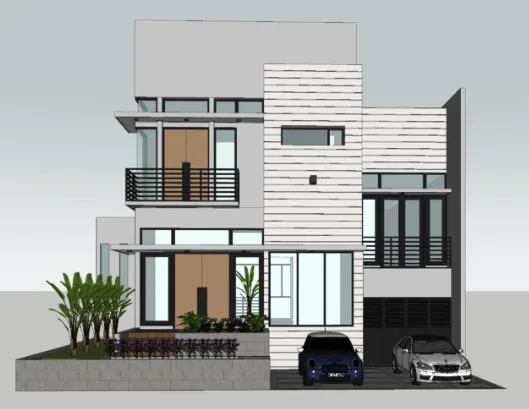
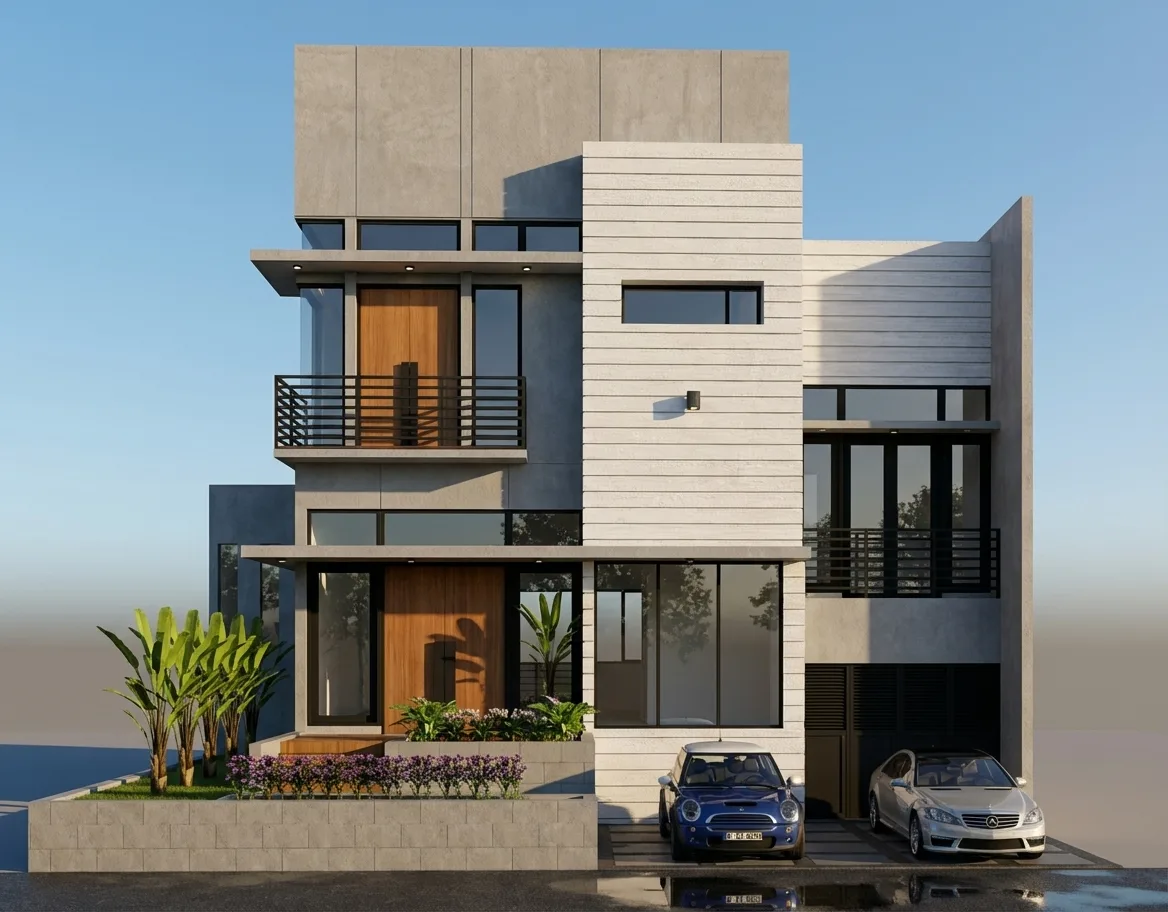
What it is. A browser-based AI visualization tool (ours). Export a view from SketchUp as a PNG or JPG (or take a clean screenshot), upload it, describe materials and lighting, and generate. Each result lands on a canvas next to its source so you can compare options. Our median for a 2K image was 30 seconds across 336 jobs in the 30 days to October 20, 2026.
Best for. Interior designers and small studios who want several client-ready options for a room or facade from one view, on any computer, without installing a plugin or owning a GPU.
Where it falls short. It is not a SketchUp plugin and does not open .skp files; it only sees the image you upload. That means the AI can change walls, openings, furniture or fine details, and layout preservation is not guaranteed. Check each result against the export, and describe one change at a time. Materials are visual approximations. No animation.
Price. 5 free renders on signup; 10 credits for $6 or 40 for $19 (one-time); Creator $19/month (50 credits), Studio $99/month (300). 1 credit per 2K image, 2 per 4K. Checked October 20, 2026 against our billing code. Our SketchUp rendering workflow page has a demo input and a suggested prompt.
6. MyArchitectAI: unlimited stills for a flat fee
What it is. A browser-based AI renderer for architecture and interiors. You upload a JPG, PNG or WebP of a CAD export, line drawing or hand sketch and pick a style or describe the result. Rendering happens on its servers.
Best for. Designers who produce many still images a month and prefer a flat subscription over credits.
Where it falls short. Like MoldaSpace, it works from an uploaded image rather than the SketchUp model, so details can change. Its own FAQ says it supports CAD exports except floor plans. Animations are on the higher plan.
Price. Starter $29/month (unlimited renders, 4K downloads), Studio $49/month (adds 50 animations a month), Team $99/month for 5 seats; annual billing gives 2 months free. Checked October 20, 2026 on MyArchitectAI's pricing page. See also MoldaSpace vs MyArchitectAI.
Which SketchUp AI tool should you pick?
- You want the AI to stay as close to your model as possible: Veras, or D5 Lite if you also want a path-traced check.
- You need a few images a month and already pay for SketchUp: SketchUp AI Render.
- You render a lot and want many tools: mnml.ai.
- You want client options from an export, on any computer, nothing to install: MoldaSpace.
- You want unlimited stills for one price: MyArchitectAI.
- You need exact, final images or animation: none of these; use a model-based renderer such as V-Ray, Enscape or D5 Render. See our Lumion alternatives and Enscape alternatives guides.
How we chose
We looked at the tools that come up when SketchUp users ask how to turn a model into a photoreal image with AI, and checked each one on its own website on October 20, 2026: price and plan, whether it runs inside SketchUp or from an uploaded image, what it needs to run, and what the free tier allows. We haven't run all six on the same model for this update, so we describe fit and limits rather than scoring image quality. MoldaSpace is our product. It is the only tool here we can describe from the inside, so its limits above come straight from our own documentation. For one-to-one comparisons between MoldaSpace and individual tools, see our comparison hub.
Frequently asked questions
Does SketchUp have built-in AI rendering?
Yes. SketchUp AI Render (formerly Diffusion) is included in the Go, Pro and Studio plans. Each image costs 10 credits, and plans include 100 to 200 credits a month, so roughly 10 to 20 images.
Can AI render a SketchUp model without changing it?
Not reliably. Plugin tools like Veras and D5 Lite start from your model view, which helps keep massing and camera, but generative AI can still alter small elements. Image tools like MoldaSpace can change geometry more, since they only see a 2D export. For exact views, use a model-based renderer.
Is there a free AI rendering tool for SketchUp?
Several have free starts: mnml.ai gives 100 free credits, MoldaSpace 5 free renders, D5 Lite 50 AI trial credits, and Veras and MyArchitectAI offer trials. SketchUp AI Render needs a paid SketchUp plan.
Do I need a GPU to use AI rendering with SketchUp?
No. Veras, SketchUp AI Render, mnml.ai, MoldaSpace and MyArchitectAI generate images on their own servers. D5 Lite is the exception to check: its path-traced Render Mode is built on D5's real-time engine, which needs a ray-tracing GPU on Windows.
What should I export from SketchUp for an AI renderer?
A clean PNG or JPG of the view you want, with styles that show edges and materials clearly and nothing cropped that matters. Keep the original export so you can compare the AI result against it.


