AI Interior Design a Guide to Instant Photorealistic Visuals

Picture this: you sketch a rough floor plan on a napkin, and before your client's coffee is even finished, you've turned it into a dozen photorealistic design concepts. That's the power of AI interior design today. It’s not about replacing designers; it’s about giving them a creative co-pilot to bring ideas to life almost instantly.
The New Blueprint for Creative Workflows
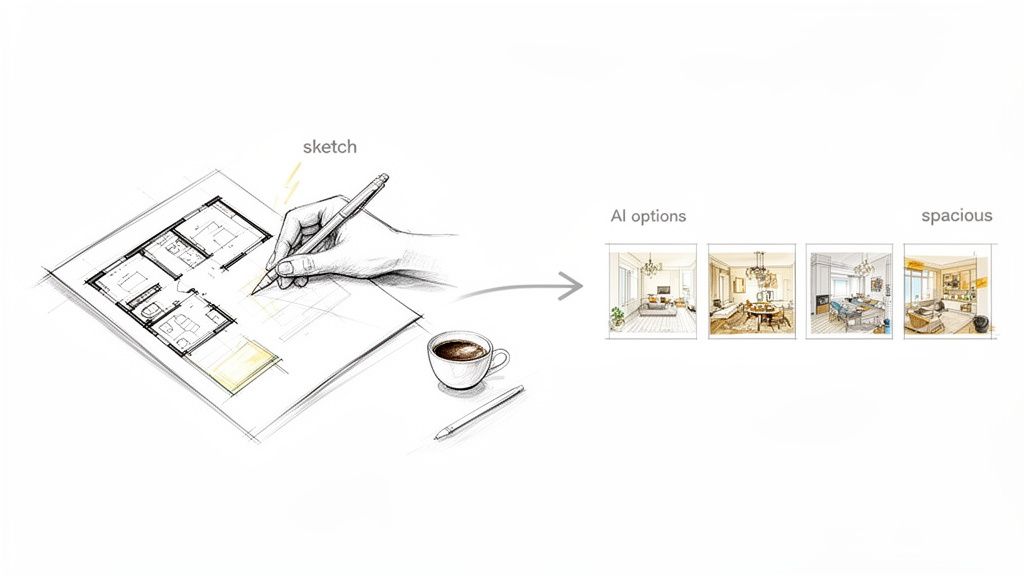
For years, creating beautiful, photorealistic renders was the biggest bottleneck in the design process. It was slow, technically complex, and incredibly expensive—something often out of reach for solo designers or smaller studios who didn't have massive budgets or dedicated rendering farms. This created a huge gap, limiting their ability to present ideas with the professional polish they deserved.
AI-powered interior design tools are completely flipping that script. What used to take days or even weeks of painstaking modeling and rendering can now be done in minutes. Suddenly, high-end visualization isn't just for the big firms anymore. It's available to everyone.
A Creative Amplifier, Not a Replacement
Let's get one thing straight: AI is not here to take over your job. It's a tool—a powerful one—that acts as a creative amplifier. Think of it as a brilliant assistant who handles the tedious, technical heavy lifting. This frees you up to focus on the things that really matter: your design vision, creative problem-solving, and building a strong relationship with your client.
These platforms are built to work with whatever you give them, which is why they slot so neatly into existing workflows.
- Simple Photos: Snap a picture of an empty room, and you can instantly cycle through countless furniture arrangements and style concepts.
- Floor Plans: Upload a basic 2D layout, and the AI will generate immersive 3D versions with different materials, colors, and lighting schemes.
- 3D Models: Take a simple model from your favorite design software and let the AI instantly apply photorealistic textures and stylistic finishes.
This technology tears down the old technical walls. You no longer need to be a wizard in complex rendering software to create images that look like they belong in a magazine. The focus is back where it should be: on the design, not the software.
At the end of the day, this new workflow simply means you can explore more creative directions, faster. You can walk into a client meeting with a whole spectrum of possibilities, get immediate feedback, and even make changes right there on the spot. This doesn't just make for happier clients; it gives you a serious competitive edge.
How AI Turns Simple Words into Stunning Designs
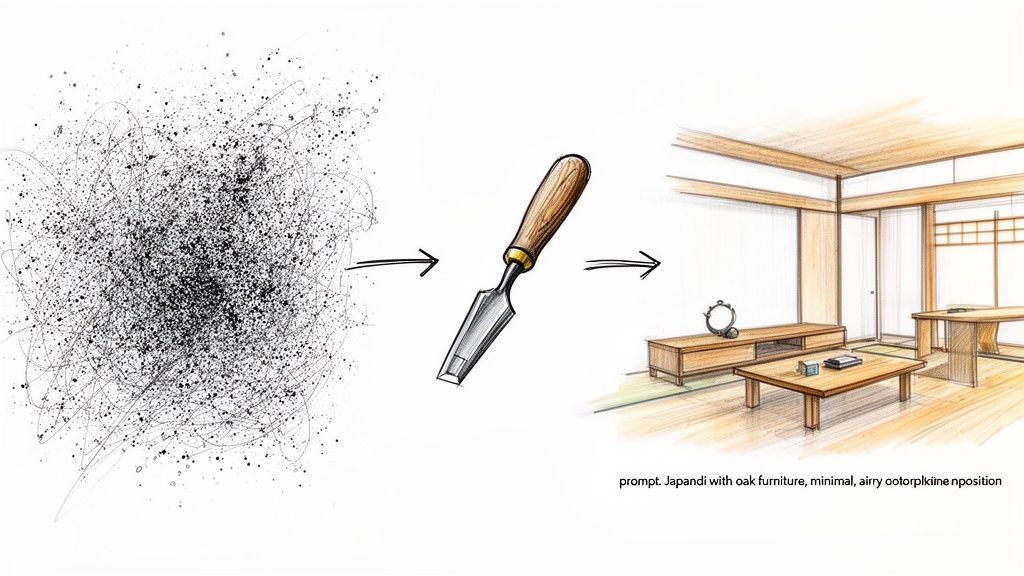
When you type "Japandi style living room with oak furniture and warm afternoon light" into a tool like MoldaSpace, a photorealistic interior appears in seconds. It feels like a magic trick, but what's happening behind the scenes is a fascinating process that’s surprisingly intuitive once you understand it.
At the core of this technology are powerful generative AI models, specifically a type called Diffusion Models. Think of it like a sculptor looking at a block of marble. Their job is to chip away everything that isn't the final masterpiece. AI works in a similar way, but in reverse.
From Digital Noise to Design Clarity
Instead of a blank canvas, the AI starts with a screen full of pure digital “noise”—a chaotic pattern of random pixels, like old-school television static. This is its block of marble. Your text prompt gives the AI its creative direction.
The model then begins a meticulous process of denoising. It refines the chaos step-by-step, sculpting away the noise based on its deep understanding of your words. It recognizes patterns associated with "Japandi," "oak furniture," and "warm light," progressively shaping the random pixels into coherent forms, textures, and shadows until a stunning image emerges.
This isn't just about stitching images together; the AI genuinely "understands" the relationship between objects, light, and materials.
It knows oak has a certain grain, that afternoon sun casts long, soft shadows, and that Japandi design favors clean lines and natural textures. The AI builds the scene from the ground up, much like how a designer would conceptualize it in their mind.
This sophisticated interpretation is precisely why the best AI interior design tools produce visuals that are almost impossible to tell apart from real photographs.
Turning Your Creative Vision into a Command
Every word in your prompt is a lever, giving you direct control over the AI's creative output. This goes far beyond just naming styles; it's about becoming an art director.
- Materials: You can specify "brushed brass fixtures" or "limewash walls," telling the AI exactly which textures and reflective properties to render.
- Lighting: Phrases like "moody evening ambiance" or "bright, indirect morning light" have a direct impact on the scene's emotional tone.
- Composition: You can even guide the camera by asking for a "wide-angle shot" or a "close-up on the reading nook."
The growing sophistication of these tools is a huge reason the interior design software market is booming. It's projected to hit USD 12.86 billion by 2031, with architects and designers driving over 63% of the demand. AI's ability to quickly test out ideas is a key factor, helping professionals show clients high-quality visuals faster than ever before. You can dive deeper into these interior design software trends on mordorintelligence.com.
For instance, you can start with a simple 3D model, like the one below, and upload it to a tool like MoldaSpace to kickstart the AI rendering process.
This basic gray model gives the AI the room's geometry and core furniture layout, acting as the structural foundation. The AI then uses this blueprint, combined with your text prompt, to apply styles, materials, and lighting, transforming it into a fully realized vision.
Once you grasp this process, you can write much more effective prompts. The AI stops being a mysterious black box and becomes a predictable and powerful creative partner. To see how this works in practice, you might be interested in our guide to AI rendering for interior design.
Speed Up Everything: From First Idea to Final Approval
If there's one massive advantage AI brings to interior design, it’s speed. In a field where time is money, making things happen faster leads directly to happier clients, quicker sign-offs, and ultimately, more work. This isn’t just about working more efficiently; it’s about completely changing the dynamic between you, your clients, and your creative vision.
For decades, the design process was stuck in a painfully slow feedback loop. You’d present a concept, wait for the client to think it over, make revisions, and present again. Each lap around that track could take days, if not weeks—especially when photorealistic rendering was involved. AI slams the brakes on that old cycle, shrinking the timeline from days down to a few moments.
Iterate Instantly, Right in the Meeting
Picture this: you're sitting with a client, and instead of just talking about changes, you're making them happen live, right on the screen. This is where AI truly shines in a practical sense. You no longer have to just describe how a different style might feel in their space—you can actually show them.
A client might say, "I love the layout, but this modern minimalist vibe isn't quite me. Could we see what it would look like with a Scandinavian feel?" In the past, that question would have meant scheduling another meeting. Now, you can type a new prompt and generate a beautiful, photorealistic Scandinavian version in less than a minute.
This turns a one-way presentation into a hands-on, collaborative workshop. Clients feel seen and heard because they’re an active part of the creative process, which builds their confidence and gets them excited about the final outcome. When someone sees their own idea come to life instantly, decisions get made much faster.
The old feedback loop took days. AI shrinks it to seconds. This builds an immediate bridge between your expertise and the client's vision, fostering a real sense of partnership that gets you to "yes" faster.
From Technical Models to Stunning Marketing Images
For architects, the path from a technical 3D model to a visual that can actually win a project has always been a long one. A basic model from a program like Revit or SketchUp is a great starting point, but it's hardly inspiring. Turning it into a portfolio-worthy image meant firing up specialized rendering software and waiting for hours.
AI platforms like MoldaSpace completely upend that workflow. An architect can now export a simple, untextured model, upload it, and use a few text prompts to generate a whole suite of gorgeous, photorealistic images in minutes. This opens up so many possibilities:
- Create proposal visuals instantly: No more waiting around. You can produce high-quality images to drop right into your bids for new projects.
- Generate marketing content on demand: Need fresh visuals for your website, social media, or brochures? You can create them without tying up a designer for days.
- Explore aesthetics early on: Test out different materials, color palettes, and lighting on a basic model before you commit to the nitty-gritty details.
This kind of rapid visualization is why the industry is adopting this technology so quickly. The AI in interior design market is exploding, projected to jump from USD 829 million in 2023 to nearly USD 7.3 billion by 2033—that's a massive compound annual growth rate of 24.3%. With nearly 47% of the design industry already using AI for virtual reality modeling, it's clear that fast, high-quality visuals are essential to stay competitive. You can dive deeper into the AI interior design market growth on market.us.
The Power of Virtual Staging for Real Estate
An empty room is a challenge for most homebuyers. It's just a blank box, and many people struggle to imagine it as a cozy, lived-in home. While traditional staging works, it’s also expensive, a logistical headache, and takes time to set up. AI-powered virtual staging is a much smarter, more cost-effective way to get the job done.
A real estate agent can just snap a photo of an empty living room, upload it, and generate multiple furnished versions to appeal to different kinds of buyers.
- For a young family: Show a version with a big, comfy sofa, a designated play area, and warm, inviting decor.
- For a young professional: Create an image with a sleek home office nook and modern, minimalist furniture.
- For anyone: Showcase the room’s versatility by styling it in different ways, from Industrial loft to Coastal grandmother.
When you can transform a cold, vacant space into an aspirational home, properties simply sell faster. Buyers form an emotional connection, making it far easier for them to picture their own lives unfolding there. It’s a complete game-changer for marketing listings and grabbing attention online. In the end, AI gives designers, architects, and real estate pros the power to communicate their vision with more clarity and speed than ever before.
Integrating AI Into Your Existing Design Workflow
Bringing a new technology into your studio can feel like a massive undertaking. The good news? Adopting AI in interior design isn't about replacing the tools you've spent years mastering—it's about adding a powerful new layer to your process. You don’t need to ditch your expertise in SketchUp, Revit, or Rhino. Instead, AI acts as a powerful accelerator at the end of your workflow, bringing your technical models to life with unbelievable speed.
Think of your core CAD software as the engine room. It’s where you handle the precision, the technical documentation, and the structural accuracy that are non-negotiable. AI simply bolts on at the visualization stage, automating the slow, painstaking rendering process that used to bring projects to a grinding halt. This approach lets you keep the tools you trust for the technical heavy lifting while gaining a huge advantage in speed and creative exploration.
The whole point is to fit into your current methods with minimal friction. It’s a simple, clean handoff from your modeling software to an AI platform.
A Practical Step-by-Step AI Workflow
The real beauty of this modern approach is its simplicity. It’s built to take your precise 3D model and immediately translate it into a stunning, photorealistic visual—all without the brutal learning curve of traditional rendering engines.
Here’s a typical five-step process using a tool like MoldaSpace:
Export Your Base Model: Start right where you always do. Whether you’re in SketchUp, Revit, or Rhino, export your 3D model in a standard format. This model doesn't need perfect textures or complex lighting; a basic "gray box" with solid geometry is all you need to get started.
Upload to the AI Platform: Next, you just drag and drop that exported file into the AI tool. The platform instantly reads your model's structure, understanding its dimensions, shapes, and how the space is laid out.
Direct the Design with Plain English: This is where things get fun. Instead of fiddling with hundreds of settings, you just tell the AI what you want using simple text prompts. You can describe the overall vibe ("Modern farmhouse with rustic wood beams") or get super specific with materials ("Calacatta marble countertops and brushed brass fixtures") and lighting ("Soft morning sunlight streaming through the windows").
Generate a Dozen Options Instantly: Hit "generate," and the AI gets to work. Based on your model and prompts, it produces a whole range of high-quality design options. In about 30 seconds, you can have several distinct variations to look at—a task that would have easily eaten up a full day with old-school rendering.
Select and Refine for Presentation: From there, just review the visuals, pick the strongest ones, and get them ready for your client. If the client wants to see a different countertop, you just tweak the prompt and generate new versions right there in the meeting. Feedback sessions suddenly become interactive, collaborative workshops.
This process completely changes the project timeline, short-circuiting the old, slow loop between concept, iteration, and final approval.
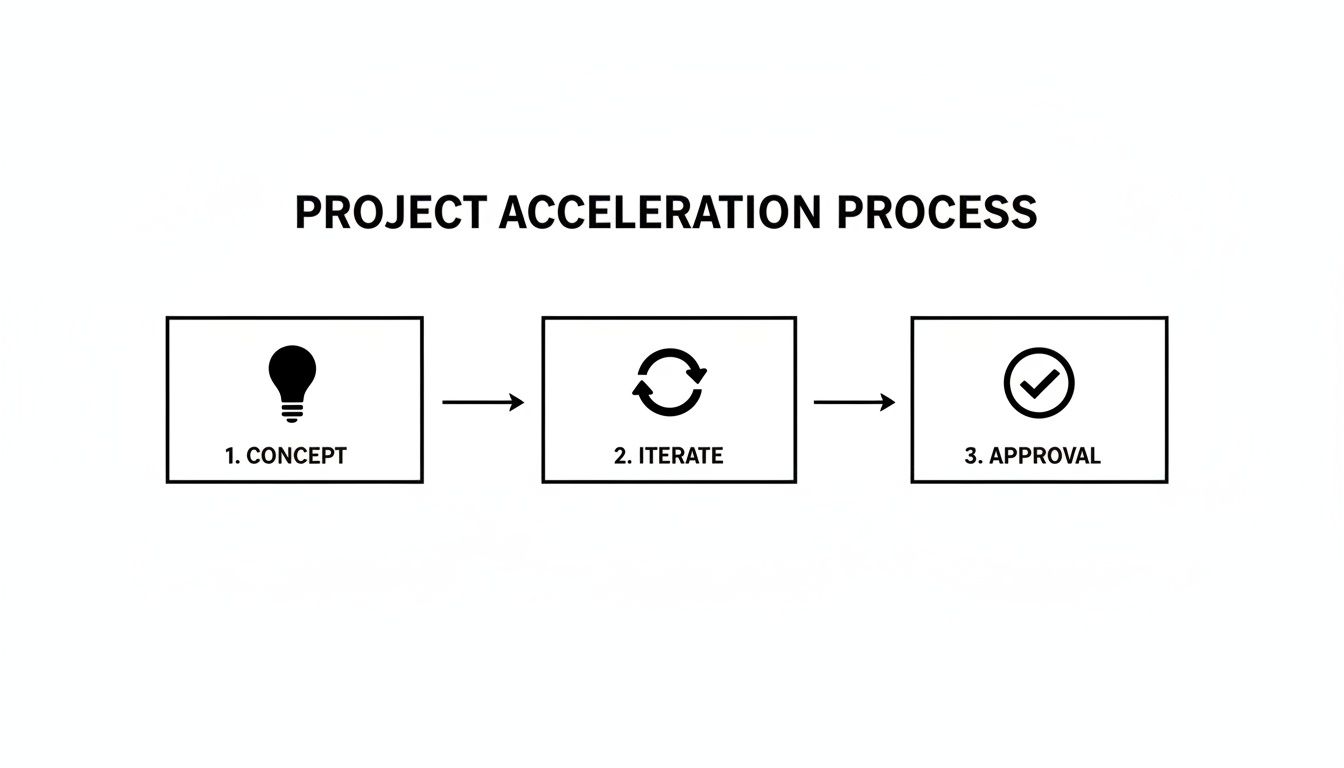
The big takeaway here is how the iteration phase goes from a multi-day bottleneck to an instantaneous creative cycle.
Traditional Rendering vs AI-Powered Visualization
To really grasp how much of a difference AI makes, it helps to put it side-by-side with the old way of doing things. Traditional rendering software is incredibly powerful, but it’s also a beast to manage, demanding specialized skills, expensive hardware, and a ton of time.
This table really breaks down the differences in time, cost, and complexity.
| Stage | Traditional Workflow (V-Ray, Lumion) | AI Workflow (MoldaSpace) |
|---|---|---|
| Setup Time | 2-8 hours: Manually setting up materials, lighting, cameras, and render settings. | Under 5 minutes: Uploading a model and writing a descriptive text prompt. |
| Rendering Time | 1-24 hours per image: Highly dependent on scene complexity and hardware power. | Under 1 minute per image: Generating multiple high-res options almost instantly. |
| Skill Required | Expert-level knowledge: Requires a deep understanding of complex software. | Beginner-friendly: Relies on intuitive natural language and your core design knowledge. |
| Cost | High: Expensive software licenses, powerful computer hardware, or render farm fees. | Low: Affordable pay-per-use credit models with no major upfront investment. |
| Iteration Speed | Painfully Slow: Minor changes can require a complete re-render, delaying feedback for days. | Instant: Modify a prompt and regenerate visuals in real-time during client meetings. |
By letting AI take over the visualization, you free up your core CAD software to do what it does best: produce accurate, buildable plans. This smart division of labor is the key—it lets you maintain absolute technical precision while moving at the speed of thought.
Why AI Design Tools Make Business Sense
Beyond the impressive visuals and the "wow" factor, there's a serious business argument for bringing AI into your design process. Sure, the creative perks are obvious, but the real magic happens on your bottom line. It’s about doing better work, faster, and giving your business a genuine competitive edge.
The efficiency gains are immediate and easy to measure. If you're running a small studio or flying solo, you'll feel the financial relief right away. Think about ditching those expensive annual licenses for complex rendering software—that's thousands of dollars back in your pocket. You can also say goodbye to the need for a beast of a computer or pricey third-party render farms, which slashes your overhead costs.
Speed Up Timelines and Secure More Projects
In this industry, speed is everything. When you can shrink the rendering process from a multi-day ordeal into just a few seconds, you fundamentally change how you work. Suddenly, you can juggle more projects at once without ever compromising on quality. A faster workflow also means you can turn around client revisions in a snap, which leads to quicker approvals and, most importantly, getting paid sooner.
This newfound speed is a killer sales tool. Imagine being able to create a compelling proposal packed with multiple high-quality visuals almost instantly. That’s a massive advantage when you're bidding for a new project. Clients are blown away by how quickly you can bring their vision to life, building trust and helping you win contracts over competitors who are still stuck in the slow lane.
AI doesn't just make you faster—it makes your entire business more agile. By cutting costs and accelerating project delivery, it levels the playing field, empowering smaller firms to compete head-on with much larger studios.
The numbers tell the same story. The global AI interior design market is on track to hit an incredible USD 12.46 billion by 2032, growing at a blistering pace of 27.18% each year. This explosion is fueled by a demand for efficiency and personalized design—exactly what AI delivers. You can dig into more data on the future of AI in design on verifiedmarketresearch.com.
Knowing the Limits: Where the Designer Comes In
To really make AI work for you, it's vital to understand what it does well and what it simply can't do. These tools are powerful, but they still need a professional designer in the driver's seat. Being upfront about these limitations helps set the right expectations with clients and your team.
Here are three key things to remember:
It’s for Visualization, Not Construction: AI is fantastic for creating beautiful, mood-setting images that get clients excited. It is not a replacement for the technical precision of tools like AutoCAD or Revit. You’ll still need your go-to drafting software for construction documents, detailed floor plans, and technical specs.
Human Expertise is Non-Negotiable: The old saying "garbage in, garbage out" has never been more true. An AI can generate a pretty picture, but it takes a designer's eye to write the right prompts, evaluate the output, and ensure the design is actually functional, ergonomic, and up to code. You’re still the creative director.
You'll Get Some Weird Results: Generative AI can sometimes throw you a curveball—think a chair with five legs or materials that defy physics. These quirks are usually easy to fix with a quick re-roll, but they underscore the need for a professional to curate the options before anything gets in front of a client.
By thinking of AI as a specialized assistant—your go-to for rapid ideation and stunning client visuals—you can unlock its true potential. To see how this fits into a broader workflow, check out our guide on interior design rendering techniques.
Getting Started with AI Interior Design
Diving into AI interior design might sound daunting, but it's really not. Think of these tools less like complex software you have to master and more like a talented assistant who can bring your ideas to life almost instantly. The point isn’t to replace your creative instincts; it’s to handle the tedious parts of visualization so you can focus on what you do best: designing incredible spaces.
Honestly, the best way to get it is to just try it. Getting started with a platform like MoldaSpace is designed to be completely painless, letting you play around and see the potential for yourself without any commitment.
Your First Steps into AI Visualization
You can go from a blank slate to a beautiful render in just a few minutes. The entire process is built to be simple, breaking down the old barriers that made high-quality visualization feel out of reach for so many.
Here’s a quick rundown of how to get your feet wet:
Sign Up for a Free Trial: Most professional tools give you some free credits to start. This is your chance to test-drive everything and see if it feels right for your workflow, no strings attached.
Upload a Test File: Don’t overthink this part. Just grab a photo of an empty room on your phone, a quick napkin sketch, or a basic 3D model you already have. The AI is flexible enough to work with almost anything you throw at it.
Experiment with Simple Prompts: This is the fun part. Start with a basic instruction like, “Scandinavian living room with light wood floors and a gray sofa.” See what comes back, then start adding more details to steer the design in the direction you want.
The goal of your first session isn't to create a masterpiece. It's to explore. See how one prompt can spit out ten completely different layouts. Discover how fast you can switch from an industrial loft vibe to a cozy farmhouse aesthetic. This initial playtime is what builds your confidence.
A Smarter, More Flexible Approach
One of the biggest drags of adopting new software is getting locked into an expensive subscription. Thankfully, modern AI tools are moving away from that rigid model. MoldaSpace, for example, uses a credit pack system, which means you only pay for what you actually use.
This pay-as-you-go approach is a game-changer for freelancers and smaller studios because there are no monthly fees eating into your budget. The credits never expire, so you have the freedom to tackle projects whenever they come up. It's a system that lets you test out new ideas for a client proposal or create some killer marketing images without a huge upfront investment. If you’re often dealing with empty properties, you can see how this approach shines in our guide to the best virtual staging software.
Common Questions About AI in Interior Design
Whenever a new technology shows up, it’s natural to have questions. How does this thing actually work? Is it going to take my job? What can I really do with it? Let's clear the air and tackle some of the most common questions designers have about using AI in their work.
Will AI Replace Interior Designers?
Let's get this one out of the way: absolutely not. Think of AI as an incredibly fast and talented rendering assistant, not a replacement for your expertise. It’s a tool that handles the grunt work—the hours spent waiting for renders to finish—so you can spend more time on what actually matters: creative strategy, client relationships, and solving complex design problems.
An AI can generate a stunning image, but it can’t understand a client's unspoken needs, navigate building codes, or manage a project from concept to completion. That requires human empathy, experience, and critical thinking. Professionals use AI to amplify their skills, not to outsource their brains.
What Kind of Files Can I Use with AI Design Tools?
The best part about modern AI platforms is that they’re designed to fit into your existing workflow, no matter how you like to start a project. You can feed them a variety of inputs.
- Photos of Empty Rooms: Snap a picture on-site and start generating ideas instantly. It's perfect for virtual staging or quick brainstorming sessions with a client.
- Sketches and 2D Plans: Got a concept scribbled on a napkin or a basic floor plan? You can turn those early ideas into tangible, 3D visuals in minutes.
- 3D Models: For maximum precision, you can use exports from your favorite modeling software like SketchUp, Revit, Rhino, or 3ds Max.
This flexibility means you can jump in at any stage, whether you're just spitballing initial concepts or polishing a fully detailed model for final presentation.
The core idea is simple: you bring the vision, and the AI handles the visualization. You provide the creative direction and spatial logic, and the AI translates it into a photorealistic image almost instantly.
How Much Creative Control Do I Really Have?
You have a ton of control, but it works a bit differently than traditional software. Instead of tweaking settings and sliders, you direct the AI using plain English prompts. You act as the art director.
You can get incredibly specific with your instructions, calling out styles ("Mid-century modern living room with a sunken conversation pit"), materials ("Calacatta Viola marble island"), lighting ("soft, diffused morning light from the left"), and even camera angles. The AI is your creative partner, interpreting your text commands and turning them into pixels. If the first result isn't quite right, you just refine your prompt until it matches your vision perfectly.
Is the Quality Good Enough for Client Presentations?
Yes, and that’s the whole point. The photorealistic quality from leading tools is more than ready for client-facing work, marketing materials, and formal proposals.
For solo designers and smaller firms, this is a game-changer. It gives you the power to produce the kind of high-end visuals that were once only possible for large studios with dedicated rendering teams. You can show clients a complete, compelling vision that builds confidence and gets you to "yes" a whole lot faster.
Ready to see how MoldaSpace can speed up your design process and make your client presentations unforgettable? Stop waiting around for renders and start creating at the speed of thought.

