Best AI Tools to Turn a Floor Plan Into a Render (2026)
The best AI tools to turn a floor plan into a render in 2026 are Planner 5D and RoomSketcher if the render has to follow the plan's real dimensions (both convert an uploaded plan into an editable 3D model first), mnml.ai for quick colored 2D or 3D plan views straight from an image, and MoldaSpace for a fast, furnished, photoreal top-down concept from a plan image in the browser. The image-only tools are faster but can shift walls or furniture; the 3D-model route is slower but keeps the layout.
Last updated: October 20, 2026
That split is the most useful thing to know before choosing. A plan-to-model tool reads your plan, rebuilds walls, doors and windows as a 3D model you can correct, and renders that model. An image-to-image AI tool looks at the plan as a picture and paints a render over it. The first gives you measurements you can trust; the second gives you a persuasive picture in seconds. Neither produces construction documents.
Floor plan to render tools compared
| Tool | Best for | Price (plan) | Platform / GPU needed | Input it takes | Free tier |
|---|---|---|---|---|---|
| Planner 5D | DIY and pro layouts that must stay accurate | $59.99/yr (Premium, AI plan recognition); $399.99/yr (Professional, 4K renders) | Browser and mobile apps | Uploaded floor plan → editable 3D project | Free plan (half the catalog, no AI recognition) |
| RoomSketcher | Real estate and pro 2D/3D floor plans | $144/yr (Pro) | Browser and apps | Uploaded plan (AI conversion) or drawn plan | 1 free AI conversion, 2 credits |
| mnml.ai Floor Plan AI | Colored 2D plans and quick 3D views | $29/mo (Lite, 1,000 credits; 25 per floor plan) | Browser; cloud | Plan image (PNG, JPG, WebP) | 100 free credits |
| MoldaSpace | Photoreal, furnished top-down concepts | $19/mo (Creator, 50 images) or $6 for 10 | Browser, no GPU | Plan image (JPG, PNG, WebP) | 5 free renders |
| Homestyler | Free 3D floor planning and rendering | Pro plans priced by region | Browser | Drawn plan (3D floor planner) | Unlimited 1K renders |
| Veras | Architects turning a plan into a 3D scene in Revit, Rhino or SketchUp | $202.80/yr (Starter) | Plugin + web app; cloud | Sketch, image or floor plan → editable 3D scene | Free trial |
Prices from each vendor's own page, checked October 20, 2026, in US dollars. Homestyler showed only local-currency prices from our location, so we don't quote them.
1. Planner 5D: AI plan recognition into an editable model
What it is. A browser and mobile home-design tool with a 2D/3D planner, a 10,000-item furniture catalog and an AI Studio. On Premium, AI floor plan recognition turns an uploaded plan into an editable 3D project that you then furnish and render.
Best for. Homeowners, renovators and designers who need the render to reflect the real layout and want to fix anything the AI misread before rendering.
Where it falls short. Recognition gets you most of the way, but you still check and correct walls and openings. Photorealistic, watermark-free 4K renders need the Professional plan, and the free plan doesn't include AI recognition.
Price. Free $0; Premium $19.99/month or $59.99/year; Professional $49.99/month or $399.99/year. Checked October 20, 2026 on Planner 5D's pricing page. See MoldaSpace vs Planner 5D.
2. RoomSketcher: floor plans for listings and clients
What it is. A floor plan app for 2D and 3D plans, 3D photos and 360 views, with an AI Render feature and AI Convert, which turns an uploaded computer-drawn plan into an editable floor plan (you set the scale, it detects walls, doors and windows).
Best for. Real estate professionals and designers who need clean, branded, measured 2D and 3D floor plans, plus a furnished view.
Where it falls short. Its 3D floor plans are clear but not photoreal interiors. Many outputs cost credits, and Pro includes only 5 a month.
Price. Free (2 starter credits and 1 AI floor plan conversion); Pro $24/month or $144/year billed annually (5 credits a month); Team $420/year for 5 users. On the free plan, AI conversion costs $20 per floor. Checked October 20, 2026 on RoomSketcher's pricing page.
3. mnml.ai Floor Plan AI: colored plans and 3D views from an image
What it is. One of mnml.ai's tools. Upload a PNG, JPG or WebP of a plan, sketch or CAD export and get a colored 2D drawing (realistic, technical, architectural, sketch or diagram style) or a 3D view. mnml says the walls stay as drawn and it doesn't invent a new layout.
Best for. Client boards, listing images and competition sheets that need a readable colored plan or a quick 3D read before anyone builds a model.
Where it falls short. It's still an image tool: check openings and furniture against the original. Each floor plan generation costs 25 credits, so the $29 Lite plan covers about 40.
Price. 100 free credits on signup; Lite $29/month (1,000 credits), Plus $49/month, Studio $119/month. Checked October 20, 2026 on mnml.ai's pricing page. See MoldaSpace vs mnml.ai.
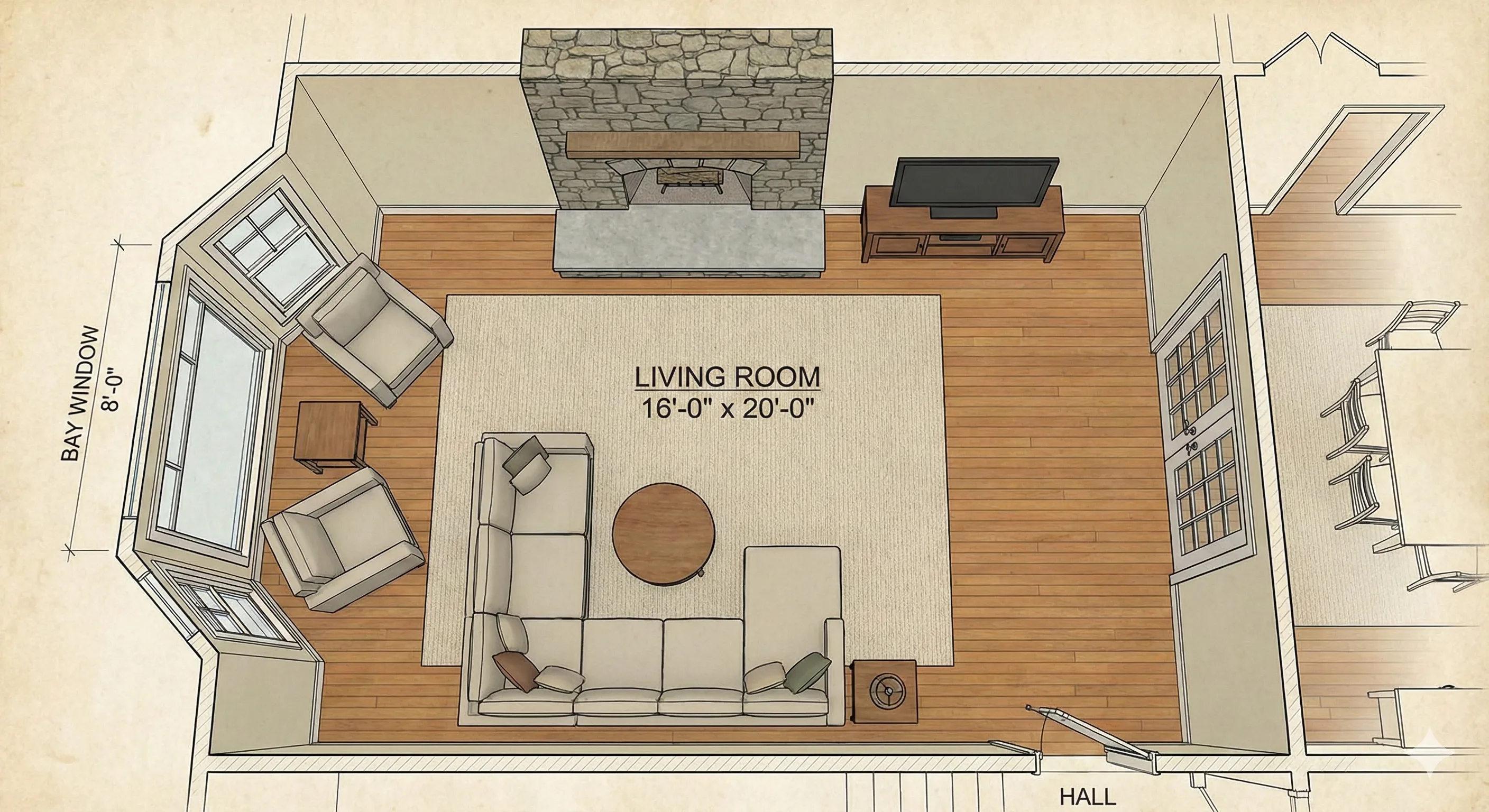
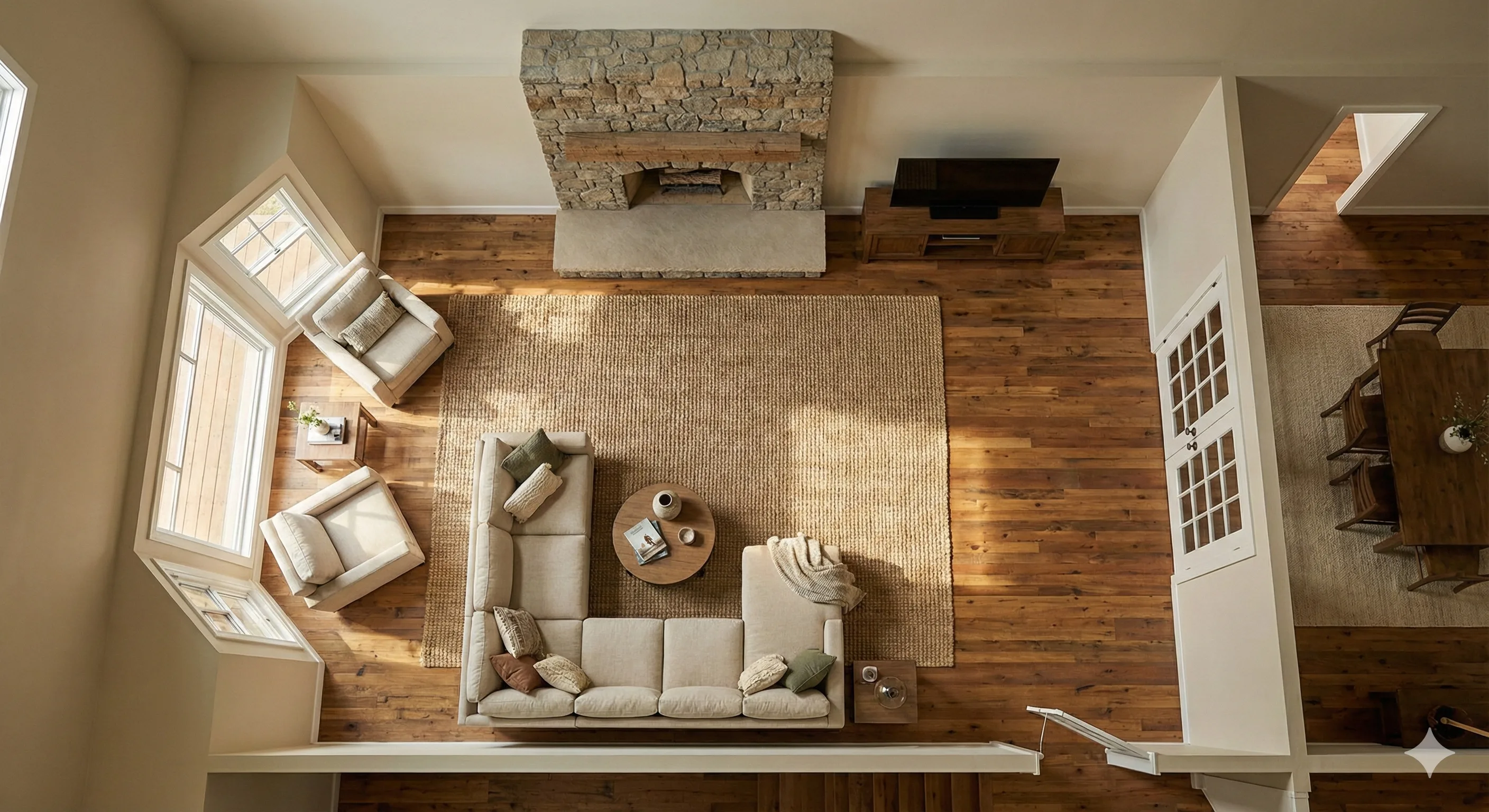
4. MoldaSpace: a photoreal top-down concept from the plan image
What it is. A browser-based AI visualization tool (ours). Upload a floor plan image, describe the style, materials and furniture you want, and get a photoreal, furnished top-down render. Our median for a 2K image was 30 seconds across 336 jobs in the 30 days to October 20, 2026.
Best for. Interior designers who want to show a client how a furnished plan could look, in several styles, before investing in a 3D model.
Where it falls short. It doesn't build a 3D model or read dimensions. The AI works from the 2D image and can move or resize walls, openings and furniture, and it may drop labels and dimension text, so layout preservation isn't guaranteed. Use it for concepts, and use a plan-to-model tool or CAD when measurements matter.
Price. 5 free renders on signup; 10 credits for $6 or 40 for $19 (one-time); Creator $19/month (50 credits), Studio $99/month (300). 1 credit per 2K image, 2 per 4K. Checked October 20, 2026 against our billing code.
5. Homestyler: free 3D planning with rendering
What it is. A cloud-based 3D floor planner with more than 100,000 free models and materials. You draw the plan, furnish it and render it.
Best for. Anyone who wants a free, accurate 3D layout and doesn't mind drawing the plan themselves.
Where it falls short. You build the room rather than uploading a plan for automatic conversion, and higher-resolution renders (2K and 4K) need a paid plan. The free 1K renders are fine for checking a layout, less so for a presentation.
Price. Free plan with unlimited 1K renders; Pro adds 75 2K and 4K renders a month and AI credits; Master adds unlimited 4K. Homestyler showed us prices only in local currency. Checked October 20, 2026 on Homestyler's pricing page. See MoldaSpace vs Homestyler.
6. Veras: from plan to editable 3D scene, for architects
What it is. Chaos' AI tool for Revit, Rhino, SketchUp and other design software. Beyond rendering model views, Chaos now advertises turning a sketch, image or floor plan into an editable 3D scene that lands natively in Revit, Rhino or SketchUp.
Best for. Architects who want to jump from a plan sketch to a working 3D starting point inside their own modeling tool.
Where it falls short. It's aimed at professionals already using those tools, and it's a newer feature, so treat the generated scene as a draft to check and rebuild where needed.
Price. Starter $202.80/year; Pro $348/year; included in Enscape, V-Ray and Corona plans. Checked October 20, 2026 on the Veras page. See MoldaSpace vs Veras.
Which floor plan tool should you pick?
- The render must follow real dimensions: Planner 5D or RoomSketcher (plan-to-model), or Homestyler if you'll draw the plan yourself for free.
- You need a colored plan or a quick 3D read for a board or listing: mnml.ai Floor Plan AI.
- You want a photoreal, styled, furnished concept to show a client fast: MoldaSpace.
- You're an architect and want a 3D model to continue working in Revit, Rhino or SketchUp: Veras.
Tools that don't fit this job: MyArchitectAI's own FAQ says it supports CAD exports except floor plans, and general image generators like Midjourney invent a new room instead of rendering yours. (More on that in MoldaSpace vs Midjourney.)
How we chose
We started from the question "what's the best AI tool to turn a floor plan into a realistic render?" and sorted tools by what they do with the plan: rebuild it as a model, or render over it as an image. For each, we checked on its own website on October 20, 2026: price and plan, what input it accepts, what it outputs, and the free tier. We didn't run the same plan through every tool for this update, so we describe what each is built for rather than scoring results. MoldaSpace is our product; we've placed it where it fits, fast concepts, and said plainly that it can move things. For one-to-one comparisons between MoldaSpace and individual tools, see our comparison hub.
Frequently asked questions
Can AI turn a 2D floor plan into a 3D render?
Yes, in two ways. Planner 5D and RoomSketcher convert an uploaded plan into an editable 3D model and render that. AI image tools like mnml.ai and MoldaSpace render directly from the plan image, which is faster but less exact.
Which tool keeps the floor plan accurate?
Plan-to-model tools, because you can check and fix the walls and openings before rendering. Image-to-image AI tools can shift walls, doors or furniture, so compare the result with the plan.
What's the best free way to render a floor plan?
Homestyler's free plan includes unlimited 1K renders if you draw the plan in it. RoomSketcher gives one free AI conversion, mnml.ai 100 free credits (25 per floor plan render), and MoldaSpace 5 free renders.
What kind of floor plan image works best with AI?
A clean, high-contrast plan with clear walls, door swings and window openings. An illustrated or furnished plan gives image tools more to work with than a bare line drawing; text and dimensions may not survive in the render.
Are AI floor plan renders good enough to build from?
No. They're for communicating a design. Dimensions, structure and specifications still come from measured drawings and the professionals who produce them.