Best AI Kitchen Design and Rendering Tools (2026)
The best AI kitchen design and rendering tools in 2026 are Design Flex (the successor to 2020 Design Live) for kitchen and bath dealers who need manufacturer catalogs, quotes and photoreal renders in one program, Coohom for laying out cabinets in 3D with AI help, and MoldaSpace for turning a kitchen photo, sketch or export into several photoreal style options for a client in minutes. Use a planner for the layout and an AI tool for the look: no AI image tool checks clearances or cabinet sizes.
Last updated: October 20, 2026
Kitchen tools split into two jobs. Planning tools (Design Flex, Coohom, Homestyler, Planner 5D, IKEA) place real cabinets at real sizes and render the result; they are slower but the layout is real. AI restyling tools (MoldaSpace, REimagineHome) take an image of a kitchen and show it with new cabinets, counters, backsplash and lighting; they are fast and persuasive, but they don't measure anything. Most kitchen designers end up using one of each.
AI kitchen design tools compared
| Tool | Best for | Price (plan) | Platform / GPU needed | Input it takes | Free tier |
|---|---|---|---|---|---|
| Design Flex (Cyncly) | Kitchen and bath dealers selling branded cabinetry | $2,495/yr (Design Flex); $1,895/yr (Foundation, generic catalogs) | Desktop software + cloud platform | Room dimensions, manufacturer catalogs | Trial on request |
| Coohom | 3D kitchen and closet layouts with AI cabinet placement | Pro priced by region | Browser | Floor plan / drawn room, cabinet zones | Free plan (3 projects, 1K renders with watermark) |
| MoldaSpace | Photoreal style options from a photo, sketch or export | $19/mo (Creator, 50 images) or $6 for 10 | Browser, no GPU | Kitchen photo, sketch or 2D export (JPG, PNG, WebP) | 5 free renders |
| Homestyler | Free 3D kitchen planning | Pro priced by region | Browser | Drawn floor plan and furniture | Unlimited 1K renders |
| Planner 5D | Homeowners planning a remodel | $59.99/yr (Premium); $399.99/yr (Professional) | Browser and mobile | Drawn or uploaded plan, room photo for AI Studio | Free plan (half the catalog) |
| IKEA Kitchen Planner | Planning an IKEA kitchen | Free | Browser | Room measurements, IKEA products | Free |
| REimagineHome | Homeowner and real estate photo restyles | $19/mo (Essential, 30 credits) | Browser | Kitchen photo | 5 free designs |
Prices from each vendor's own page, checked October 20, 2026, in US dollars. Coohom and Homestyler showed only local-currency prices from our location, so we don't quote them.
1. Design Flex: the professional kitchen and bath suite
What it is. Cyncly's kitchen and bath design software, described by Cyncly as the next evolution of 2020 Design Live. It combines space planning, more than 1,000 manufacturer catalogs across Cyncly's brands, accurate pricing for quotes, and the Cycles rendering engine, which Cyncly calls AI-powered, for photoreal images and 360° panoramas.
Best for. Kitchen and bath dealers, showrooms and designers who sell manufacturer-branded cabinetry and need drawings, quotes and renders to agree with each other.
Where it falls short. Price and learning curve: it's professional software priced per year, and overkill for a designer who only needs inspiration images. The full manufacturer catalog library is in the more expensive Design Flex plan; Foundation uses generic catalogs.
Price. Foundation $1,895/year ($2,195 with the Success Plan); Design Flex $2,495/year ($2,995 with the Success Plan). Checked October 20, 2026 on Cyncly's Design Flex pricing page.
2. Coohom: 3D kitchen layouts with AI cabinet placement
What it is. A browser-based 3D home design platform with a dedicated kitchen and closet design tool and an AI kitchen feature: you draw cabinet zones and appliance positions, and the AI builds the base cabinet layout, which you then refine and render.
Best for. Designers and cabinet sellers who want real 3D kitchens with real cabinet runs, without desktop CAD.
Where it falls short. Free renders are 1K with a watermark and limited to 3 projects. It's a full application with a learning curve, not a one-click restyle.
Price. Free plan: 3 projects, 1K renders with watermark. Pro: unlimited projects, unlimited 4K renders, bill of materials export. Coohom showed us Pro prices in local currency only. Checked October 20, 2026 on Coohom's pricing page.
3. MoldaSpace: photoreal style options in minutes
What it is. A browser-based AI visualization tool (ours). Upload a photo of the existing kitchen, a sketch, or a 2D export from your kitchen software, describe cabinets, countertops, backsplash, hardware and lighting, and get a photoreal option. Generate a few directions from the same source and compare them side by side on the canvas. Our median for a 2K image was 30 seconds across 336 jobs in the 30 days to October 20, 2026.
Best for. Kitchen and interior designers who want to show a client three finish directions in the first meeting, before drawing anything in detail.
Where it falls short. It isn't a kitchen planner. It doesn't know cabinet sizes, appliance clearances or catalog products, and the AI can change the layout, openings or appliances it sees in the image, so layout preservation isn't guaranteed. Materials are visual approximations, not specifications. Settle the layout in a planner, then use MoldaSpace for the look.
Price. 5 free renders on signup; 10 credits for $6 or 40 for $19 (one-time); Creator $19/month (50 credits), Studio $99/month (300). 1 credit per 2K image, 2 per 4K. Checked October 20, 2026 against our billing code. More on AI kitchen visualization and MoldaSpace for kitchen designers.

4. Homestyler: free 3D kitchen planning
What it is. A cloud-based 3D floor planner with more than 100,000 free models and materials. Pro plans add custom furniture and interior modeling, more render resolutions, AI credits, and exports such as bills of materials and construction drawings.
Best for. Designers and homeowners who want to model a kitchen in 3D at no cost.
Where it falls short. Free renders are 1K; 2K and 4K need Pro. Custom cabinetry modeling is on paid plans.
Price. Free plan with unlimited 1K renders; Pro (75 2K and 4K renders a month, 100 AI credits) and Master (unlimited 4K) are priced by region. Checked October 20, 2026 on Homestyler's pricing page. See MoldaSpace vs Homestyler.
5. Planner 5D: remodel planning with an AI studio
What it is. A browser and mobile home planner with a 10,000+ item catalog and an AI Studio that can restyle interiors while preserving room layout, furnish empty rooms and enhance renders, starting from a photo, render, sketch or floor plan.
Best for. Homeowners and renovators who want to test a kitchen layout and see it styled, in one app.
Where it falls short. It's not built around cabinet catalogs the way Design Flex or Coohom are, and AI Studio use is credit-limited (100 credits a month on monthly Premium, 1,200 on annual).
Price. Free; Premium $19.99/month or $59.99/year; Professional $49.99/month or $399.99/year. Checked October 20, 2026 on Planner 5D's pricing page.
6. IKEA Kitchen Planner: free, if you're buying IKEA
What it is. IKEA's online 3D kitchen planner. It runs in the browser, needs no download, and you can book a kitchen expert if you want help.
Best for. Homeowners planning an IKEA kitchen who want to see it in 3D before ordering.
Where it falls short. It plans IKEA products, so it isn't a general design tool, and its 3D view is for planning rather than presentation renders.
Price. Free. Checked October 20, 2026 on IKEA's kitchen planner page.
7. REimagineHome: quick photo restyles for homeowners and agents
What it is. A browser AI tool for redesigning and virtually staging rooms from a photo.
Best for. Homeowners and real estate agents who want to see an existing kitchen in a new style.
Where it falls short. The entry plan uses its older tools and excludes reference photos and high resolution, which sit on higher plans. Like any photo restyler, it doesn't measure anything.
Price. 5 free designs for new users; Essential $19/month (30 credits); higher plans add more credits and features. Checked October 20, 2026 on REimagineHome's pricing page.
Which kitchen tool should you pick?
- You sell branded cabinetry and quote from the design: Design Flex.
- You want a real 3D cabinet layout without desktop CAD: Coohom, or Homestyler for free.
- You want photoreal finish options to win a client quickly: MoldaSpace.
- You're a homeowner planning a remodel: Planner 5D, or IKEA Kitchen Planner for an IKEA kitchen.
- You want to restyle a listing photo: REimagineHome.
A practical order for a project: settle the layout and clearances in a planner, then render finish options on top of it, from the planner's own renderer or from an AI tool working on a screenshot of that layout.
How we chose
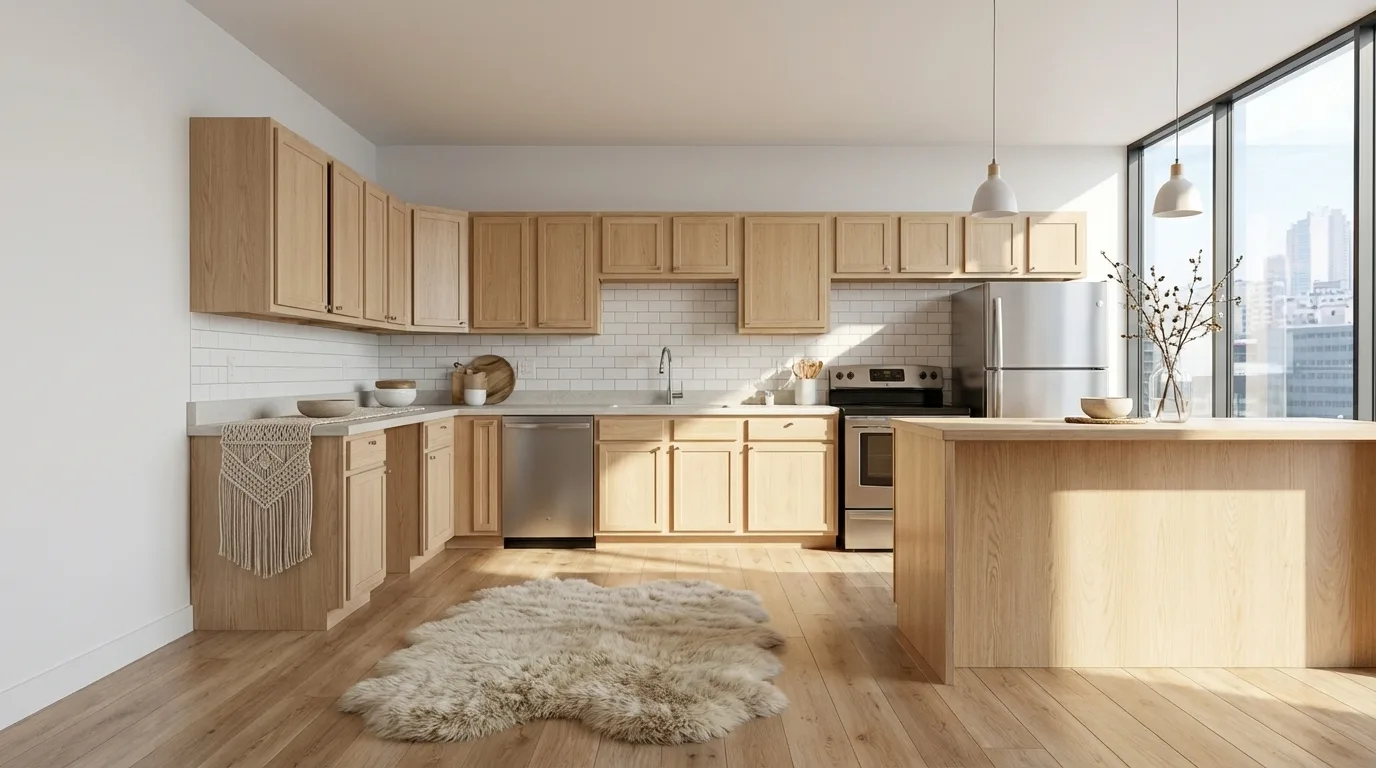
We focused on tools a kitchen designer or remodeler would use to plan and show a kitchen, and on the AI tools people ask about for kitchen visualization. For each we checked, on its own site on October 20, 2026, the price and plan, platform, the input it starts from, and the free tier. We didn't run the same kitchen through all seven for this update, so we describe what each is built for. MoldaSpace is our product; it's here for fast finish options, not for planning, and its example above shows the kind of changes AI can make. For one-to-one comparisons between MoldaSpace and individual tools, see our comparison hub.
Frequently asked questions
Can AI design a kitchen layout?
Partly. Coohom's AI builds a base cabinet layout from zones you draw, and planners like Planner 5D help with arrangement. AI restyling tools such as MoldaSpace change the look of an existing image and may move things, but they don't check clearances, so the layout decision should be made in a planner with real measurements.
What's the best AI tool for kitchen design visualization?
For photoreal finish options from a photo or sketch, a browser AI tool like MoldaSpace is fastest. For renders of an exact cabinet layout, use the renderer in a planner: Design Flex for dealers, Coohom or Homestyler for others.
Is there free kitchen design software with rendering?
Yes. Homestyler's free plan includes unlimited 1K renders, Coohom's free plan includes watermarked 1K renders for up to 3 projects, and IKEA's planner is free for IKEA kitchens. MoldaSpace includes 5 free renders.
What happened to 2020 Design Live?
Cyncly describes Design Flex as the next evolution of 2020 Design Live, with manufacturer catalogs, AI-powered Cycles rendering and a cloud-based project platform. Foundation starts at $1,895 a year.
Can I use an AI kitchen render to order cabinets?
No. AI renders show a direction; cabinet sizes, appliance clearances and product codes come from a planner or your kitchen design software and a measured survey.