Desbloquea software de diseño de interiores con IA para visuales impresionantes

¿Alguna vez tuviste una gran idea de diseño esbozada en una servilleta y deseaste poder convertirla mágicamente en una imagen fotorrealista? Eso es prácticamente lo que hace el software de diseño de interiores con IA. Estas herramientas toman una entrada simple—como un boceto rápido, una foto de una habitación o incluso un modelo 3D básico—y utilizan inteligencia artificial para generar conceptos de diseño impresionantes casi instantáneamente. Piénsalo como un socio creativo incansable que puede visualizar cualquier idea que le lances, al instante.
Cómo la IA está redefiniendo el proceso de diseño de interiores
Durante décadas, el proceso de diseño de interiores ha sido una maratón de visión creativa versus ejecución laboriosa. Los diseñadores pasaban incontables horas, a menudo días, creando tableros de inspiración, elaborando diseños en CAD y luego esperando a que se completaran renders 3D lentos y costosos. ¿Si un cliente quería un cambio? Tenías que comenzar todo ese ciclo de nuevo. Este cuello de botella no solo consumía tiempo; limitaba cuántas ideas podías explorar realísticamente y a menudo creaba una brecha frustrante entre tu visión y lo que el cliente podía ver.
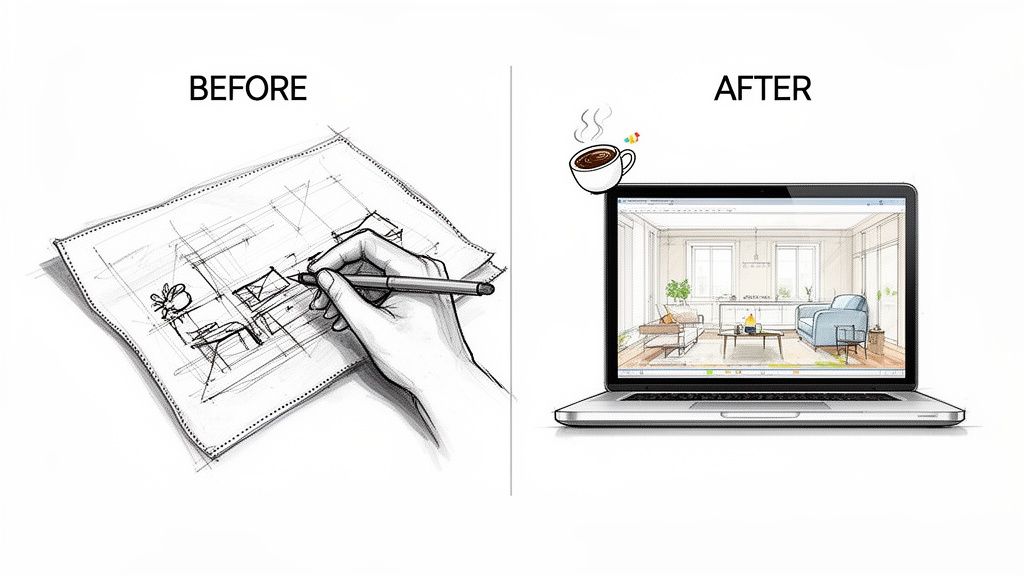
El software de diseño de interiores con IA invierte completamente ese guión. Reduce el tiempo desde el concepto inicial hasta un visual terminado de días a meros segundos. Pero esto no se trata solo de ir más rápido. Se trata de hacer que todo el flujo de trabajo creativo sea más dinámico, colaborativo y fluido.
De la renderización manual a la visualización instantánea
El renderizado tradicional se siente como preparar una única sesión fotográfica de alto riesgo. Todo tiene que ser perfecto, y lleva mucho tiempo obtener esa única toma. La IA, por otro lado, es como tener una cámara de alta velocidad que puede capturar docenas de posibilidades diferentes en un instante.
Puedes tomar una foto de una sala de estar vacía, subirla, y al instante verla rediseñada en estilo Japandi, Moderno de mediados de siglo, o Industrial y áspero. Esto significa que puedes mostrar a tu cliente exactamente lo que estás pensando durante esa primera reunión, en lugar de solo intentar describirlo.
El valor real aquí es fácil de ver:
- Velocidad: ¿Por qué esperar horas por un render cuando puedes obtener un visual de alta calidad en menos de 60 segundos?
- Iteración: Puedes explorar variaciones de diseño infinitas sin preocuparte por el tiempo y el costo.
- Accesibilidad: Ya no necesitas ser un experto en renderizado 3D para crear visuals de calidad profesional.
Esta tecnología está derribando barreras. Le da a los diseñadores independientes y pequeñas firmas el poder de producir visuals que alguna vez requirieron un especialista en renderizado dedicado y software costoso. Está nivelando el campo de juego, poniendo herramientas de visualización de alta gama en manos de más profesionales creativos que nunca.
Quién se beneficia de este nuevo flujo de trabajo
Los efectos secundarios del software de diseño de interiores con IA se sienten en todos lados. Los diseñadores independientes ahora pueden manejar una carga de trabajo más grande, entregando propuestas más rápido y construyendo confianza del cliente con visuals que hablan por sí solos.
Las grandes firmas de arquitectura lo están usando para acelerar su trabajo conceptual inicial. ¿Y los agentes inmobiliarios? Pueden preparar virtualmente una propiedad completa por una fracción de lo que cuesta traer muebles reales. Este cambio de trabajo lento y manual a un proceso rápido impulsado por IA está estableciendo un nuevo estándar para cómo diseñamos y nos comunicamos.
Comprendiendo las capacidades principales del diseño con IA
Para realmente ver qué puede hacer el software de diseño de interiores con IA, tienes que mirar más allá de las imágenes finales impresionantes y entender qué está sucediendo bajo el capó. Estas herramientas no son solo filtros de fotos sofisticados; son motores creativos sofisticados construidos sobre IA generativa. Interpretan tus ideas, comprenden matices estilísticos y producen visuals que, hasta hace poco, solo eran posibles con un equipo de especialistas en renderizado 3D.
Este cambio no es solo una tendencia pasajera. El mercado de herramientas de diseño de interiores con IA está en auge, con una tasa de crecimiento anual compuesta (CAGR) de 15.60%. Está en camino de convertirse en una industria de $7.2 mil millones para 2033. Esta explosión está impulsada por herramientas que pueden reducir el tiempo de producción hasta 90% en comparación con métodos tradicionales, haciendo la visualización de alta gama accesible a una audiencia mucho más amplia.
Desglosemos las características clave que hacen que todo esto sea posible.
De un boceto en una servilleta a un render fotorrealista
En su esencia, lo más poderoso que hace este software es convertir una idea básica en un espacio completamente realizado. Aquí es donde ocurre la verdadera magia. Imagina que tienes un boceto a lápiz áspero de un diseño de habitación—solo algunas líneas mostrando dónde van el sofá y las ventanas. Una IA puede tomar ese dibujo simple y generar una imagen fotorrealista de una habitación amueblada, hermosamente iluminada.
Lo mismo ocurre con las fotos. Puedes subir una foto de una habitación vacía u obsoleta, y el software se pone a trabajar. Analiza las dimensiones, la iluminación y los detalles arquitectónicos, usando esa foto como un lienzo para pintar diseños completamente nuevos. Esta función de foto a render se ha convertido en una piedra angular del diseño moderno.
- Para diseñadores: Esto significa que puedes validar conceptos casi instantáneamente. Puedes mostrar a los clientes una visión tangible solo minutos después de tu primera reunión.
- Para profesionales inmobiliarios: Este es el motor detrás de la preparación virtual, transformando listados vacíos en casas convincentes y listas para mudarse que llamen la atención de un comprador.
Evita completamente el largo y tedioso trabajo técnico del modelado 3D manual y texturizado, liberándote para enfocarte en la visión creativa.
Capacidades clave del software moderno de diseño de interiores con IA
Para entender las opciones disponibles, ayuda ver las características principales lado a lado. Estas son las capacidades que separan una herramienta básica de una plataforma de grado profesional.
| Capacidad | Qué hace | Beneficio principal para profesionales |
|---|---|---|
| Boceto/Foto a render | Convierte dibujos simples o fotos de espacios existentes en renders de alta calidad completamente amueblados. | Reduce drásticamente el tiempo de desarrollo de conceptos y hace la preparación virtual rápida y asequible. |
| Estilo por indicación de texto | Aplica estilos completos de diseño de interiores (p. ej., "Japandi", "Industrial Loft") basados en descripciones de texto simples. | Permite la exploración rápida de direcciones creativas diversas sin ninguna configuración manual. |
| Control de materiales e iluminación | Ajusta materiales específicos, texturas y condiciones de iluminación usando comandos en lenguaje natural. | Proporciona control granular para refinar detalles e iterar sobre comentarios de clientes en tiempo real. |
| Integración de CAD y modelos 3D | Importa modelos de software estándar de la industria como SketchUp, Revit o Rhino para usarlos como base para renderizado. | Se integra perfectamente en flujos de trabajo de diseño existentes, combinando precisión CAD con velocidad de IA. |
Estas características trabajan juntas para crear un flujo de trabajo que es tanto poderoso como intuitivo, dándote más apalancamiento creativo que nunca.
Genera estilos al instante con solo algunas palabras
Otro cambio de juego es la capacidad de aplicar estéticas de diseño complejas usando comandos de texto simples. En lugar de pasar horas buscando los modelos de muebles correctos, texturas y paletas de colores para que se ajusten a un look específico, simplemente le dices a la IA lo que quieres.
Piensa en la IA como un diseñador de clase mundial que ha memorizado cada movimiento de diseño importante en la historia. Solo necesitas darle una dirección, y ejecutará la visión impecablemente, combinando todos los elementos correctos en un espacio coherente y creíble.
¿Quieres ver esa sala de estar en estilo Japandi? Escribe "Sala de estar Japandi con madera de roble claro y textiles neutros". ¿Buscas algo más audaz? Intenta "Loft industrial con ladrillo expuesto, acentos de metal negro y muebles de cuero". La IA entiende estos términos y genera una imagen que domina la estética, completa con los muebles, materiales y decoración correctos. Esto te permite explorar direcciones creativas salvajemente diferentes en una fracción del tiempo.
Controla materiales e iluminación con lenguaje natural
Más allá de estilos amplios, el mejor software de diseño de interiores con IA te da control fino sobre los detalles que hacen que un espacio se sienta real: materiales e iluminación. Aquí es donde vas más allá de los presets y entras en diseño verdaderamente personalizado, todo usando lenguaje simple y conversacional. Para profesionales, esto es lo que eleva un concepto bueno a uno excelente.
Puedes emitir comandos como:
- "Cambia el piso a hormigón pulido."
- "Haz las paredes de yeso texturizado blanco roto."
- "Añade luz cálida y atmosférica al atardecer viniendo de la ventana."
Este control intuitivo significa que puedes ajustar y refinar tu visión sobre la marcha. Si un cliente ama el diseño pero no está seguro sobre los materiales, puedes generar nuevas opciones en segundos, no horas. Hace que todo el proceso sea más colaborativo y fluido. Puedes aprender más sobre las posibilidades del renderizado con IA en https://www.moldaspace.com/visualization/ai-rendering.
Integración perfecta con tus modelos CAD y 3D
Finalmente, las mejores herramientas de IA no existen en una burbuja. Están construidas para conectarse directamente con flujos de trabajo profesionales existentes al soportar archivos de software estándar de la industria. Puedes exportar un modelo básico de programas como SketchUp, Revit, Rhino, o ArchiCAD y usarlo como la base arquitectónica para tus visualizaciones impulsadas por IA.
Esto posiciona la IA no como un reemplazo para tus habilidades principales sino como un acelerador poderoso. Los diseñadores pueden mantenerse con su software de modelado preferido para trabajo arquitectónico preciso, luego pasar las tareas que consumen tiempo de texturizado, iluminación y renderizado a la IA. Este enfoque híbrido te da la precisión técnica de CAD y la velocidad increíble de IA—lo mejor de ambos mundos.
Poniendo el software de diseño de interiores con IA en práctica
Saber qué software de diseño de interiores con IA puede hacer es una cosa. Ver cómo cambia completamente el trabajo diario de un profesional es otra completamente. Estas herramientas no son solo para crear imágenes bonitas; son instrumentos prácticos y poderosos que resuelven problemas muy reales para diseñadores de interiores y profesionales inmobiliarios. Al traer IA a su proceso, pueden mostrar sus ideas más claramente, reducir cronogramas de proyectos y obtener la aprobación del cliente mucho más rápido.
El gran cambio aquí es alejarse de un proceso de diseño lento y paso a paso hacia un bucle mucho más dinámico e iterativo. Este diagrama de flujo visual muestra exactamente qué tan rápido una idea simple puede convertirse en un activo visual de alta calidad.
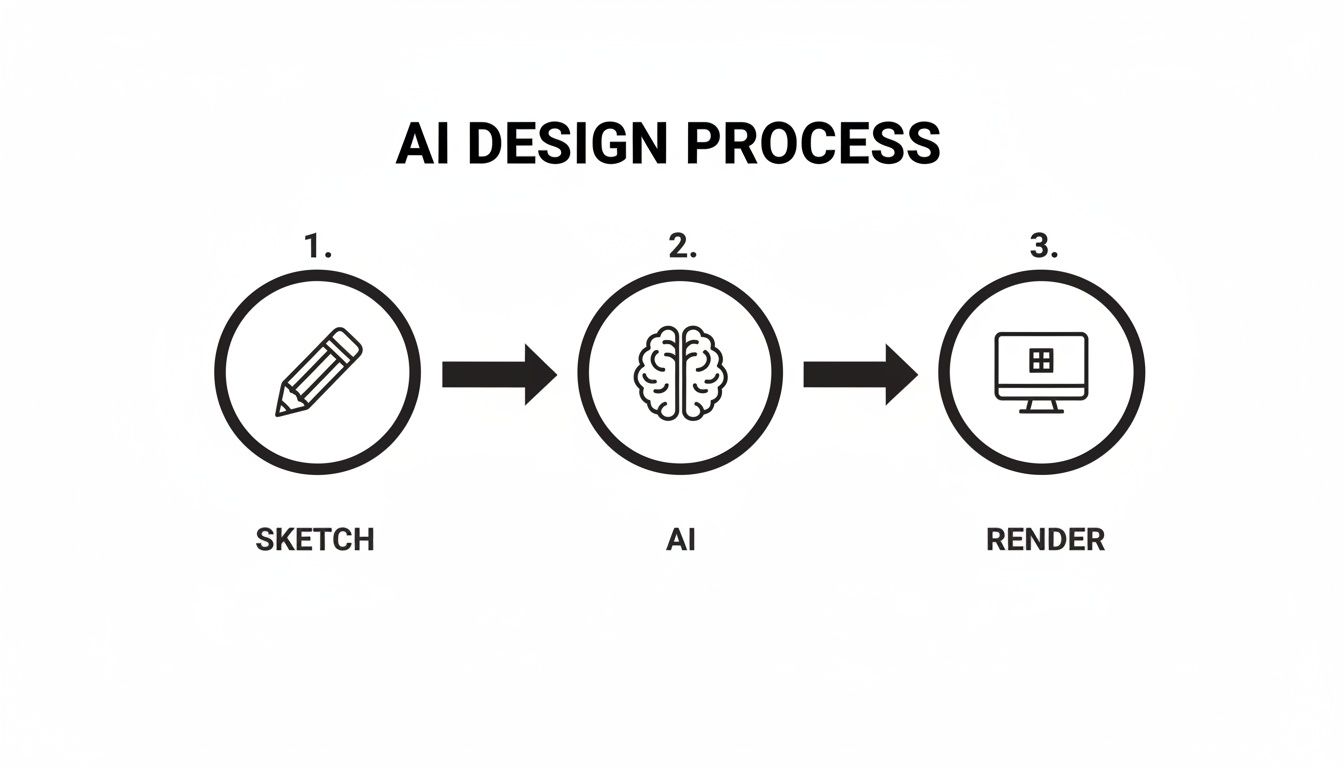
Este simple proceso de tres pasos—boceto, generación de IA y render final—comprime lo que solía tomar días en meros minutos. Empodera a los profesionales a explorar más opciones creativas que nunca.
El viaje de una diseñadora desde la reunión con el cliente hasta el concepto final
Caminemos a través de un proyecto típico con una diseñadora de interiores, la llamaremos "Anna", para ver cómo estas herramientas marcan la diferencia en cada etapa.
Paso 1: La consulta inicial con el cliente
Anna se sienta con nuevos clientes por primera vez. ¿La forma antigua? Escuchar, tomar notas y prometer volver en una semana con tableros de inspiración. ¿La forma nueva? Saca su tablet. Mientras los clientes describen lo que buscan—"algo cálido, minimalista, pero con un toque de Moderno de mediados de siglo"—ella toma una foto de su sala de estar existente y la sube a su herramienta de diseño con IA.
En segundos, está mostrándoles varias opciones de diseño directamente en la pantalla. Los clientes logran ver sus propias ideas cobrar vida inmediatamente, dándole retroalimentación en tiempo real. Este tipo de inicio interactivo construye confianza instantánea y entusiasmo, asegurando que todos estén en la misma página desde el primer día.
Paso 2: Iteración rápida y desarrollo del diseño
De vuelta en su estudio, Anna usa esos conceptos iniciales como punto de partida. A los clientes les encantó la vibra Moderno de mediados de siglo pero querían jugar con diferentes materiales. En lugar de pasar horas construyendo y ajustando modelos en SketchUp o V-Ray, Anna simplemente usa indicaciones de texto simples para iterar.
- "Cambia la mesa de café de roble a un acabado nogal oscuro."
- "Haz la pared de acento un verde bosque profundo."
- "Muéstrame esta habitación con pisos de hormigón pulido en lugar de madera dura."
En menos de una hora, ha explorado docenas de variaciones de alta calidad. Esa es una tarea que habría consumido una semana completa anteriormente. Esta velocidad le permite afinar el diseño con precisión increíble, obteniendo el concepto final exactamente bien. Al hacer que sea mucho más fácil crear propuestas de diseño convincentes, Anna ahora puede asumir más clientes sin nunca comprometer la calidad.
Paso 3: La presentación final
Cuando es hora de la presentación final, Anna llega con un conjunto curado de renders fotorrealistas mostrando el diseño pulido desde múltiples ángulos. Como los clientes fueron parte del proceso todo el tiempo, no hay sorpresas grandes. Ven la visión exacta que ayudaron a formar, lo que lleva a una aprobación rápida y una transición suave hacia la orden de muebles y materiales.
La IA transformó un proceso largo y abstracto en una conversación colaborativa y visual. El software se convirtió en un puente entre la experiencia profesional de Anna y la visión personal de su cliente, cerrando la brecha que tan a menudo lleva a malentendidos y revisiones infinitas.
El camino de un profesional inmobiliario hacia un listado preparado
Ahora, veamos a "Mark", un agente inmobiliario intentando vender una propiedad vacante. Las habitaciones vacías siempre se ven frías y pequeñas, y los compradores luchan por imaginarse viviendo allí. Mark usa software de diseño de interiores con IA para preparación virtual, transformando un listado difícil en una propiedad caliente.
Esto no es un truco de nicho; el mercado está en auge. La IA generativa en diseño, el motor detrás de estas herramientas, fue valorada en $937 millones y se proyecta que alcance $2.74 mil millones para 2034. Este crecimiento se trata de ganancias masivas de eficiencia. Por ejemplo, la preparación virtual ha demostrado aumentar el compromiso del comprador en un reportado 67%. Puedes profundizar en más datos sobre el mercado de IA generativa en este informe detallado.
Paso 1: Capturando el espacio en bruto
Mark camina por la casa vacía y toma fotos bien iluminadas de las habitaciones principales—sala de estar, dormitorio principal, cocina. No necesita equipo sofisticado, solo su smartphone. De vuelta en la oficina, sube estas fotos directamente a su plataforma de IA.
Paso 2: Generando la preparación virtual
Para cada habitación, Mark elige un estilo que sabe resonará con los compradores en ese vecindario. Usa indicaciones simples para obtener exactamente lo que necesita:
- "Prepara esta sala de estar en un estilo escandinavo brillante con muebles neutros."
- "Amuebla este dormitorio con una estética moderna de granja, incluyendo una cama king-size y dos mesas de noche."
En solo unos minutos, la IA llena las habitaciones vacías con muebles elegantes, arte y decoración perfectamente escalados. Los resultados se ven fotorrealistas e increíblemente acogedores, finalmente mostrando el potencial real del hogar.
Paso 3: Comercializando la propiedad
Mark ahora tiene un conjunto asesino de activos de marketing. Usa las fotos preparadas virtualmente como las imágenes principales para su listado en línea, sus publicaciones en redes sociales y sus folletos de marketing. El impacto es inmediato. El listado con habitaciones hermosamente amuebladas obtiene muchas más vistas e consultas que propiedades vacías similares. Los compradores pueden realmente formar una conexión emocional con el espacio, haciéndolos mucho más propensos a reservar una visita.
En ambas historias, el software de diseño de interiores con IA es un habilitador poderoso. Para la diseñadora, es una herramienta para exploración creativa y colaboración con clientes. Para el agente inmobiliario, es un motor de marketing que atrae la atención del comprador y ayuda a vender casas más rápido.
Cómo elegir la herramienta de diseño con IA correcta para tus necesidades
Con tantas opciones surgiendo, elegir el software de diseño de interiores con IA correcto puede sentirse como una tarea. El secreto no es encontrar la herramienta "mejor", sino la correcta para tu flujo de trabajo específico. Piénsalo como contratar un asistente digital—necesitas uno con las habilidades correctas para el trabajo que necesitas hacer.
El truco es mirar más allá del bombo de marketing y enfocarse en un puñado de factores principales que realmente harán una diferencia en tu trabajo diario. Una plataforma que es un cambio de juego para un agente inmobiliario preparando un condominio vacío podría ser un ajuste terrible para un arquitecto visualizando un complejo lobby comercial. Al usar un marco de evaluación claro, puedes encontrar una herramienta que genuinamente te ahorre tiempo, te ayude a comunicar tu visión y, en última instancia, haga crecer tu negocio.
Lo primero es lo primero: ¿Cuál es tu objetivo principal?
Antes de que incluso comiences a comparar características o mirar etiquetas de precio, necesitas dejar algo cristalino: ¿qué problema estás intentando resolver? Identificar tu objetivo principal te dirá instantáneamente cuáles características son imprescindibles y cuáles son solo ruido.
¿Eres un diseñador independiente que necesita elaborar algunos conceptos diferentes sobre la marcha durante una reunión con el cliente? Entonces tu prioridad es velocidad y una biblioteca profunda de estilos preestablecidos. ¿O quizás eres un profesional inmobiliario enfocado puramente en preparación virtual? En ese caso, necesitas resultados fotorrealistas y una forma simple de trabajar con fotos existentes.
El error más común que veo cometer a los profesionales es seducirse por una herramienta cargada de características avanzadas que nunca usarán. Enfócate en tu tarea principal—ya sea lluvia de ideas inicial, creación de imágenes de marketing o visualización detallada—y deja que ese único propósito dirija toda tu decisión.
Juzga los renders: Se trata de calidad y velocidad
El output visual es donde la goma toca el camino. El software que elijas tiene que crear imágenes que no solo asombren a tus clientes sino que también capturen con precisión tu intención de diseño. Cuando estés probando una plataforma, mira de cerca el realismo. ¿Cómo maneja la iluminación, las sombras y la textura de un sofá de terciopelo o una encimera de mármol?
Pero la calidad impresionante es solo la mitad de la batalla. La velocidad es la otra. El punto completo de usar IA es moverse rápido e iterar. Una herramienta que te deja esperando varios minutos por una sola imagen completamente derrota el propósito, especialmente cuando tienes un cliente mirando por encima de tu hombro.
Estás buscando un punto dulce que se ajuste a tu proceso:
- Alto realismo: ¿Los renders se ven como fotos profesionales, o gritan "digital"? Busca las cosas pequeñas, como sombras suaves y reflejos creíbles.
- Generación rápida: ¿Puedes obtener múltiples variaciones de diseño en menos de un minuto? Esto es absolutamente esencial para colaboración en tiempo real y retroalimentación.
- Consistencia: ¿Respeta la IA las leyes de la física y la arquitectura? Quieres una herramienta que mantenga la escala adecuada, no una que genere resultados bizarros e inutilizables.
Asegúrate de que funcione bien con otros
El mejor software de diseño de interiores con IA no existe en una burbuja; se conecta con las otras herramientas que ya usas todos los días. Para arquitectos y diseñadores, eso significa que absolutamente debe funcionar con tus programas de modelado 3D favoritos.
Verifica que la plataforma pueda importar fácilmente archivos de estándares de la industria como SketchUp, Revit, Rhino, o ArchiCAD. Este flujo de trabajo híbrido es increíblemente poderoso. Te permite construir tus modelos precisos y detallados a mano, luego pasar el trabajo que consume tiempo de texturizado, iluminación y amueblamiento a la IA. Obtienes la precisión de CAD tradicional con la velocidad vertiginosa del renderizado con IA. Si quieres profundizar en herramientas de grado profesional, consulta nuestra guía sobre el mejor software de renderizado 3D para diseño de interiores.
No ignores la letra pequeña: Precios y licencias
Finalmente, hablemos de negocios. Los modelos de precios están por todas partes, desde suscripciones mensuales hasta paquetes de crédito de pago por renderizado. Si tu pipeline de proyectos tiene picos y valles, un sistema con créditos que no expiran puede ser mucho más rentable que una suscripción fija que podrías no usar cada mes.
Igualmente importante son los términos de licencia. Antes de registrarte, debes confirmar que obtienes derechos comerciales completos para cada imagen que creas. Esto es innegociable. Es lo que te permite usar legalmente los visuals para presentaciones de clientes, en tu sitio web, en materiales de marketing y en tu portafolio sin ninguna cadena adjunta. Una herramienta sin licencia comercial clara es una responsabilidad profesional esperando suceder.
Para ayudarte a juntar todo esto, aquí hay una lista de verificación simple que puedes usar cuando compares diferentes herramientas de diseño con IA.
Lista de verificación de evaluación para software de diseño de interiores con IA
Una lista de verificación práctica para ayudar a los profesionales a comparar y seleccionar la herramienta de IA que mejor se ajuste a su flujo de trabajo, presupuesto y estándares de calidad.
| Criterio de evaluación | Preguntas clave a hacer | Por qué importa |
|---|---|---|
| Calidad del output | ¿Los renders se ven fotorrealistas? ¿Cómo maneja la luz, la sombra y los materiales? | Tus visuals son tu herramienta de venta. Los renders de baja calidad pueden socavar la confianza del cliente y tergiversar tu diseño. |
| Velocidad e iteración | ¿Cuánto tiempo tarda en generar una imagen? ¿Puedo crear fácilmente múltiples variaciones? | El valor principal de la IA es la velocidad. Los tiempos de generación lentos crean cuellos de botella, especialmente durante reuniones con clientes. |
| Integraciones | ¿Puedo importar mis modelos de SketchUp, Revit u otro software CAD? | Una buena herramienta debe encajar en tu flujo de trabajo existente, no obligarte a empezar de cero. |
| Modelo de precios | ¿Es una suscripción o un sistema basado en créditos? ¿Los créditos expiran? | El modelo correcto debe alinearse con tu frecuencia de proyectos y presupuesto, evitando que pagues por tiempo no utilizado. |
| Licencia comercial | ¿Obtengo derechos comerciales completos e irrestrictos para todas las imágenes generadas? | Esto es crítico. Sin derechos comerciales, no puedes usar legalmente las imágenes para tu negocio. |
| Ajuste del caso de uso principal | ¿Esta herramienta destaca en la única tarea que más necesito (p. ej., preparación, concepto)? | Una herramienta especializada que hace una cosa perfectamente a menudo es mejor que una navaja suiza que no destaca en nada. |
Al caminar a través de estas preguntas, puedes cortar el ruido y seleccionar con confianza una plataforma que se convertirá en un verdadero activo para tu negocio.
Maximizando tu retorno en diseño impulsado por IA
Traer nueva tecnología a tu negocio es una cosa; hacer que funcione para ti es otra. Con el software de diseño de interiores con IA, la verdadera magia sucede cuando vas más allá de solo hacer imágenes bonitas y comienzas a usarlo como parte central de tu comunicación con clientes y estrategia empresarial. El objetivo no es solo usar la herramienta, sino ver un retorno real y medible en tu inversión.
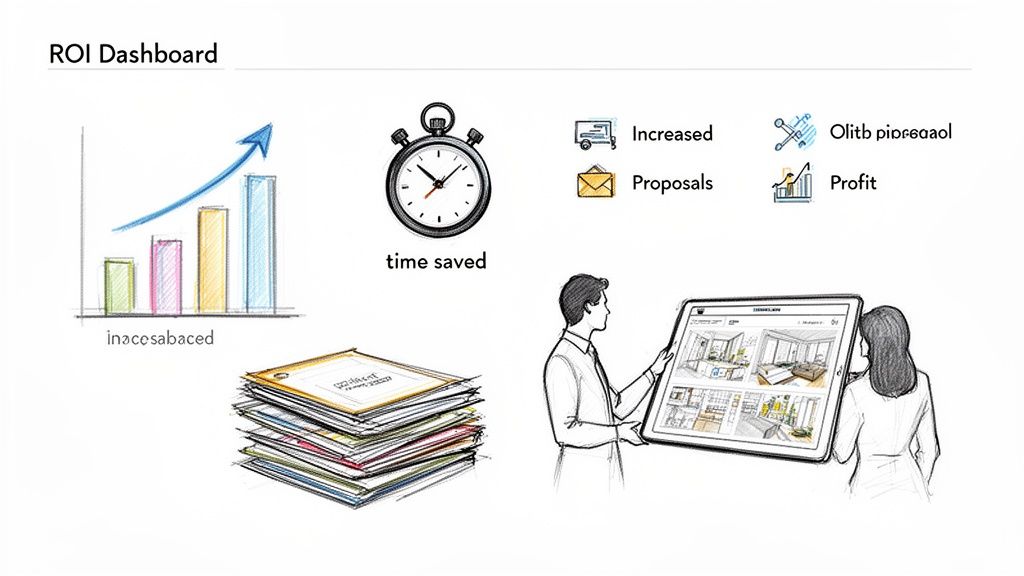
Todo comienza con un cambio simple en cómo hablas sobre los visuals que creas. No son la respuesta final; son el comienzo de una conversación. Al enmarcarlos de esta manera, invitas a los clientes a un proceso colaborativo donde su visión puede cobrar vida directamente ante sus ojos.
Presentando visuals con IA como herramientas colaborativas
La mejor forma de mostrar imágenes generadas por IA es tratarlas como "borradores visuales" en lugar de un diseño terminado, tómalo o déjalo. Este pequeño cambio en la redacción puede hacer toda la diferencia. Gestiona expectativas y abre la puerta para un diálogo mucho más productivo y creativo.
Entonces, en lugar de decir, "Aquí está el diseño final", intenta algo como, "Aquí hay algunos conceptos iniciales que podemos explorar juntos". De repente, tu presentación se siente menos como una revelación y más como un taller práctico.
Piensa en el software de IA como una pizarra compartida donde tú y el cliente pueden esbozar ideas juntos. Esto transforma una presentación típicamente unilateral en un diálogo bidireccional, construyendo compra del cliente y entusiasmo desde el principio.
Este enfoque es increíblemente empoderador para los clientes. Se sienten escuchados y se convierten en participantes activos en el viaje del diseño. Cuando ven sus sugerencias—un color de pared diferente, un nuevo estilo de sofá—materializarse en segundos, se vuelven más invertidos en el resultado final. Y un cliente más invertido es uno que aprueba el concepto final mucho, mucho más rápido.
Calculando tu retorno de inversión
La mejor colaboración con clientes es fantástica, pero seamos honestos—los números tienen que tener sentido. Probar el impacto financiero es lo que realmente justifica traer nuevo software a tu flujo de trabajo. Afortunadamente, medir el retorno de inversión (ROI) para el software de diseño de interiores con IA no requiere un título en contabilidad. Solo significa mantener un ojo en algunas áreas clave que impactan directamente tu resultado final.
El mercado completo de software de diseño de interiores, que está recibiendo un impulso masivo de la IA, fue valorado en $5.37 mil millones y se espera que alcance $9.66 mil millones para 2030. Ese crecimiento está sucediendo por una razón. Por ejemplo, algunos reportes muestran que la preparación virtual puede aumentar las tasas de conversión de propiedades en un asombroso 40%. Estas herramientas crean valor financiero real. Si quieres profundizar en los números, puedes consultar un informe completo sobre tendencias de software de diseño de interiores.
Para calcular tu propio ROI, solo enfócate en estas tres cosas:
- Tiempo de renderizado y diseño reducido: ¿Cuántas horas estás ahorrando en cada proyecto en comparación con la forma antigua? Si solías pasar 10 horas en renders y ahora toma una, eso son nueve horas extra que puedes pasar en otro trabajo facturable.
- Tasa de ganancia de propuesta aumentada: ¿Estás ganando más clientes porque puedes mostrarles visuals impresionantes y personalizados desde el inicio? Una tasa de cierre más alta es ingresos puros.
- Decisiones de cliente más rápidas: Rastrea qué tan rápido los clientes aprueban diseños. Cuando puedes hacer revisiones sobre la marcha, el ir y venir desaparece, los proyectos avanzan y te pagan más pronto.
Un ejemplo simple de cálculo de ROI
Caminemos a través de un ejemplo rápido. Digamos que tu tarifa facturable es $100 por hora, y el software de IA que estás usando cuesta $50 al mes.
| Métrica | Antes del software de IA | Con software de IA | Impacto |
|---|---|---|---|
| Tiempo de renderizado por proyecto | 8 horas | 1 hora | 7 horas ahorradas |
| Valor del tiempo ahorrado | $0 | $700 (7 hrs x $100/hr) | + $700 |
| Proyectos ganados por mes | 2 proyectos | 3 proyectos | 1 proyecto extra |
| Valor del nuevo proyecto | $0 | $3,000 (ganancia promedio) | + $3,000 |
| Ganancia mensual total | - | - | $3,700 |
| ROI neto | - | - | $3,650 ($3,700 - $50 costo) |
Este desglose simple deja claro: el software correcto no solo se paga a sí mismo; se convierte en un impulsor de ganancias importante para tu negocio. Al ahorrar enormes cantidades de tiempo y ganar más trabajo, puedes aumentar dramáticamente tus ingresos y asumir más clientes sin alcanzar el agotamiento. Eso no es solo una herramienta—eso es una inversión inteligente en tu crecimiento.
¿Tienes preguntas sobre diseño de interiores con IA? Tenemos respuestas.
Entrar en cualquier nueva tecnología trae preguntas, y cuando se trata de un campo tan creativo y personal como el diseño, es completamente natural ser curioso. Desglosemos algunas de las cosas más comunes que los profesionales se preguntan cuando consideran el software de diseño de interiores con IA.
¿Reemplazará la IA a los diseñadores de interiores?
Este es el grande, pero la respuesta es un firme no. La IA es un asistente increíblemente poderoso, no un reemplazo para tu experiencia. Piénsalo como un copiloto, no el piloto. Está aquí para asumir las partes lentas y tediosas del trabajo—como el renderizado—para que puedas enfocarte en lo que realmente importa.
Una IA puede escupir una imagen hermosa, seguro. Pero no puede gestionar un proyecto, navegar relaciones complicadas con clientes o resolver los acertijos espaciales complejos que requieren una comprensión real del comportamiento humano y códigos de construcción. La IA maneja la ejecución técnica de un visual, mientras que tú sigues siendo el director creativo. Tomas las decisiones estratégicas; la IA solo te ayuda a verlas cobrar vida más rápido que nunca.
¿Qué tan difícil es aprender esto?
Buenas noticias: a diferencia de los programas de renderizado 3D bestiales del pasado que tenían una notoriamente curva de aprendizaje pronunciada, el software de diseño de interiores con IA moderno está construido para ser intuitivo. Las interfaces son limpias, simples y a menudo giran alrededor de comandos directos.
Si puedes describir lo que quieres en una oración—"Muéstrame una cocina costera moderna con gabinetes azul marino y herrajes de latón"—puedes generar un visual de alta calidad. La mayoría de diseñadores encuentran que pueden obtener resultados impresionantes dentro de minutos de iniciar sesión, no las semanas o meses de capacitación requeridos para software más antiguo. Esa accesibilidad es lo que lo hace tan poderoso.
¿Cuáles son las limitaciones actuales?
Aunque la tecnología se está moviendo a velocidad de rayo, es importante conocer sus límites actuales. Las herramientas de IA son absolutamente brillantes para lluvia de ideas, visualización rápida y exploración de diferentes direcciones de diseño con un cliente. No están, sin embargo, diseñadas para producir dibujos técnicos pixel-perfectos o documentos listos para construcción.
Piénsalo de esta manera: la IA es la herramienta perfecta para el "qué" y el "por qué" de un diseño—qué estilo, qué estado de ánimo, qué diseño general? El "cómo" se construye sigue siendo responsabilidad de la precisión del software CAD y la experiencia de un diseñador o arquitecto profesional.
También podrías encontrar que generar un elemento de diseño altamente específico o verdaderamente único requiere un poco de indicación creativa y algunas rondas de refinamiento. El truco es tratar la IA como tu socio de lluvia de ideas, no una máquina de redacción de extremo a extremo.
¿Quién es dueño de las imágenes que creo?
Esta es una pregunta crítica para cualquier profesional, y la respuesta impacta directamente tu negocio. Cualquier plataforma respetable construida para uso comercial, como MoldaSpace, te otorgará derechos comerciales completos para las imágenes que generes. Esta es una característica innegociable para trabajo profesional.
Tener una licencia comercial clara significa que puedes usar tus visuals para cualquier propósito empresarial sin preocuparte por dolores de cabeza legales. Esto incluye:
- Presentaciones de clientes: Compartir conceptos y diseños finales.
- Materiales de marketing: Usar las imágenes en tu sitio web, redes sociales o en impreso.
- Portafolios: Construir un cuerpo de trabajo para atraer nuevos clientes.
Siempre, siempre lee los términos de servicio para cualquier herramienta que estés considerando. Asegúrate de que la plataforma explícitamente te otorgue una licencia comercial para proteger tu negocio y tus clientes. Es una de las cosas más importantes a verificar antes de comprometerte.
¿Listo para ver qué tan rápido puedes convertir tu visión en un visual impresionante? Con MoldaSpace, puedes transformar bocetos, fotos y modelos 3D en renders fotorrealistas en segundos—con derechos comerciales completos incluidos.


